Clean Blacks

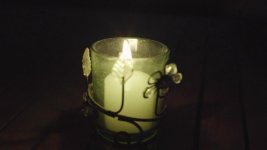
The discussion and links has been very instructive. I should have time on Monday to set up my scenario (from the opening question on page one of the thread) with the man and the lamp in a dark room. I will shoot the scene ETTR +2. For clarification, when shooting to the right +2 would that reading be on his face since this is the critical area of exposure? So it seems like I should get an 50IRE on his face and then push it up +2 and then to test do the same with his face at 70IRE and then push it up +2. I will also bring the fill light up in the shadows some to give the sensor more light and then work to push it down in post.

I also have a friend in town (former FS700 owner) who has had his Fs7 for a few weeks and I will reach out to him to see if he is interested in bringing his rig over at the same time and working to address a few of the questions from above regarding the Fs7 log versus the A7s log and how overexposing each potentially will result in very different outcomes.
 
The a7s internal recording is one of the cleanest images I've shot, and that certainly includes RED and their ilk. Externally obviously with no noise cancelling has a bit more noise, but even at 3200 it's not that bad:

I agree that the A7s is one of the cleanest images I've shot as well - at least as it pertains to DSLR video. The frame grab you included earlier is beautiful and a great example of that. However, it is the types of scenarios that I described in the initial post question where I've had the issue (not bright outdoor scenes). Those sorts of scenes, where they are primarily dark with only a little motivated light, that have caused me the issues. A number of the posts in this string have made suggestions that I will try - hopefully tomorrow (Monday).
 
The discussion and links has been very instructive. I should have time on Monday to set up my scenario (from the opening question on page one of the thread) with the man and the lamp in a dark room. I will shoot the scene ETTR +2. For clarification, when shooting to the right +2 would that reading be on his face since this is the critical area of exposure? So it seems like I should get an 50IRE on his face and then push it up +2 and then to test do the same with his face at 70IRE and then push it up +2. I will also bring the fill light up in the shadows some to give the sensor more light and then work to push it down in post.

I also have a friend in town (former FS700 owner) who has had his Fs7 for a few weeks and I will reach out to him to see if he is interested in bringing his rig over at the same time and working to address a few of the questions from above regarding the Fs7 log versus the A7s log and how overexposing each potentially will result in very different outcomes.

I think 70ire +2 stops is going to be much too much. Stick to 60ire for your midtones in shot and make sure you get a good ratio on the face unless you want it to be flat.
The +2 people mention I believe is in regards to the in camera metering.
 
for your testing: here are some images from the same shoot i posted before. one is a light brown skin at around 50-60ire, the next is the same but around 30ire, the last is a lighter skin tone around 60ire again. these are taken right from the prores file (so no correction has taken place, if you want to mess with them, you may want to 'fix' them based on what you're editing with. re: hdmi breaks slog2). tiffs for editing are at the end of the post after the compresed jpegs.
lulu_flat_10130.jpglulu_flat_20132.jpglulu_flat_20500.jpg

tiff files for editing:
https://drive.google.com/file/d/0BwO55ILG1OL-b29JbzdlOHpnM1U/view?usp=sharing
https://drive.google.com/file/d/0BwO55ILG1OL-UE40VDlwd0NnYjQ/view?usp=sharing
https://drive.google.com/file/d/0BwO55ILG1OL-cThUaU0temZhUzg/view?usp=sharing
 
if those videos were taken with slog2 - sgamut , you need proper technical LUTs for them to bring them back in right color space .
In video, you can do this in Resolve , in FCPX with LUT utility, in Premiere with Lumitri plugin etc.
You cant just edit them with any editor or photoshop, without bring them in the right color space.
 
Imho you need to see a moving picture to see the noise. Still are not enough. ProresLT will reveal the truth about the darker shot.
 
SLOG2.jpgSLOG2+2.jpg
this are 2 shots recorded internal in xavcs slog2 s-gamut.
the first exposed to 0 in the lightmeter on the camera, the second +2.
i think overexpose + 1-2 reduce noise in dark scene very good.
 
Imho you need to see a moving picture to see the noise. Still are not enough. ProresLT will reveal the truth about the darker shot.
While I agree that to see exact noise pattern you need a moving image, you can see pretty clearly there is some not-so-awesome noise built up on the darkest of the 3 shots, and thats at 3200 ISO, which is a clean iso when it's not starved for light, but clearly here shows that when it is starved, noise shows up quickly (I should have bumped up to a higher ISO to get good levels, then denoised a bit if needed). also trying to bump up the skin tone into something like 50-60ire is going to be tough without significant post processing to reduce noise and maybe even some macroblocking.

if those videos were taken with slog2 - sgamut , you need proper technical LUTs for them to bring them back in right color space .
In video, you can do this in Resolve , in FCPX with LUT utility, in Premiere with Lumitri plugin etc.
You cant just edit them with any editor or photoshop, without bring them in the right color space.

they are slog2/sgamut and while i think it's safe to say most people will edit those in premiere/speedgrade/davinci and most of those will use a LUT, that does not make a LUT necessary. While I typically use the f55 slog2-rec 709 lut to get me into the right ballpark, ive also just started grading with no LUT. LUTs are a great help, but not 100% necessary.

hi,i graded this in Premiere with Alister LUTs

Regards
Christian

Thanks for posting that, I'm going to look into those LUTs
 
Looks like my buddy (Kenny Allen) will bring his FS7 over to the studio today so we will shoot a few low light tests at both PP7 (Slog2 +Sgamut) as well as PP4. Again, I've used the camera a fair amount and am comfortable, etc., with the ETTR and how to best use PP7 and PP4 when I at least have some light - all turns out great and the camera does indeed produce a clean image. It is only in the instances where the scene itself is purposefully dark (see very first entry description that started this thread) that I've struggled with getting an acceptable image from this camera in terms of the shadows/dark areas that are meant to be that way (black and clean versus black and really noisy).

So, if we get some useful information tests I will try and get them up onto YouTube fairly quickly this afternoon or tomorrow. If I do my goal will be to show both A7S and FS7 clips.
 
Last edited:
It is only in the instances where the scene itself is purposefully dark (see very first entry description that started this thread) that I've struggled with getting an acceptable image from this camera in terms of the shadows/dark areas that are meant to be that way (black and clean versus black and really noisy).

Lyonfilms, the reason this thread caught my attention is because I just went through EXACTLY what you described in your first post. Exactly. I have 3 x Sony A7s cameras that I use for my wedding video company and most of the time I sort of bake in my look. I had a GH4 and before I sold it I matched my A7s to it's Cine-V look which always looked good to my eye. So I don't shoot flat, I use Cine4 but drop the blacks a bit and have a more punchy saturated color. I don't have time to grade all our weddings, heck I barely have time to edit all of them. I also partly don't use slog2 and grade later because I don't know how to do it effectively so instead to save time I try to just shoot as close to the final look as I can and then I only have to do some basic color correction at the end and maybe add a bit more saturation and crush the blacks just a bit if necessary. Keepin' it simple.

Then last week I got my Shogun and my wife had to do a film project with her class (she teaches acting) and we had 15 kids over for 3 days 6 hours each day for this shoot. I shot it in 4K just to give myself an excuse to learn the workflow. The script was all at night in tents in the back yard and in a dark house. So, not having a crew or anything I just had one 500w Lowel light with a few blue gels and lit it myself. No time to get creative. Just light and move on. We shot the first day and having no playback I didn't realize how much noise was in the shadows. I was usually well below ISO 3200. Mostly at around 1600 if I recall. But it looked good to me on the monitor when I was watching it. Again this was run and gun so maybe I wasn't looking hard enough. But after the first day I watched everything on my computer and was like "woah! noisy?!" I also realized 4K seemed a bit noisier than 1080p. Oh well. So day two I lit things a bit brighter and sure enough it was better, but it still was noisy in the shadows and I honestly don't think I was two stops over so I'm not sure how much I'll be able to fix it. Day 3 I did made it even brighter and I think it'll look good but again, I didn't have time to use more than one light in most circumstances so while the main subject was better lit, the shadows in the background were dark and noisy even at ISO 800, etc. Then, the day after the shoot ends, I read this thread. Go figure. Lesson learned. But your posts and questions are like the exact same things I was wondering. The most informative post response for me was on page 1 where the guys says:


"My personal solution has always been, exposing to the right, just below highlight clipping, then take down brightness in post = clean silky blacks even the noisiest of cameras.

Even if you increase exposure with ISO you get a cleaner image. For example, an underexposed image at 320 ISO is noisier than an overexposed image at 3200. Try it! But of course the ideal way is achieving exposure to the right by opening up the iris oe decreasing shutter or increasing light, they all get cleaner images, just make sure you don't clip the highlights.

It's underexposure that creates noise, not high ISOs."


Yeah, I didn't do this all the "right" way, but I learned a lot and that was the reason why I agreed to do this in the first place. There are several of these little kids classes and most of their videos are probably shot on handycams by teacher's in class, so a full frame, lit, 4K short is WAAAAY more than they needed, but we decided to make it as real of an experience for these kids as we could. It'll look great. And maybe I'll get Neat Video and see what I can do with that because right now most of day 1 and 2 have some pretty crazy noise going on in the shadows (and again, really only the subject was lit in every shot) and I'm definitely not exposed to the right. Curious to see how your tests go with the A7s and FS7.


Yup. Neat video is magic. I believe if someone doesn't have the power of neat video he's missing a big part of his camera's final image quality. It's not just decreasing the amount of noise (which it does perfectly), but it's more about removing all the compression artefacts like macroblocking, any type of nastiness in the shadows, and surprisngly, even reduces banding effectively, all without the slightest effect of image detail if you set it up correctly. It effectively raises the level of the codec to a significantly higher league. Two major pluses is that it's the most effective non-digital sharpening algorithm I've ever used, so although one might think applying noise reduction should make the image softer, with neat video you get out with a sharper picture. Quite magical really.

If you hate noise, looking for silky blacks, hate conpression artefacts, yes expose to the right AND get neat video as a saviour.
 
Yup. Neat video is magic. I believe if someone doesn't have the power of neat video he's missing a big part of his camera's final image quality. It's not just decreasing the amount of noise (which it does perfectly), but it's more about removing all the compression artefacts like macroblocking, any type of nastiness in the shadows, and surprisngly, even reduces banding effectively, all without the slightest effect of image detail if you set it up correctly. It effectively raises the level of the codec to a significantly higher league. Two major pluses is that it's the most effective non-digital sharpening algorithm I've ever used, so although one might think applying noise reduction should make the image softer, with neat video you get out with a sharper picture. Quite magical really.

If you hate noise, looking for silky blacks, hate conpression artefacts, yes expose to the right AND get neat video as a saviour.

I think it's time I purchased it then. "if you set it up correctly..." how hard is it? It will be purchased for sure for the project above because of the huge amount of shadows and mistakes I made not exposing to the right as described above, but I've avoided Neat Video thus far for weddings because I figured it would tack on a lot of extra time and honestly there's not enough noise in our wedding videos for wedding couples to complain anyway. I'm guessing each clip has to be rendered in order to see the results, right? FYI: I have a newer PC with Premiere CC 2014 (6-core i7 x99 with 5930k CPU and GTX 970 GPU and 32GB of DDR4 Ram and a few fast SSD's and Raid 0 HDDs).
 
Having the NVIDIA card with CUDA is key to efficient operation of Neat Video. You have the GTX 970 so you are in very good shape processing wise. Neat Video is very GPU processor intensive. Make sure you have the current NVIDIA drivers as it has a significant OpenGL update in the CUDA portion of the driver update. You particularly want this driver update if you are also running Film Convert which many people who are running Neat Video are.

Yes Neat Video is pretty darn amazing.
 
I think it's time I purchased it then. "if you set it up correctly..." how hard is it? It will be purchased for sure for the project above because of the huge amount of shadows and mistakes I made not exposing to the right as described above, but I've avoided Neat Video thus far for weddings because I figured it would tack on a lot of extra time and honestly there's not enough noise in our wedding videos for wedding couples to complain anyway. I'm guessing each clip has to be rendered in order to see the results, right? FYI: I have a newer PC with Premiere CC 2014 (6-core i7 x99 with 5930k CPU and GTX 970 GPU and 32GB of DDR4 Ram and a few fast SSD's and Raid 0 HDDs).

you'll see the results before rendering, but it'll playback much better once you render. they have a test-chart you can download and print and it'll give you the exact type of noise profile the software is looking for. just shoot it out of focus at the beginning of your shoot and you'll have a quick way to denoise with a high level of accuracy, without having to hunt for the right tone/noise profile. pretty simple stuff.
 
you'll see the results before rendering, but it'll playback much better once you render. they have a test-chart you can download and print and it'll give you the exact type of noise profile the software is looking for. just shoot it out of focus at the beginning of your shoot and you'll have a quick way to denoise with a high level of accuracy, without having to hunt for the right tone/noise profile. pretty simple stuff.

Not to switch this thread to things about Neat Video but it's all related I guess...but your comment about shooting out of focus went right over my head. How does that work? And remember, the project I just finished which will need Neat Video is already shot. But for weddings, if I decide it's worth implementing this extra step, can you clarify what you meant and how that works.

Andrew, I keep up to date on my drivers. I'm a recent Mac to PC convert (for editing) so it's kinda new to me. But I have the latest driver I believe. Well, actually one just came out a few days ago that I hadn't updated yet. But I will, especially if you say that OpenGL thing is in the latest one.
 
It was the driver update before the one that had the significant OpenGL update that was part of CUDA 6.5 release. Sounds like you are good.

I moved from Mac to PC a few years ago. As you have found out one of the big benefits is having access to top line NVIDIA cards and regularly updated drivers for things like DaVinci Resolve, Film Convert and so on.

Yes, for work that you have to get out the door, Neat Video is something you have to consider when or not it is worth the time investment given the nature of the work.
 
Back
Top