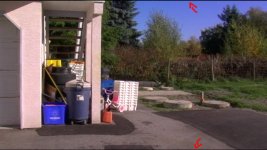
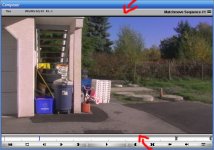
When i capture video, there is a very small black border on the top and bottom of the screen, it's really strange. And if i export the video out, the entire image is covered by a black border. If i capture in premiere, the image looks perfectly fine, so i know theres just a problem with Avid xpress pro. What am i doing wrong? Im using a dvx-100a, filmed at 24p advance, squeeze mode.
I tried a bunch of different settings, but cant get rid of the small black bars. I tried searching for this problem but, havent found anyone with this problem. So any help would be great, thank you.
I tried a bunch of different settings, but cant get rid of the small black bars. I tried searching for this problem but, havent found anyone with this problem. So any help would be great, thank you.