Capture AF-100 W/blackmagic Ultrastudio Express

olivier b

Member
Hi,
i try to capture correcly in fcp 7 via SDI input, with AF-100

AF-100 setup = 720p24
fcp 7 Capture Preset: Blackmagic HDTV 720p 23.98 - Apple Prores (HQ)

when i hit capture now (non-controllable device), the image window is there and it records.
Then when i play it back the clip in final cut 7 (seq same as clip), the image is in slowmotion (and it has freeze frames).

any idea of the problem ?

in parallel i tried Blackmagic Media Express and it's fine... so the problem is from tcp7?!


NOTE: after watching it again, the sound is at 100% but the image is not (slow motion), so i can hear me clic my fingers during the first 4-5 seconds but the image comes after 5 sec and is in slowmotion !


thanks !
 
Last edited:
Not sure since I don't own the camera anymore, but I don't think it outputs 720p 24p over SDI.

You need to first check the SDI output settings on the camera and then match your capture settings to that. Probably either 720p 60p, 1080i 60i, 1080p 30p, 1080p 24p or psf.
 
thanks !
after reading other discussions and make other tests i still have not found a way to make it work:
here is what i want:
AF-100 output SDI in progressive (24 or 30) possible ? 1080p or 720 ? it seems that it only outputs 720p
I tried with this:

AF 100:
rec format PH 720/24p
SDI 24PsF = off

FCP Capture/input:
Blackmagic HDTV 720p 23.98 AppleProres 422 (HQ)

here is the result:

https://vimeo.com/81498653
password: test

anyone can help

i appreciate
 
I don't think you can send a native 720p 24p signal. Needs to be 1080. Anything in 720p resolution will be coming out the SDI in a 60p container.
 
i tried 1080p24 or 1080p30 (af-100) - 24PsF on and off -- Blackmagic matching this setting in many ways… no image in preview…
 
Jarek is correct, the AF100 cannot output 720p at 24p. It always outputs 720/60p, regardless of what frame rate you've set the camera to record (unless you've set it for 50Hz operation; in that case it always outputs 50p).

If you want progressive output, your choices are: 720/60p, or 1080/24PsF. Even then, 24PsF is still interlaced, but it's designed to be reassembled upon capturing.

I have no experience with the UltraStudio and cannot help you do what you want. All I can do is tell you certain things that will not work, and trying to capture 24p from a 60p output is one of those things.

Try setting the UltraStudio to capture 720/60p. Then tell the AF100 to record at 720/24p. The result will be 24p output with 3:2 pulldown to make it 60 frames. You can then perhaps use pulldown removal in FCP to remove the pulldown frames and get a true 720/24p.
 
24PsF is only for when using 1080/24p. It has no effect on 720 at all.

Did you try setting the camera to 720/24p, and the BlackMagic recorder to 720/60p? That really should work...
 
thanks, it's exactly what i did:

af: PH 720/24p
fcp: Blackmagic HDTV 720p 60
Log and capture = black

then i try:
fcp: Blackmagic HDTV 720p 59.94 (not 60)
image and sound sync, finally

In fcp the vid rate is 59.94 and there is some kind of pull down (2 frames freeze, 1 movement, 1 freeze frame, 1 movement, etc..), i'm not used to deal with pull down sources… is it still progressive? not sure… i have to process in cinema tool i guess… !?!
 
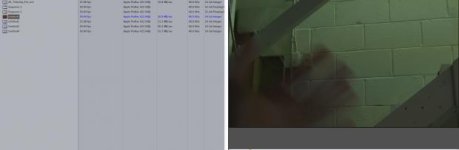
here is a screen capture, to me it looks interlaced, the source is the red one
 

Attachments

  • Screen Shot 2013-12-11 at 8.16.40 PM.jpg
    Screen Shot 2013-12-11 at 8.16.40 PM.jpg
    9.5 KB · Views: 0
Okay I should have specified 59.94p. Sorry for using the shortcut of "60P".So you are almost done. You just need to remove the pull down. I don't use FCP so I can't tell you exactly what to do but I believe Cinema Tools will strip out the pulldown (or, by another name, inverse telecoms).
 
Back
Top