Gord.T
Still "Senior Member"
I want a floor plane to recieve shadows but not be visible itself.
In 3dsmax I use a matt/shadow object.
********* How do I do that in c4d? ***************
____edit:
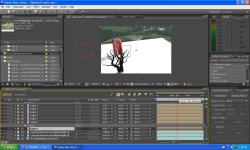
Here's an example I just did with c4d.

BUT I also had to use photoshop.
I rendered a multipass in c4d using the shadow and diffuse channels and saved as a .psd file. Opened photoshop, deleted the diffuse layer and resaved as a .bmp. Back in c4d I hid the floor plane and applied the shadow bmp to the background diffuse channel and rendered again.
There has got to be a better way. Doing this for animations could be a hinderance.
/ Update:
If I render a multipass (saved as bmp file) with only the shadow layer checked I can eliminate the photoshop step.
When done I load the saved sequence into the diffuse channel like before and render again.
That's a bit better.
In 3dsmax I use a matt/shadow object.
********* How do I do that in c4d? ***************
____edit:
Here's an example I just did with c4d.
BUT I also had to use photoshop.
I rendered a multipass in c4d using the shadow and diffuse channels and saved as a .psd file. Opened photoshop, deleted the diffuse layer and resaved as a .bmp. Back in c4d I hid the floor plane and applied the shadow bmp to the background diffuse channel and rendered again.
There has got to be a better way. Doing this for animations could be a hinderance.
/ Update:
If I render a multipass (saved as bmp file) with only the shadow layer checked I can eliminate the photoshop step.
When done I load the saved sequence into the diffuse channel like before and render again.
That's a bit better.
Last edited: