brightening a shot

merc

Well-known member
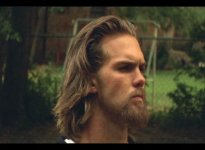
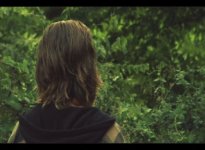
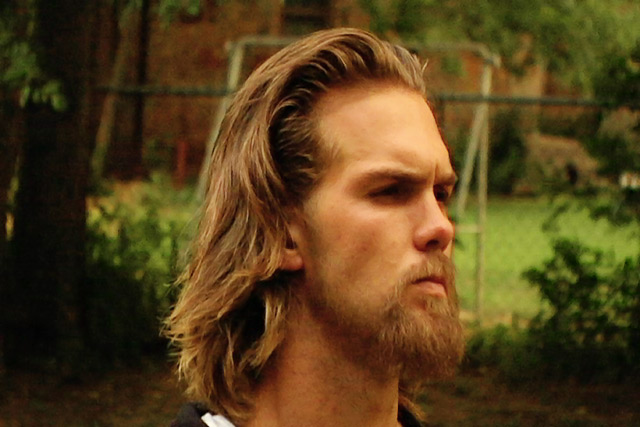
we were just shooting a scene outside for a feature. well we had tech issues and the shoot ran long. so we were racing against sundown. our last shot the actor gave a perfect performance but looking back at the footage, the sun had went down a bit to much and it doesnt match all the other footage. its quiet a bit darker.

so is there a way that i can make this footage match the other footage? i mean a really good way that wont just over expose the picture?

thanks to anyone who can help, i very much appreciate it.
 
i think the clips are slightly anamorphicly stretched but here they are-

lightstill-1.png


darkstill-1.png
 
Last edited:
heres the color graded clips, feel free to give me some comments on what you think about the color grading, or overall look of the picture.-

lightstillcc-1.png


darkstillcc-1.png


as you can see the second clip is much to dark after color grading.
 
I think the second pic with that guys face is too agressively 'curved' and it makes the upper levels to pop out too nasty.. Maybe slighter curving could be better? But I dont know, its up to you which looks good :)

I think its good to keep the masterped near +3 +5 to keep the overall levels more neutral (high ends doesent pop out and dark areas dont get too dark) and its easier to handle the contrast and darkness levels in after editing.. And if you are trying to achieve kind of dark looking stuff, it definently helps to create more natural looking pic when doing aggressive curving with material that has +5 ped and neutral 'mask' over the picture..

I had to try out some quick AE to those pics, little contrast changes and slight add to brightness :)
 

Attachments

  • hedi.jpg
    hedi.jpg
    36.1 KB · Views: 0
  • behidd.jpg
    behidd.jpg
    42.6 KB · Views: 0
Last edited:
It looks like most of the issue is simply underexposure by about 2 stops.
If you're using a levels control, shift the input white to about 160 (in 8-bit space), and use gamma to fine-tune the match with the rest of the footage (I would guess it should be around 1.2). This much underexposure will add a lot of noise, so I'd run a denoiser to help match it.

In my fine-tuning, I brought the brightness and saturation of the reds and yellows up significantly, too.

I hope you shot in DVCPro50 or DVCProHD, because there are a lot of color artifacts that show up in these stills from the chroma subsampling.

You may have color issues, but I can't tell without seeing the comparison stills.
darkstill-1.jpg
 
My turn with a quick run of color.

I didnt bring the levels up a great deal. I then dropped the background levels to about original to seperate put the focus back on him. Wasnt sure what time of day you meant it to be. Biggest issue I see is the eyes are utterly lost.

1214693067.jpg


1214693349.jpg
 
forgive me for being a little new and unknowing but isnt DVCPro50 and DVCProHD what hvx200's record on? this was shot with dvx100.

i also know nothing of curves. i certianly did not adjust any curves. what are curves?

and when you say it looks underexposed by 2 stops, do you mean that the iris was different by 2 stops? is that what you mean?

thanks yall for your help.
 
Last edited:
I think the second pic with that guys face is too agressively 'curved' and it makes the upper levels to pop out too nasty.. Maybe slighter curving could be better? But I dont know, its up to you which looks good :)

I think its good to keep the masterped near +3 +5 to keep the overall levels more neutral (high ends doesent pop out and dark areas dont get too dark) and its easier to handle the contrast and darkness levels in after editing.. And if you are trying to achieve kind of dark looking stuff, it definently helps to create more natural looking pic when doing aggressive curving with material that has +5 ped and neutral 'mask' over the picture..

I had to try out some quick AE to those pics, little contrast changes and slight add to brightness :)

man that looks great phorus. i played with the contrast and brightness to, but i did not get those results, my results looked like crap.
 
My bad on the DVCPro codec issue... I forgot which board I was on! MiniDV is very unkind to color and exposure correction.

Stops are levels of brightness. One stop brighter is twice as bright.

You could gain two stops through the iris (going from f8 to f4, for example), the shutter (going from 1/500 to 1/120) or electronic gain (going from +0dB to +12dB).
 
Back
Top