Hey,
I bought DVX100B (pal) and have questions..
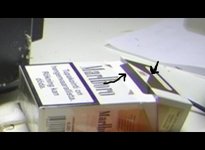
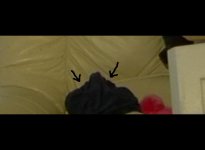
There are small blue lines over some edges and I cant get those off, how I can get those off? Those lines are green if there is some green object..
Which option settings would do best quality (no noise and sharp look)?
(I mean those knee, gamma, detail settings..)
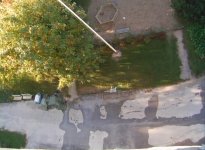
I got pretty soft look on every preset.. if object is close its sharp, but it looks soft when shooting some outdoor long distance shots..
I havnt filmed alot with this cam, but almost in every shot there is some noise. In outdoor and indoor shots (with 0 Gain). Is there any good option to get this noise off?
Overall this cam feels like right cam for me. That 25p looks great and those film look presets gives nice look. But only problem is soft look, blue lines and that noise in some shots. If there would be someway to get sharper/more detailed picture and no noise, this would be just right cam for me.
Please help me how to get that perfect image!
I bought DVX100B (pal) and have questions..
There are small blue lines over some edges and I cant get those off, how I can get those off? Those lines are green if there is some green object..
Which option settings would do best quality (no noise and sharp look)?
(I mean those knee, gamma, detail settings..)
I got pretty soft look on every preset.. if object is close its sharp, but it looks soft when shooting some outdoor long distance shots..
I havnt filmed alot with this cam, but almost in every shot there is some noise. In outdoor and indoor shots (with 0 Gain). Is there any good option to get this noise off?
Overall this cam feels like right cam for me. That 25p looks great and those film look presets gives nice look. But only problem is soft look, blue lines and that noise in some shots. If there would be someway to get sharper/more detailed picture and no noise, this would be just right cam for me.
Please help me how to get that perfect image!
Last edited: