Blocky image problems with GH13 and slow shutter

Hi to all!!

I'm following this forum since a long time and finally I could get a 2009 GH1. I've applied PTool with lpowell 44Mbps settings and it gets a reliable footage (I'm testing with a Transcend 32GB class 2 and it works!!) but I have a problem with slow shutter.

Without hack, there is no problem with slow shutter and pans, but with lpowell settings I get blocky mud when I tried to pan. In GH13 Stream Parser, unhacked file drops a max bitrate about 13Mbps while unhacked shows about 9Mbps with 44Mbps settings.

I've looking for similar topics but I couldn't find them. Do you know what is the problem? It happens to you? Is there a method to limit minium bitrate?

The original footage can be downloaded from this: http://www.megaupload.com/?d=9DDU01VD

Thanks for watching and sorry if there are a similar topic.

Byez to All

P.S.: shutter speed is 1/13
 
Last edited:
Sorry, the site you uploaded your video to is blocked by McAfee SiteAdvisor.

I'm not sure what shutter speed you have set, but if it is longer than 1/30 second, you may not get reliable results. Panning at slow shutter speeds will create a great deal of motion blur, which the AVCHD encoder will likely record at low bitrates.
 
if you shoot lower than 1/50 1/60 in 720p codec will drop and turn to turd if bitrate is above 35Mb. shooting in 1080 is fine, just 720 has issues. I may have noticed it too in MJPEG that also shoots at 70 when i reviewed a low shutter speed shot, all my reds were blocky. someone else may be able to confirm in regards to MJPEG.
 
Last edited:
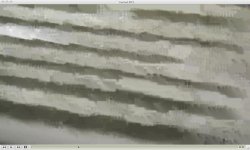
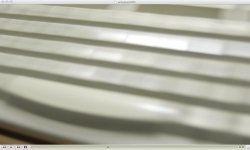
Obviously, motion blur is expected and desirable, but in unhacked version works as expected, not like in hacked version, in which appears blocky image instead motion blur. Here is some pics of this (I'm sorry about McAfee, but megaupload is only a free upload service, maybe SiteAdvisor relay it with pirate downloads).

unhacked.jpghacked.jpg

Even in thumbnails you can see this exagerated errors.

Byez to All
 
what you are seeing is what i have described. like i said if you want to shoot below 1/50 1/60 either shoot in FHD 1080 or drop your bitrate down to below 35Mbit if you want to shoot in 720

It is actually shooting lower than standard settings at about 3Mbit or lower in 720 hence codec breakup and hence why it looks fine with stock settings and shitter with hack. Shoot the same thing in FHD with hack and it will look fine.
 
Shoot the same thing in FHD with hack and it will look fine.

With "normal shutter" I have no problem, hacked or not, but I'm very interested about shoot with low shutters because it's very useful to make timelapses with great motion blur, low ISO but without shutter curtain wearing or a remote shutter control needed like in normal DSLR.

So I could use a preset in, for example, M-movie preset to do this?? My target is to get most stable presets without sacrifice any possibility to most use.

Thanks for helping and sorry about my english (I'm spanish spoken).

Byez to Al
 
what do you mean when you say normal shutter? Like i said if you shoot at 1/50th or 1/60th or above it will look fine, if you shoot in FHD 1080 low shutter it will look fine, if you shoot in SHD 720 low shutter it will look terrible as what you see in your pic.

here is my setup, I run 40Mbit AVCHD and set my High setting to B setting 32Mbit. So if I need to shoot 720p and 1/30th shutter or lower I switch from SHD to H so I don't have the low codec break up like you see. so solutions to your problem is either drop your overall bitrate down to below 35Mbit or use the higher bitrate and increase the High setting to 32Mbit like my setup and remember to switch to H when shooting lower than 1/50 1/60 if you want 720p.

FHD 40Mbit = fine (low shutter)
SHD 40Mbit = terrible (low shutter)
SHD 32Mbit = fine (low shutter)
H 32Mbit = fine (low shutter)

Ideally to get the most control out of the camera shoot creative movie set to M (manual) but that said, there is always a time and place to use the other settings if needed.

I can't think of any more simpler way to explain it =) hope it makes abit more sense?
 
Last edited:
Yeah!! Tested and working. I've patched again with lpowell reliable settings and it does the same, but as you say, now I understand it. I think I'll use modes in this way:
FHD: 41Mbps, best resolution images w/o slo-mo needed.
SH: 41Mbps, best slo-mo quality, only above 1/50 shutter (I'm in PAL land and even in 1/40 bitrate drops and blocks come).
H: 24Mbps, for slow shutter images. If bitrate drops over 35Mbps only, maybe I'll change this settings to 32Mbps.
L: 16Mbps, for long recording (maybe I'll change to 24 Mbps).
MJPEG HD: chroma

In addition, I use creative video mode because I can begin to record with external remote control, and M mode gives me best control with manual lenses (I'm operating with a bunch of Nikon lenses, I haven't got a 14-140 by now).

Thanks for this :D. I'm worried about my english writing, not english reading at all ;).

Byez to All
 
Back
Top