Benq monitor

That's a computer monitor. If you want to do grading right, you need to take the video signal out of your computer and turn it into a proper HDMI or SDI signal for monitoring on a video monitor. Here's the test: If you can put the mouse cursor over the picture -- you are monitoring in a computer environment and not a true video signal.

A device such as this will work, but there are other models if you want more features: https://www.bhphotovideo.com/c/produ...l?sts=pi&pim=Y

The UltraStudio works with Resolve, Premiere, Catalyst, etc. so you always have a proper program monitor while editing or grading. And it also takes away the burden of calibration because you just send color bars to the monitor and set it up like any other video monitor. Simple.
 
I can comment on the one:
https://www.bhphotovideo.com/c/produ...5_qhd_led.html
I purchased it because it's 100%RGB and Rec.709 and Technicolor Certified. Which means it will reproduce 100% of those spectrums which is not the same thing as accuracy though.

The best endorsement I can give it is this though. I have other monitors and when I calibrate them with a puck and DisplayCal through DaVinci resolve their is a noticeable change between the monitor's default or factory calibrated settings -- when I do the same process with the BenQ, there is no noticeable change, the implication being the factory calibration, and general accuracy of the monitor is that good to begin with.

They have larger sizes in the same line.

I run out through the Ultrastudio via HDMI as recommended above.
 
That's a computer monitor. If you want to do grading right..

Surely this depends on the target device .. what the audience is using.

In my social circle no-one has a tv but only watch on computer monitors/ipads/phones

Most of my product (corporate films) will go on facebook/youtube and surely be watched on computers and devices?

Some parent friends have a box in the corner they play cartoons for the kids. or a mid morning show. i guess this saturation monster is a tv?
 
Surely this depends on the target device .. what the audience is using.

It doesn't matter what your target device is, grading requires proper monitoring. I'll bet you can't name any professional colorists who don't monitor as I described above, no matter where their work will ultimately be seen. By that logic, why aren't you shooting all your videos with a phone or iPad?

Furthermore, there is really no way in Resolve to have a full-screen program monitor unless you use something like a Decklink card or UltraStudio, otherwise you are limited to the little preview window above the timeline. Hpw can anyone do serious grading or editing without a dedicated program monitor?
 
Last edited:
How did I know a spikey response was on the way?

Proefessional colourists will certainly be making output for the target device. maybe by grading on a wdr monitor and using an output display transform.

Maybe having a 'good' monitor but certainly chaecking on consumer devices.

Other professionals will do the brief even if it is not good practice.

Really the problem is with the OPs question as he fails to name the target device.

Id certainly thing a benQ is 'fine' for outputting for facebook/youtube and he should indeed follow your track for broadcast clients.

Ive always swung my image between my dell and my imac to get a good mid feel.

contol (alt? apple?) F gives you fullscreen in resolve.

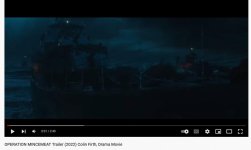
I wonder how this fram from the operation mincemeat trailer looks to you? It looks too dark on my consumer devices and probably rich on a reference monitor.
 

Attachments

  • mincemeat.jpg
    mincemeat.jpg
    28.7 KB · Views: 1
As someone who recently started using the BM Ultrastudio I can say it's very nice to get the Mac OS out of the way when grading. That's probably as or more important than the particular monitor you're using if you're someone delivering content that is primarily (or solely) watched online, which is probably most of us.
 
My projects are generally on spec so I often don't know where they'll be screened. Often online, but a few have screened theatrically and through streaming services like Amazon and Apple TV (so on Fire TV, etc.). Right now I use an HP Dreamcolor z24x/BM Mini Monitor for my CC which is OK, but since it's nearly impossible to calibrate, I rely on the factory calibration. I was looking at the Benq because it's a bigger monitor and 4K, but given the fact that I will be using and HD I/O device the 4K will not be a factor. Unless I can go directly from my Imac to the monitor, which I assume is not true 10bit?
 
contol (alt? apple?) F gives you fullscreen in resolve.

Seriously, that is your answer? Where are your grading controls while you're viewing full screen? You just don't get it and I'm not going to try to convince you otherwise. I guess a $130 expense is a big deal to you.
 
As someone who recently started using the BM Ultrastudio I can say it's very nice to get the Mac OS out of the way when grading. That's probably as or more important than the particular monitor you're using if you're someone delivering content that is primarily (or solely) watched online, which is probably most of us.

Exactly. But some people just don't get it.
 
My projects are generally on spec so I often don't know where they'll be screened. Often online, but a few have screened theatrically and through streaming services like Amazon and Apple TV (so on Fire TV, etc.). Right now I use an HP Dreamcolor z24x/BM Mini Monitor for my CC which is OK, but since it's nearly impossible to calibrate, I rely on the factory calibration. I was looking at the Benq because it's a bigger monitor and 4K, but given the fact that I will be using and HD I/O device the 4K will not be a factor. Unless I can go directly from my Imac to the monitor, which I assume is not true 10bit?

I don't think anyone is getting true 10bit unless they're spending a lot of money on a Flanders Scientific or similar...

Going directly from the iMac to the monitor means you're still dealing with the OS and GPU messing with your footage.
 
Doug - would you be kind enough to name the $130 product you mean googling blackmagic studio 4k comes with products up to $1000

Clearly altF is far from perfect :)

Also do you have a sub $1000 monitor in mind?
---

Still I think some fundamentals need to be worked out.. mainly the delivery medium

In terms of 10bit surely that is not really a need. 10 bits are needed in the capture codec to enable management of more than 7 stops without banding - not in a SDR viewing device.

al
 
Doug - would you be kind enough to name the $130 product you mean googling blackmagic studio 4k comes with products up to $1000

Clearly altF is far from perfect :)

Also do you have a sub $1000 monitor in mind?
---

Still I think some fundamentals need to be worked out.. mainly the delivery medium

In terms of 10bit surely that is not really a need. 10 bits are needed in the capture codec to enable management of more than 7 stops without banding - not in a SDR viewing device.

al

Yes, I have a device to suggest. I posted the link earlier. I use this exact device when I am traveling, so I know it works great. No, it is not a 4K device but you don't need a 4K monitor for grading or monitoring of 4K video. In fact, since you are already suggesting that a 10-bit monitor isn't even needed, surely we can agree that 4K isn't needed either.
https://www.bhphotovideo.com/c/prod...g.html?sts=pi&pim=Y&SID=l3da5zboqc000axm02fa9

At my home office I do have a 4K UltraStudio on my edit bay, but even then I don't monitor in 4K. This one is discontinued, but there are others.
https://www.bhphotovideo.com/c/prod...trastudio_4k_thunderbolt_2.html?fromDisList=y

I'm not in the business of testing and evaluating monitors but I'm sure there are dozens of good monitors under $1,000. Have you seen how good consumer monitors are getting? When setup properly, and when most of the "auto" crap is turned off, consumer monitors are more than good enough for the kind of grading guys like you and me are doing. Of course, I'd never try to talk someone out of investing in a decent professional monitor with SDI and other pro features. I have a 17" Sony OLED that has been serving me well for about 10 years and is still going strong. I don't regret making the investment. At home I monitor on the 17" OLED, a 48" consumer Bravia, and a 7" Leader WFM. I use the screen on my MBP for the Resolve GUI, and a 24" DELL for scopes.

Speaking of monitors, I was on a mission at NAB to find a small portable monitor I could travel with this summer. I looked at a lot of options, but ultimately I bought this one. It's looks really good and is just the right size for grading, editing, and use in lighting workshops. 4K, 12-G, 10-bit, 35w, built-in v-mount, quad split, SDI, HDMI, zebras, etc. Fits nicely in a Pelican 1550.
https://www.bhphotovideo.com/c/product/1619196-REG/lilliput_q15_vbp_15_6_inch_broadcast.html
 
I've just bought the UltraStudio Monitor 3G and I'm so pleased I did. I was previously using the "Clean Feed" option in Davinci to send to my Eizo CG277, but was assured that this wasn't the same as having a true video signal.
Despite being a relative newcomer to video (albeit with a long career in stills) I have noticed a real difference in my grading.
I have experienced a minor annoyance in that on very few occasions the image scaling options in Davinci don't convert to 1080 despite using the correct settings. I've no idea why, but its a minor problem and can be worked around. I'm interested in Doug's suggestion to set the monitor up to color bars. I've been calibrating the monitor and using REC709. Is this just as good, given that I'm working in that color space?

While I'm talking about the learning process, I owe my thanks to Doug. I've done a number of his courses and have found them super useful.
 
Thank Justin, I appreciate the comments and I'm glad to hear my courses have helped you out. It's good to hear you have "seen the light" regarding the advantages of correct monitoring. I really can't fathom how some people get along without a dedicated program monitor.

No, I don't have any training for setting up a monitor. It is too dependent upon the type of monitor, viewing conditions, etc. I just prefer to stay out of it completely. But if you do some Googling you should be able to piece together what you need to know from various sources. If you find something you really think was helpful, please post the link.
 
Thanks Doug. I seem to be getting decent results so I must be doing something right! I would definitely recommend the UltraStudio Monitor 3G based on my initial experience with it. To my eyes it's noticeably better than the 'clean feed' option in Davinci.
 
Back
Top