I recently downloaded the free trail of Media Composer 6, and I'm importing a mp4 video exported from pinnacle which was originally shot in HDV, into Media Composer. It's giving me an estimated conversion time of 6 hours. It's a 10 minute video. Any ideas why this is taking so long?
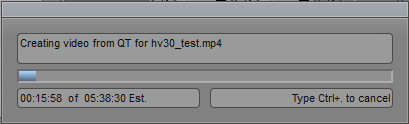
The fact that it was shot originally on HDV has little consequence here. The main point is that it's an MP4 file, which Avid is not one of the fast-import formats for avid. It's converting your video into DNxHD. You're better off a) using the AMA function to edit the mp4 file natively, or b) convert the file to DNxHD using an external program first. I have no idea how well versed you are in Avid so forgive the short answer.
If wrapped in QuickTime (.mov) then use AMA/ Under the file menu, you will see a link to directory or link to file. Use the Link to file, and bring it in that way. You should be able to edit directly off that. If performance is still an issue due to the QuickTime nature of the file, hightlight the clip in the bin, and select "consolidate/transcode" from the clip menu and convert it to DNxHD. I would say 145 if this is 1920x1080 will do fine.
Thanks for the help guys. I just let the conversion go, so it's imported now. Next time I'll look into AMA. I haven't used Avid since Express Pro 4, about 7 years ago. Would AMA have worked for the file, it was .mp4 file. So I don't think it was wrapped in Quicktime.