AVCHD high bitrate tests- MUD FREE footage

jobless

Active member
______________UPDATE 13/06/2010_________________


See second post for FAQ for newbies and new database for settings:
If you have any questions of any kind feel free to PM me.

______________UPDATE 12/06/2010_________________


USEFUL SETTINGS AND EXPLANATIONS FOR AVCHD:

In Ptool there are 3 suggested settings A, B, and C
I should say that C settings are the famous D settings that you can find on various posts here.
Video buffer doesn't seem to have any effect, so you don't need to check this option.
Avg. bitrate for C settings is 44Mbps.

settings.jpg


IMPORTANT:

As for 'Video Bitrate Adjustment Simplified' and 'Video Bitrate Adjustment' , you need to check just one of these. However 'Video Bitrate Adjustment Simplified' is not yet tested..


If you shoot in 720 60p mode, D settings probably won’t work with high detailed scenes and camera will interrupt recoding after few seconds. For 720 MODE use the following settings that will work without problems:

Video bitrate adjustment 38000000
Overall bitrate adjustment 40000000
Limiting bitrate adjustment 42000000

For these settings avg. bitrate in 1080 MODE is 34.4 Mbps and for 720 34.5 Mbps.
There are no problems with recording of any kind either with 1080 or 720.
No MUD with this setting also.
I should say that these are stable settings and I would recommend them for normal users that want to shoot with 1080 and 720.

For 720 MODE do not use shutter speed 50 or slower ( bitrate drops to 2MBps resulting in horrible picture).
USE ONLY 60 AND FASTER.


Here you can find some examples for these settings:
http://www.nikolicnemanja.com/test6/1080samurai.MTS
http://www.nikolicnemanja.com/test6/720samurai.MTS


ABOUT FPN and NOISE IN COLOR GRADIENTS:

-Fpn is not a codec problem and probably cannot be resolved...

- Noise in color gradients is still present (because in Low detail scenes such as walls, backdrops, etc, bitrate drops down). So for now this problem is not solved, infect IQ in static low detailed shots with enhanced codec is identical of IQ of original codec.

Tripod test:
http://www.nikolicnemanja.com/test6/...1080normal.MTS
http://www.nikolicnemanja.com/test6/.../720normal.MTS

http://www.nikolicnemanja.com/test6/...-Dsettings.MTS

Other examples:
http://www.sendspace.com/file/amiv1h
http://www.sendspace.com/file/af64gf
http://vimeo.com/12477730
http://www.nikolicnemanja.com/test4.rar
 
Last edited:
FAQ for newbies and new database for settings:

1. imagebuff has created simple datebase of PTools patch settings using Google docs / forms.
When you have a set of patch settings worth sharing with the rest of the members simply go to:
http://bit.ly/PToolsForm
and quickly fill in the form listing your settings. You get to name them for easy reference in the forum threads.
To locate a specific named patch set or a user's settings simply go to the list at:
http://bit.ly/PToolsList

If everyone will start contributing their settings to this simple database I believe those that are tracking testing (tester13 and others) will be able to compare and contrast settings and results much easier. Regular GH1 enthusiasts like me will also have an up-to-date, complete, and easy reference for setting up PTool.

If anyone has any suggestions for changes to the form or anything else please feel free to contact me directly.

Thanks
Chris - imagebuff


2. When first time installing Ptool please visit
http://www.dvxuser.com/V6/showthread.php?t=212664

3. To install Ptool go to:
http://www.dvxuser.com/V6/showthread.php?t=206788
and read carrefully first and second post.


4. When shooting with enhanced firmware your bitrate will be higher only in situations whit Hidetail or clips with lot of motion involved ( Wide angles, panning camera, fast shutter speed, footage with lot of trees and grass, etc). In Lowdetailed scene ( Shallow depth of field scenes, tripod footage, indoor shooting, etc) bitrate drops down and it's perfectly normal ( AVCHD is variable codec) so you'll probably get around 12-18 mbps. Knowing that we can assume that different settings will gave us different results based on scene in front of camera. For example, Shooting with 'C' settings will work fine, except you find your self doing Bungee jumping and want to shoot the fall with wide angle at shutter speed 200...
 
Last edited:
Downloading now...

But is this a true solution - to get mud free results from the GH1 we have to use bitrates way above normal, or to put it another way, way higher than other devices use for equivalent quality? (Just asking, not knocking, this does seem like a breakthrough).
 
Also... with these higher-than-intended bitrates (MJPEG or AVCHD) is there a possibly hidden overheat downside? Maybe the whole GH1 body isn't (or is??) getting hot, but perhaps certain components are being thrashed too hard and may fail prematurely? There has to be a catch!
 
Also... with these higher-than-intended bitrates (MJPEG or AVCHD) is there a possibly hidden overheat downside? Maybe the whole GH1 body isn't (or is??) getting hot, but perhaps certain components are being thrashed too hard and may fail prematurely? There has to be a catch!

No, it won't be hot.
Sensor is not affected.
And in reality most blocks in 1080p panning are almost all intraframe.
So you have just different levels of compression for same blocks.
But LSI load must be the same. Only transfer load on SD controller is higher, but it must not cause any serious heat.
 
Wow! Not only doesn't the encoding break badly in the pans, the near black areas looks quite a bit better as well when staying still and there's very little of the "half-seconds flutter" in lowlight areas.

The catch is simple: this is not for Panasonic's target consumer, a rich man going on vacation wanting to have both good stills and nice video in a simple fashion. With this kind of bitrate the SDHC card will fill up more quickly and one needs to be somewhat more careful in choosing what kind of card to buy. I can also imagine that Panasonic's monitor with built-in SDHD slots might have problems with straight-from-the-card playback.

Now for the ultimate bitrate test: THE FOLIAGE OF DEATH PAN!
 
I tried with this settings and it's working.
I record 4 minutes long clip ( I stopped the camera)
Video buffer 40.000.000
Video bitrate adjustment 40000000
Overall bitrate adjustment 46000000
Limiting bitrate adjustment 50000000

Overall bit rate : 34.8 Mbps
Maximum Overall bit rate : 46.0 Mbps

I tested tester13's B setting this morning and I was able to record and play back using class 4 card. With higher setting you have here, were you able to play it back on the camera? what card do you use?
 
It is not necessary to have such large difference between Overall and Video bitrates.
It looks like 2Mbit is enought, but more testing required.
 
New tests:
Video buffer 40.000.000
Video bitrate adjustment - c)40000000 d)50000000 e)60000000
Overall bitrate adjustment - c)46000000 d)56000000 e)66000000
Limiting bitrate adjustment - c)50000000 d)60000000 e)70000000
c) Gives you Overall bit rate : 34.2 Mbps
Maximum Overall bit rate : 46.0 Mbps
http://www.nikolicnemanja.com/Csettings.MTS
d) Gives you Overall bit rate : 37.4 Mbps
Maximum Overall bit rate : 56.0 Mbps
http://www.nikolicnemanja.com/Dsettings.MTS
e) Gives you Overall bit rate : 4 755 Kbps
Maximum Overall bit rate : 66.0 Mbps
http://www.nikolicnemanja.com/Esettings.MTS

Unpatched Version:
http://www.nikolicnemanja.com/Unpatched.MTS

With E setting bitrate drops! I double checked all parameters and everything was ok...
Also I noted that on C and D first frame is with MUD, but others are not.. And, there is difference in sharpens between C,D and unpatched .. :)
 
Hi have made some stills from the panning. Quite interesting:
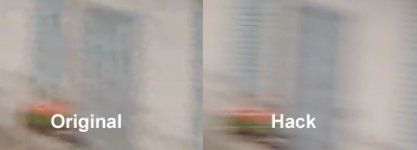
First the pictures. Left original, right Hack. Below is a zoomed part of the pictures.

I do not see too much of a difference.
The Pan comparison, see next post.
 

Attachments

  • Original-Still.jpg
    Original-Still.jpg
    96.1 KB · Views: 0
  • Hack-still.jpg
    Hack-still.jpg
    88.8 KB · Views: 0
  • Still-Zoom-Vergleich.jpg
    Still-Zoom-Vergleich.jpg
    16.7 KB · Views: 0
Now the panning comparison:
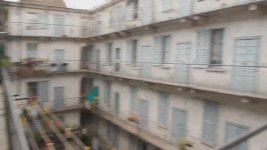
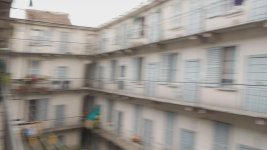
Now one can see, that the original is full of mud, the hacked version is absolutely mud fee.
See the full pictures and the zoomed closeups in comparison.

Wow tester13, great.
 

Attachments

  • Original-Pan.jpg
    Original-Pan.jpg
    50.8 KB · Views: 0
  • Hack-Pan.jpg
    Hack-Pan.jpg
    49.3 KB · Views: 0
  • Pan-Zoom-Vergleich.jpg
    Pan-Zoom-Vergleich.jpg
    26.7 KB · Views: 0
Video buffer 40.000.000
Video bitrate adjustment - c)40000000 d)50000000 e)60000000 F)55000000
Overall bitrate adjustment - c)46000000 d)56000000 e)66000000 F)57000000
Limiting bitrate adjustment - c)50000000 d)60000000 e)70000000 F)63000000

F settings:
Overall bit rate : 38.3 Mbps
Maximum Overall bit rate : 57.7 Mbps

http://www.nikolicnemanja.com/Csettings.MTS
http://www.nikolicnemanja.com/Dsettings.MTS
http://www.nikolicnemanja.com/Esettings.MTS

http://www.nikolicnemanja.com/Fsettings.MTS

http://www.nikolicnemanja.com/Unpatched.MTS
 
Last edited:
Hi have made some stills from the panning. Quite interesting:
First the pictures. Left original, right Hack. Below is a zoomed part of the pictures.

I do not see too much of a difference.
The Pan comparison, see next post.

nice work guys but is nobody using a tripod?--- especially for stills, can we have tests that have identical framing?? it's a pain to try to go back and forth between shots that are framed off:cry:

pans look great!

thanks for the tests none the less:2vrolijk_08:
 
As for test results using low level analysys:

Only D setting is ok at low level.
All others contains large waste of space as your bitrate is consumed in garbage large size spike frame.

Plus low level show it as native 23,97, but MediaInfo show as 47,952, and player also tries to play such.
 
Last edited:
As for test results using low level analysys:

Only D setting is ok at low level.
All others contains large waste of space as your bitrate is consumed in garbage large size spike frame.

That is good to know. Man! I cannot wait to go home and test this setting out. Thanks again, tester13!
 
Amazing work guys!

Has anyone confirmed:

1) Length limit with these new settings?

2) With a higher mts bitrate is transcoding to ProRes going to yield larger file sizes than before, or the same sizes? Just wondering for workflow and storage issues.

This is some exciting news nonetheless!!
 
I do not see too much of a difference.

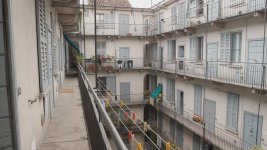
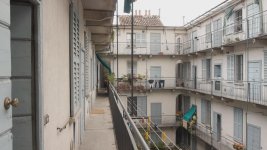
Look at the window blind behind the green marquis. In the unpatched version there's a half-second flutter all over it when the I-frames update, in the patched version there's almost none. Also in motion there's much less flickering in the levels just above black, you don't see this in a still grab. Not so important in a shoot like this but for night footage it will be quite an improvement I think.

All in all when I compare this to the 5DmkII footage I edited with a couple of weeks ago it's almost on par already in jobless first test.
 
2) With a higher mts bitrate is transcoding to ProRes going to yield larger file sizes than before, or the same sizes? Just wondering for workflow and storage issues.

size of prores file generally depends only from type of prores codec - i.e. HQ or LT or other, fps and resolution
 
Amazing work guys!
2) With a higher mts bitrate is transcoding to ProRes going to yield larger file sizes than before, or the same sizes? Just wondering for workflow and storage issues.

This is some exciting news nonetheless!!
Indeed...
The differences in editing (ProRes) storage requirements should be minimal. Your acquisition requirements will now change, however, as overall bitrates being tested easily double the "standard" ones. I'm curious as to how well does this new AVCHD footage stack up to 80 Mbps MJPEG results achieved earlier. More efficient storage, as well as lack of 2/4 Gb file size limit make AVCHD a more attractive option.

Impressive work, Tester13!
 
Back
Top