Look at this patch as "Test patch"
Settings
Version Change_________14
Third-party battery______Checked
Interfacce language_____Englsih
30min limit removal______Checked
Native 24p/25p_________Checked
720p59,94fps ->29,97fps_Checked
720p50,00fps ->25,00fps_Checked
Video Buffer____________84.000.000
All bitrate settings______120000000
720p50 GOP Sze________1
720p60 GOP Sze________1
1080p25 GOP Size_______1
1080p24 GOP Size_______1
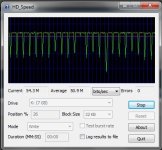
Max bitrate will be about 100 Mbps, middle bitrate 30-60 Mbps, without any empty frames, artefacts. But you can shoot only middle detailed scenes.
Not for high and low detailed scenes.
Sandisk Extrene 30 Mb/s recomended.
Some notes:
If you set in bitrate settings value smaller than 100000000 , you will get empty frames.
Somewhere about:
With 90000000 value will be 2-3 empty frames from 24 fps
With 80000000 value will be 3-4 empty frames from 24 fps
With 60000000 value will be 6-9 empty frames from 24 fps
With 16000000 value will be 12-14 empty frames from 24 fps
But with 100000000 and bigger values empty frames will not be.
In Native mode, If you not touch Video Buffer setting, you can't shoot with values bigger than 59000000(Video Bitrate Adjustment)
Bigger values will be available with Video Buffer 28.000.000 and bigger
Update
Added 720p25/30 GOP 1 patch, wich more stable in high detailed scenes than 1080p25/30 GOP 1.
Settings
Version Change_________14
Third-party battery______Checked
Interfacce language_____Englsih
30min limit removal______Checked
Native 24p/25p_________Checked
720p59,94fps ->29,97fps_Checked
720p50,00fps ->25,00fps_Checked
Video Buffer____________84.000.000
All bitrate settings______120000000
720p50 GOP Sze________1
720p60 GOP Sze________1
1080p25 GOP Size_______1
1080p24 GOP Size_______1
Max bitrate will be about 100 Mbps, middle bitrate 30-60 Mbps, without any empty frames, artefacts. But you can shoot only middle detailed scenes.
Not for high and low detailed scenes.
Sandisk Extrene 30 Mb/s recomended.
Some notes:
If you set in bitrate settings value smaller than 100000000 , you will get empty frames.
Somewhere about:
With 90000000 value will be 2-3 empty frames from 24 fps
With 80000000 value will be 3-4 empty frames from 24 fps
With 60000000 value will be 6-9 empty frames from 24 fps
With 16000000 value will be 12-14 empty frames from 24 fps
But with 100000000 and bigger values empty frames will not be.
In Native mode, If you not touch Video Buffer setting, you can't shoot with values bigger than 59000000(Video Bitrate Adjustment)
Bigger values will be available with Video Buffer 28.000.000 and bigger
Update
Added 720p25/30 GOP 1 patch, wich more stable in high detailed scenes than 1080p25/30 GOP 1.
Last edited: