Hello everyone, new to the forum. :smile:
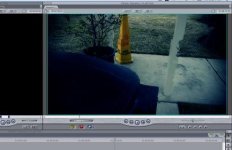
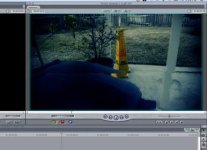
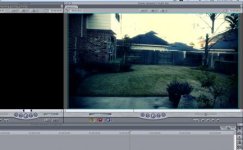
I'd like to start off by saying that the GH1 is a pretty spiffy camera but I've ran into a few problems while shooting footage. While recording in 720p, smooth mode, I'm getting some nasty screen tears and artifacts.(I've attached some pics)
Heres my process of converting the avchd file:
Connect GH1 to pc --> Load Neo Scene --> In the settings, I select deinterlace , fix chromosome, and Prores LT. Final Cut Pro is what I'm using to edit the videos.
Another problem I've ran into, is after I apply magic bullet looks to the video, I'm getting really slow playback.
My systems specs:
Macbook Pro Santa Rose 2.4 ghz
4 gb of ram
7,200rpm external harddrive
Any suggestions on what I can do?
I'd like to start off by saying that the GH1 is a pretty spiffy camera but I've ran into a few problems while shooting footage. While recording in 720p, smooth mode, I'm getting some nasty screen tears and artifacts.(I've attached some pics)
Heres my process of converting the avchd file:
Connect GH1 to pc --> Load Neo Scene --> In the settings, I select deinterlace , fix chromosome, and Prores LT. Final Cut Pro is what I'm using to edit the videos.
Another problem I've ran into, is after I apply magic bullet looks to the video, I'm getting really slow playback.
My systems specs:
Macbook Pro Santa Rose 2.4 ghz
4 gb of ram
7,200rpm external harddrive
Any suggestions on what I can do?