F55: Art Adams Does it Again...hack-alexa-lut-into-sony-f-cameras

Its also beyond me because I don't know where he is going.. all the images on that page look basically half done.

So is that what he is getting off the camera? his final result after a grade or what.. they certainly are not IMO finished images.

Like saying 709a doesnt have enough sat/contrast.. sure it doesnt it is not meant to it is a fantastic start point to grade.

S

He's going straight to the client with those images with minimal faffing, that's the message I got.

Maybe someone could answer this Q. Which uses the 10bits of colour information better, straight SLog3 or SLog3 recorded with LC709a LUT applied?
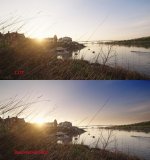
 
He's going straight to the client with those images with minimal faffing, that's the message I got.

Maybe someone could answer this Q. Which uses the 10bits of colour information better, straight SLog3 or SLog3 recorded with LC709a LUT applied?

Well I wouldn't send images to a client looking like that!

It would seem that burning a LUT gives you more use of the 1024 levels, but of course it is a trade off because you record less DR and have less latitude in post.

I might work towards a halfway house at some point because generally I get my exposure correct and may not need that latitude.

Trouble is as soon as you deviate from just shooting Slog3/2000 you cant just tell your post people 'add Slog3-709' lut and it will be good.

Of course if you deliver at 8bit (dont we all) you have 75% spare levels data so is it really a sweat to hang on to it all?

S
 
Well I wouldn't send images to a client looking like that!

It would seem that burning a LUT gives you more use of the 1024 levels, but of course it is a trade off because you record less DR and have less latitude in post.

I might work towards a halfway house at some point because generally I get my exposure correct and may not need that latitude.

Trouble is as soon as you deviate from just shooting Slog3/2000 you cant just tell your post people 'add Slog3-709' lut and it will be good.

Of course if you deliver at 8bit (dont we all) you have 75% spare levels data so is it really a sweat to hang on to it all?

S

I agree with first comment, I haven't sent anything out ungraded since Apple released Color. Even before then we did what could do with the FCP colour tools. I'd have to go back to the era before getting the Canopus DV Storm card before I just used camera originals.

Anyway, I have discovered that the XAVC-I codec destroys large areas of similar tone in favour of moving detail in a way I've not seen before. A moving tree looked wonderful but the cloudy blue sky background was destroyed by macro blocks preventing any contrast being put back into the sky and bring out the richer tone. So I may return to recording with LUT just to get some contrast into the shot prior to compression. I'm not so concerned about getting full value DR as the highlights roll off nicely anyway but I don't want to come a cropper with brittle footage if there's a lot of detail or motion in the shot.

I have started creating LUTs for post with different ISO settings if I continue with SLog3 shooting. Lots to ponder.
 
Are you shooting 1080? Id guess to get the best you probably need to shoot UHD or use a pro-res recorder, the first creating pain in post (depending on you machine) the second creating pain on set.

IMO the FS7 is all about getting 'good enough' in exchange for minimising data management pain.

S
 
Here is a sky burn on my machine right now, 1080, slog3 - the brought down sky is just about to induce banding it is at the max of the codec... (and will in the online jpg no doubt)

sky.jpg
 
IMO the FS7 is all about getting 'good enough' in exchange for minimising data management pain.
I agree SO much on this point. The in-camera 10-bit 4:2:2 log footage lands a lot closer to raw on the quality scale than it has any right to, considering how manageable the file sizes are. I thought I was going to buy a raw recorder, until I saw just how much overkill it is for 95% of projects.
 
4k 4:2:2, gives you enough colour information to effectively yield 2k 4:4:4 (in addition to the ability to reframe significantly if need be). It can save a lot of pain in post, so given how small the file sizes are, I think it makes for a significantly less painful workflow overall.

What do you consider the added pain Sam? Greater storage requirements?
 
Are you shooting 1080? Id guess to get the best you probably need to shoot UHD or use a pro-res recorder, the first creating pain in post (depending on you machine) the second creating pain on set.

IMO the FS7 is all about getting 'good enough' in exchange for minimising data management pain.

S

I think you're right about the balance to be struck with XAVC. It's not going to be great at everything as you say there's the option of an external ProRes recorder.

I think the light blue running into the white clouds combine with SLog3 flatness is really targeted by the codec. It's a bit of a stress test given >50% if the screen was given to a leafy tree swaying in the wind.

I'm more used to codecs targeting moving objects and crunching them rather than the sky for example.

I just did a back to back and recording to LC709A with an extra bit of contrast is much less compressed in the highlights and you're maybe closer to the finished grade. Maybe dust off a polariser too.
 
4k 4:2:2, gives you enough colour information to effectively yield 2k 4:4:4 (in addition to the ability to reframe significantly if need be). It can save a lot of pain in post, so given how small the file sizes are, I think it makes for a significantly less painful workflow overall.

What do you consider the added pain Sam? Greater storage requirements?

The additional colour information is moot when the codec has posterised large swathes of similar colour.

I might see how UHD compares as the codec may spray its bits around differently.

My target is 1080p, UHD is only a pain on my Mac Pro as the RAID is not fast enough to cope. My Macbook Pro edits it like DV footage so it's not too much of an issue.
 
4k is 'pain' for me in that..

-I cant play it smoothly without a transcode to 10 422 (or should I try 444! ?)
-It fills up drives
-transcoding occupies the mental space and takes a bit of time to line up.

Im not saying the trade off is not worth it. IMO it entirely is. All the stuff I was in control of I shot 4k

I do think 4k is more suseptable to purple fringes though, another step in post to knock them out!

S
 
I would actually PAY for Adam's newest Alexa looking LUT--I don't like the "A" as it stands now, too washed out. Adam, or anyone, please build it, and we will come...
 
4k 4:2:2, gives you enough colour information to effectively yield 2k 4:4:4 (in addition to the ability to reframe significantly if need be). It can save a lot of pain in post, so given how small the file sizes are, I think it makes for a significantly less painful workflow overall.

Grug, this is the second time I've seen this statement. Just wondering if there is any benefit if I export my XAVC 4:2:2 4K footage in 2K Prores 4:4:4 . This is a feature screening in a couple of months on top notch projection equipment.
 
I would actually PAY for Adam's newest Alexa looking LUT--I don't like the "A" as it stands now, too washed out. Adam, or anyone, please build it, and we will come...


Chris.. google Tweaked LC709A.. you should find the files that "Cameraman Ben" in the UK made up over a year ago.. the one I have used has pushed blk down to 0.. instead of the +4.. and also extended white to 109%.. perfect..a more contrasty LC709A.. its been around for ages on the Sony forum ..

Its for the F cams but I guess it would work in the FS7..same sensor
 
Last edited:
I'm wondering if I one could cram the Alexa LUT in to the original sLOG curve for the Sony F3...

May have to give that a try this weekend.
 
The LC709A LUT for slog3 / sgamut3.cine won't work well because the F3 uses a different gammas curve but worse a different color space.

Your best best however might be to try the Sony LC709A LUT for Slog2/sgamut since the gamma curve of slog2 is identical to the curve of slog1 except lowered by 6% on the IRE scale. The color spaces should be more identical as well.

One thing I have tested is that the LC709A LUT designed for each gamma and color space combo sadly won't produce the net final image shot even form the same cameras so no telling how it will look from F3 footage.

Share your results.
 
The LC709A LUT for slog3 / sgamut3.cine won't work well because the F3 uses a different gammas curve but worse a different color space.

Your best best however might be to try the Sony LC709A LUT for Slog2/sgamut since the gamma curve of slog2 is identical to the curve of slog1 except lowered by 6% on the IRE scale. The color spaces should be more identical as well.

One thing I have tested is that the LC709A LUT designed for each gamma and color space combo sadly won't produce the net final image shot even form the same cameras so no telling how it will look from F3 footage.

Share your results.


Interesting. I'll try to give it a shot this weekend and will share what I find out.
 
4k 4:2:2, gives you enough colour information to effectively yield 2k 4:4:4 (in addition to the ability to reframe significantly if need be). It can save a lot of pain in post, so given how small the file sizes are, I think it makes for a significantly less painful workflow overall.

Grug, this is the second time I've seen this statement. Just wondering if there is any benefit if I export my XAVC 4:2:2 4K footage in 2K Prores 4:4:4 . This is a feature screening in a couple of months on top notch projection equipment.

It depends really. While there's enough red and blue chroma infomation in 4:2:2 4k to yield 4:4:4 2k - doing that conversion effectively throws away half of your green (luminance) information, so you don't really gain anything on the downconversion, you just get better colour information on a per-pixel basis. However if your post workflow is designed around a more industry standard recording format like 2k ProRes4444 - then the downconversion will suit you very nicely.
 
I do think 4k is more suseptable to purple fringes though, another step in post to knock them out!
S

How do you remove the purple fringes? Is it an easy step that just takes time, or is it a real manual hassle with a lot of work into each shot?
 
Back
Top