
Navigation
Install the app
How to install the app on iOS
Follow along with the video below to see how to install our site as a web app on your home screen.
Note: This feature may not be available in some browsers.
More options
You are using an out of date browser. It may not display this or other websites correctly.
You should upgrade or use an alternative browser.
You should upgrade or use an alternative browser.
Aliasing?
- Thread starter Caesar
- Start date

Martti Ekstrand
Veteran
It's there, as can be seen on Barry Green's trumpet chart test, but since it has very little colour artifacts it's rather benign, no green-purple blotching along horizontal edges or pattern psychedelia - nothing yet has forced me to do anything in post about it.
Barry_Green
Moderator
All the DSLRs show substantial aliasing. As Martti says, the GH1's is less noticeable because it doesn't introduce the rainbow color artifacts that the 7D/5D do. But in terms of making moire patterns, there's just as much there. So you have to spend just as much effort trying to defeat it.
With that said, we had a user here post a video off the GH1 that contained perhaps the most shocking example of real-world aliasing I've ever seen, and nobody who viewed the video even commented on it, so -- your mileage may vary.
With that said, we had a user here post a video off the GH1 that contained perhaps the most shocking example of real-world aliasing I've ever seen, and nobody who viewed the video even commented on it, so -- your mileage may vary.
People can be surprisingly uncritical of posted video - for instance, in one which was the centre of much 'mud' discussion some months back, my reaction to what was shown was to wonder why the dissatisfied owner was complaining of mud when they hadn't properly focussed the subject in the first place, which seemed to me to be a more serious problem... but nobody commented on that. Perhaps we're all too polite?!
Gordon Prince
Well-known member
Do you have a link?With that said, we had a user here post a video off the GH1 that contained perhaps the most shocking example of real-world aliasing I've ever seen, and nobody who viewed the video even commented on it, so -- your mileage may vary.
Barry_Green
Moderator
http://www.dvxuser.com/V6/showthread.php?t=191442Do you have a link?
Barry_Green
Moderator
Very, very true. I don't know if the camera caused the issue, or the youtube resize, or whatever. I was just surprised nobody even mentioned it.you gotta be careful of posted vids - a lot depends on the final render so what you see may not be what the camera produced!

snicky
Active member
Btw: have you guys ever had any problem like this: http://www.dvxuser.com/V6/showthread.php?t=191252 ?
Ive tried Neoscene and decided it was rubbish - I use Edius' free AVC 2 HQ utility for my conversions - it does a great a job. (free with Edius NLE s/w)
I encode all my footage to MPEG-2 @ 35mbs constant - then from the NLE I output in exactly the same format with smart render - not only is it fast to work with and make a final render, its also in a format ready to be burned straight to BluRay without any futher encoding - to me the results are as good as what the camera produced without any visible degridation of quality.
It's the fastest workflow I've managed to muster.
I encode all my footage to MPEG-2 @ 35mbs constant - then from the NLE I output in exactly the same format with smart render - not only is it fast to work with and make a final render, its also in a format ready to be burned straight to BluRay without any futher encoding - to me the results are as good as what the camera produced without any visible degridation of quality.
It's the fastest workflow I've managed to muster.

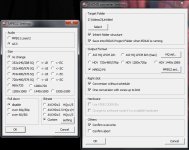
Thanks. As matter of fact, I'd rather know as far as the 1080p concerns too.HG1 is better than 7D in 720p mode hands down.
Ive tried Neoscene and decided it was rubbish - I use Edius' free AVC 2 HQ utility for my conversions - it does a great a job. (free with Edius NLE s/w)
Hi!
would you please care to elaborate on what is rubbish with neoscene please? I use it and I never had any problems but I´m always willing to learn.
I loved Edius btw, when I had it a few years ago...
I just wasnt happy with the transcoded file's quality - I felt it was not as sharp as the original footage (plus it was slow to process the files)
This is my personal opinion and not scientifically judged.
Compare cineform output with the edius output and you too might be surprised
This is my personal opinion and not scientifically judged.
Compare cineform output with the edius output and you too might be surprised
philiplipetz
Veteran
I just wasnt happy with the transcoded file's quality - I felt it was not as sharp as the original footage (plus it was slow to process the files)
This is my personal opinion and not scientifically judged.
Compare cineform output with the edius output and you too might be surprised
If you are using the Mac version you can choose between cineform files (slow to process in some NLEs) and ProRes which is faster to process. If you are referring to time to transcode then you are stuck with the time but there is a real difference in NLEs like Final Cut handle the two formats.
Also, there is a recent update to NeoScene.
All the DSLRs show substantial aliasing. As Martti says, the GH1's is less noticeable because it doesn't introduce the rainbow color artifacts that the 7D/5D do...we had a user here post a video off the GH1 that contained perhaps the most shocking example of real-world aliasing I've ever seen
Checked out the vid- you're right, Barry, I didn't see the aliasing the first time I watched this video! I guess I'm one of those who dont notice these things (which is embarassing since I've been shooting professionally for 20 years).
I'm wondering if this was shot on 1080P? Or if it is possible to SEE the aliasing on the LCD monitor during the shoot? If you can see it, then at least we can take steps to avoid it.
Barry_Green
Moderator
No, in fact, the LCD might show aliasing where there isn't any in the footage. The only way to know whether you've got visible aliasing artifacts in your footage is to watch it at native resolution.
Alpha Beta Omega
Veteran
It's always best to have a laptop nearby so you can check samples of the footage to determine how it will turn out. The LCD is not a reference monitor.