Aliasing on the Odyssey 7Q

NextWaveG

Well-known member
As a recorder goes, I've really loved having the 7Q with my FS700. As a monitor goes, I've been a bit underwhelmed. There always seems to be some slight color shift (towards green) from what I'm actually recording. It can be annoying when I have a client looking at the image and I have to explain that that isn't the image that is being recorded. I had an issue with a dead pixel line that got stuck on the monitor (thankfully, CD was quick to repair that).

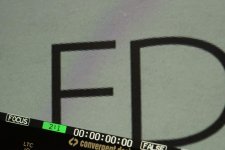
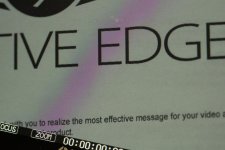
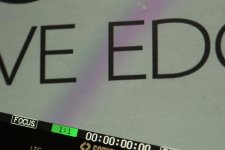
My biggest issue is the aliasing on the monitor. It really makes it hard to get exact focus even on such a large screen. I see it in full screen mode, 1:1 and 2:1. It looks just like bad scaling on a web video. I've noticed this with SDI, HDMI, and any camera I've connected to it. Does anyone else have this issue?
DSC00254.jpgDSC00252.jpgDSC00253.jpg
 
Is that video of a computer screen? I've never noticed anything like that before.

No, I aimed my FS700 at a printed piece of paper. It was the best way to demonstrate the aliasing of the monitor. It's very noticeable when the camera is moving.
 
Gotcha. I'll have to try that. I would say that when the camera is moving it is the refresh rate on the 7Q that is my problem. It is very choppy I've noticed when going handheld.
 
Mitch can correct me if I'm wrong, but I believe the aliasing is caused by the monitor down scaling the resolution from 1280. If you look at it in 1:1 mode (displaying the non-downscaled image), the is no aliasing, no moire and it's really clean.

To me, even with a bit of artifacting, the monitor is great. I have no problems pulling focus and I just see everything so well compared to the onboard LCD and my old Small HD.
 
Mitch can correct me if I'm wrong, but I believe the aliasing is caused by the monitor down scaling the resolution from 1280. If you look at it in 1:1 mode (displaying the non-downscaled image), the is no aliasing, no moire and it's really clean.

Look at the 1:1 picture and you can see just as much (if not more) aliasing than in full screen mode. This aliasing is the worst I've ever seen in a monitor and makes it hard to judge focus even in 1:1 and 2:1 modes. Again, I've tried sending it a 4K and HD signal and they all have the same aliasing problem. I was hoping a firmware update would fix it but so far nothing.
 
I find the monitor to be 100x easier to focus with than my Alphatron EVF or the built-in LCD. Haven't really noticed an excessive amount of aliasing. I just figured it was because of down-scaling.
 
Look at the 1:1 picture and you can see just as much (if not more) aliasing than in full screen mode. This aliasing is the worst I've ever seen in a monitor and makes it hard to judge focus even in 1:1 and 2:1 modes. Again, I've tried sending it a 4K and HD signal and they all have the same aliasing problem. I was hoping a firmware update would fix it but so far nothing.

In that case, you might want to check your 7Q against someone else's because in 1:1 it should be free of aliasing and moire. On mine, it's as clean as can be in 1:1
 
Hi Tony,

Just a thought, are you running the lastest firmware? I mentioned here in the past that I thought the aliasing was bad on the 7Q, however looking at mine again now, it doesn't seem as bad as I recall.
In the past I compared the 7Q to my DP6 and TVlogic 5.6 and it was the most pronounced by far.
 
On the FS700, we would sometimes see aliasing when clients had the camera set to output PSF instead of P. Adjust this setting (in the same menu area as the HD/RAW output setting and you may find improvement. But the new firmware should clear this up anyway as we have improved the way we look at PSF file structure so that it matches that of true progressive.
 
On the FS700, we would sometimes see aliasing when clients had the camera set to output PSF instead of P. Adjust this setting (in the same menu area as the HD/RAW output setting and you may find improvement. But the new firmware should clear this up anyway as we have improved the way we look at PSF file structure so that it matches that of true progressive.

That only applies to 60i mode and not 50i mode right?

With 50i mode and my FS700 set to 4K 25P, I get nice clean image at 1:1 with no aliasing. I do see a lot of aliasing of sharp lines and edges in non-zoomed standard view though. Mitch - is there anything that can be done to improve that without adversely affecting anything else? Or is it a balancing act?
 
P v PSF is in 50 or 60. It has to do with the structure of the signal coming to the Odyssey. I would suggest always setting the output of the camera to P not PSF unless you needed to for some reason, such as feeding a switcher or a Sony device that only accepted PSF.

And yes, it is a balancing act.
 
Back
Top