Hi,
I've been reading a lot lately about the issue of external monitor for video editing, but still find myself a bit confused here (Well, it seems like there are so many things to take into consideration here...) Anyway, I hope you can help me with the following issue.
I'm a video-artist and most of my works - both production and post-production - are done by me. So far I've been working on my 15" Macbook Pro, but now I'm interested in buying an external monitor for the editing part. This will be around mid-high consumer level (~700euro). I know that such computer monitors are not very trustworthy for color correction/grading, and some people are strongly against using there. I still thought to buy a decent monitor that can be calibrated, work with it and then export it to HTV to check the result.
[1] Does is make sense to buy something like that or would it be just a total waste of money? I mean, I can always buy something around 150euros.
Most of my works are intended to be exhibited in galleries/museums (meaning by a projection) and some may take part in film festivals for video-art. It's not going to the web, although I'm posting stills of my work there.
There is also the question of bits. I know the newer and more expensive monitors offer 10-bit (with both sRGB and Adobe RGB color spaces). So, for example, considering the two following monitors by Viewsonic which are relevant to me:
a. https://www.viewsonic.com/us/vp2770-led.html
b. http://www.viewsonic.com/us/monitors/professional-vp-series/vp2772.html
[2] Would it make sense to get the more expensive model (2772) with 10-bit and sRGB/Adobe RGB, if I'm using the monitor mostly for video-editing?
I'm working with Macbook Pro Retina Mid 2012. My guess is that my graphic card (nVidia GeForce GT650M) is only 8-bit, which I should also take into consideration.
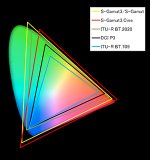
BTW, the color space is something I still didn't fully understand. Many on-line sources suggest that you shoot in the same mode you edit: so, for example, go to your camera setting and change the color mode to Adobe RGB if you want to edit it on an Adobe RGB monitor. Most of my projects are done with Sony a7, and Sony has completely different color spaces: Movie, Cine1, ITU709, S-Gamut. Not sure I should take that into consideration as well.
Thanks a lot for taking the time to read. I'll be very happy to hear any suggestion here.
ymotion
I've been reading a lot lately about the issue of external monitor for video editing, but still find myself a bit confused here (Well, it seems like there are so many things to take into consideration here...) Anyway, I hope you can help me with the following issue.
I'm a video-artist and most of my works - both production and post-production - are done by me. So far I've been working on my 15" Macbook Pro, but now I'm interested in buying an external monitor for the editing part. This will be around mid-high consumer level (~700euro). I know that such computer monitors are not very trustworthy for color correction/grading, and some people are strongly against using there. I still thought to buy a decent monitor that can be calibrated, work with it and then export it to HTV to check the result.
[1] Does is make sense to buy something like that or would it be just a total waste of money? I mean, I can always buy something around 150euros.
Most of my works are intended to be exhibited in galleries/museums (meaning by a projection) and some may take part in film festivals for video-art. It's not going to the web, although I'm posting stills of my work there.
There is also the question of bits. I know the newer and more expensive monitors offer 10-bit (with both sRGB and Adobe RGB color spaces). So, for example, considering the two following monitors by Viewsonic which are relevant to me:
a. https://www.viewsonic.com/us/vp2770-led.html
b. http://www.viewsonic.com/us/monitors/professional-vp-series/vp2772.html
[2] Would it make sense to get the more expensive model (2772) with 10-bit and sRGB/Adobe RGB, if I'm using the monitor mostly for video-editing?
I'm working with Macbook Pro Retina Mid 2012. My guess is that my graphic card (nVidia GeForce GT650M) is only 8-bit, which I should also take into consideration.
BTW, the color space is something I still didn't fully understand. Many on-line sources suggest that you shoot in the same mode you edit: so, for example, go to your camera setting and change the color mode to Adobe RGB if you want to edit it on an Adobe RGB monitor. Most of my projects are done with Sony a7, and Sony has completely different color spaces: Movie, Cine1, ITU709, S-Gamut. Not sure I should take that into consideration as well.
Thanks a lot for taking the time to read. I'll be very happy to hear any suggestion here.
ymotion