ReelWorksMedia
Well-known member
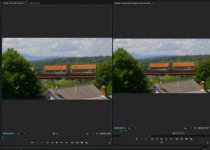
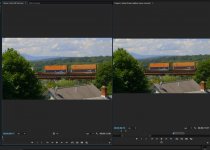
Hey there talented community. I know this is a very well known topic though I would like to start a thread to discuss this as it seems to be a significant issue. I would like to know others workarounds. There is a color shift / saturation adjustments that happen when exporting from Adobe Premiere. It seems to happen if you export to H.264 or ProRes. This seems to be general public knowledge that it happens.
For a lot of people, its not a huge deal as its a slight shift. For others, like myself, that work with a fairly intense production team...the details are everything. When I sit with a director, producer, creative director...things like deciding on the grade are super important. When they spend their very valuable time with me weighing in on decisions...they want to see those decisions exactly as they decided upon during post.
When Things get exported...Premiere alters the image a decent amount. I have heard this is a Quicktime issue and when viewing on players like the VLC player...its different. I found the youtube clips to contain the same color shift which it implies its the file itself and not the player.
1.) Are others experiencing this as well
2.) What work arounds have you come up with to ensure that the coloring in Premiere translates on export.
ps...sorry if this is already an older thread topic. I did not find something that was dedicated to the subject.
For a lot of people, its not a huge deal as its a slight shift. For others, like myself, that work with a fairly intense production team...the details are everything. When I sit with a director, producer, creative director...things like deciding on the grade are super important. When they spend their very valuable time with me weighing in on decisions...they want to see those decisions exactly as they decided upon during post.
When Things get exported...Premiere alters the image a decent amount. I have heard this is a Quicktime issue and when viewing on players like the VLC player...its different. I found the youtube clips to contain the same color shift which it implies its the file itself and not the player.
1.) Are others experiencing this as well
2.) What work arounds have you come up with to ensure that the coloring in Premiere translates on export.
ps...sorry if this is already an older thread topic. I did not find something that was dedicated to the subject.