
Film Scientist
Active member
After my recent deep dive with LUTs & F35/ACES/Resolve, I feel like I am finally free to shoot/light scenes by what my eye sees in each environment.
With 12bit uncompressed files and an SLOG/Sgamut to ACES/Linear transform,
I've actually moved back to traditional filmmaking with a simple light meter, exposing for middle grey.
If middle grey properly is exposed, the only parameter I really need to adjust on camera is tungsten vs. daylight.
Below is the DSC One Shot frame, the original SLog Sgamut file (left), and the color corrected shot (right) to give you a baseline for the camera's great range and color in 12bit,
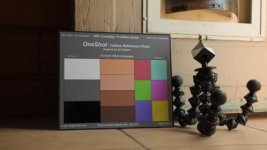
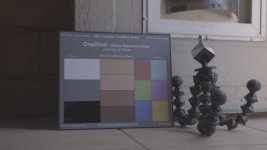
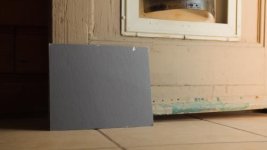
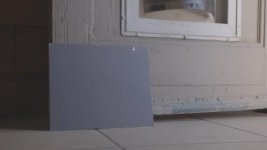
The stills are graded to the colors I remember seeing that day.
With ACES I am starting to see how sensitive the camera is to the light hitting an object in a scene,
while I might be tempted to color correct for coolness so whites on the waveform are 'right',
the color of the paint and white chips were slightly warmer based on the light hitting it.
Original DPXs (12bit unpacked to 16bit) for Davinci
https://www.dropbox.com/s/jo1w3jloc3nf6uh/DPX.zip?dl=0
8 Bit 1080P TIFs
https://www.dropbox.com/sh/0yc34efr7lhklgi/AAAgb5U_7UajZTLOXy_DzsBUa?dl=0
With 12bit uncompressed files and an SLOG/Sgamut to ACES/Linear transform,
I've actually moved back to traditional filmmaking with a simple light meter, exposing for middle grey.
If middle grey properly is exposed, the only parameter I really need to adjust on camera is tungsten vs. daylight.
Below is the DSC One Shot frame, the original SLog Sgamut file (left), and the color corrected shot (right) to give you a baseline for the camera's great range and color in 12bit,
The stills are graded to the colors I remember seeing that day.
With ACES I am starting to see how sensitive the camera is to the light hitting an object in a scene,
while I might be tempted to color correct for coolness so whites on the waveform are 'right',
the color of the paint and white chips were slightly warmer based on the light hitting it.
Original DPXs (12bit unpacked to 16bit) for Davinci
https://www.dropbox.com/s/jo1w3jloc3nf6uh/DPX.zip?dl=0
8 Bit 1080P TIFs
https://www.dropbox.com/sh/0yc34efr7lhklgi/AAAgb5U_7UajZTLOXy_DzsBUa?dl=0
Last edited:


