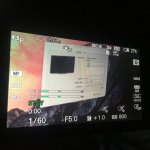
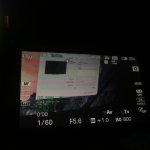
a6300 Shutter difference between Manual and Full Auto mode while shooting projector.

I'm having issues trying to shoot a projector with my a6300. For some reason when I set the camera at 1/60 shutter for the 60hz projector there are still lines moving in the image. If I set the camera to full auto mode and it sets to 1/60, then the projection looks fine. So what is the difference between 1/60 in manual and 1/60 in full auto?
 
I've noticed this too and don't know the specific reason, but you have to play around with your shutter in manual mode until they disappear. However, that can be difficult because you can't see it happening with your own eyes (until playback) like you could with a 'Synchro Scan' and a TV/computer.
 
How do you adjust it in smaller increments? No other shutter speed syncs. 1/60 is the closest but still has lines in manual mode.
 
You use the dial on the camera...1/50, 1/40, etc.

But I saw the lines on a big screen from a PowerPoint projector at 1/40, and I think I actually went up on the shutter...1/80, 1/100 maybe...not too high.

(Filming in 24p.)
 
The problem is likely that it is a DLP projector. A single-chip DLP projector uses one white source, and filters it through a color wheel. The wheel spins, and the DLP chip changes to output the red, green, and blue (and sometimes white and yellow) components of an image. This color wheel frequency has to match your shutter speed and/or frame rate to not cause a noticeable issue.

Fun fact: some people can also see these artifacts, especially in high-contrast and fast-motion scenes. I'm one of those people.
 
The A6300 has one of the worst rolling shutters in the world...maybe that has something to do with it, lol.
 
Yeah I thought about that haha Yet it still works fine if I set it to full auto and the camera chooses 1/60. It's only when I choose 1/60 that it won't work arghhh! I would use full auto but it's not consistent at staying at 1/60 when the lighting of the proejction changes dramatically.
 
Are you recording externally by any chance? (I've never recorded internally, so I don't know if it would make a difference, but just wondering.)
 
I'm shooting 4k 24p. My results have been the same for 4K 30p. If I set the Movie/HFR setting to Program Auto then I get this result only when the camera automatically adjusts the shutter to 1/60 IMG_9716.jpg
If I set the Movie/HFR setting to Manual Exposure and set it to 1/60 myself, then I get this result with the lines and banding IMG_9721.jpg
Here is a video example of why I can't just use the Program Auto mode https://vimeo.com/208102699/9b44ea744f I'm just trying to figure out why 1/60 in Manual Exposure mode is different than 1/60 in Program Auto mode. Unless the camera is using different incremental values that aren't actually selectable and is showing a rough estimate of the nearest shutter speed when in Program Auto, then I can't think of a reason why it'd be different.
 
Well, all settings looks exactly the same in both cases, so no idea why this is happening. I'd guess something similar to your guess at the end of ^, but it really beats me :(
Maybe ask Sony?
 
Just out of curiosity, did you try HD instead of UHD? Not sure why this is happening either... wondering if the rolling shutter difference in UHD might help explain it. ???
 
this also my big question mark on these cameras too, all the camera i have(550D, 6D, a7s and a6500) only the GH4 shutter will works on all projectors.
I shoot in PAL region, if I set all the cameras to manual 1/60 only GH4 will works.

anyone can explain? ;P
 
Have you checked the recorded footage or just by looking at the camera screen? I was shooting 240fps around sodium vapor lights with my RX10 II and the camera screens looked awful but the recorded footage did not look as bad. Just a thought.
 
Back
Top