A few FS700 O7Q questions before our shoot starts tomorrow

Essami

Well-known member
Hi!

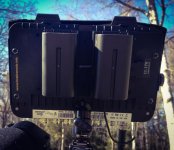
Just got my O7Q yesterday and having been testing it out! Very excited about it. I got an awesome Hawkwoods battery plate that fits two Sony L series batteries and has a D-tap as well (although not sure how it works...).

Just wanted to confirm a few things for peace of mind and want to ask a few questions before a shoot tomorrow.

1) On FS700 the 100+ equals 109% or something else on the O7Q?

2) If I set the O7Q zebra to 109% it doesn't show any clipping even if I point it directly to a light source, so I'm guessing it should be set to max 108% to show clipped highlights? What do you set it to usually?

3) If I set the LUT on from O7Q it crushes the blacks and clips the highlights... So the LUT as it stands right now seems pretty useless in high contrast situations? Especially as it doesn't show the recorded signals histogram etc.

4) Where is the "Next take" information meta data stored? Is it possible to have a scene number included with the file name as well? Can Premiere Pro CC read this info? Does anyone use it? We'll have a slate as well so propably not gonna bother with this though...

Thanks!

Sami
 
3) If I set the LUT on from O7Q it crushes the blacks and clips the highlights... So the LUT as it stands right now seems pretty useless in high contrast situations? Especially as it doesn't show the recorded signals histogram etc.

Moving from log to 709 you will have less DR - so the HiLows will be clipped, that is correct but not 'useless'
 
Moving from log to 709 you will have less DR - so the HiLows will be clipped, that is correct but not 'useless'

The LUT doesnt alter the recorded image at all right? How would you use the LUT to your advantage as it is now if you're shooting outdoors in bright sunlight?
 
The LUT doesnt alter the recorded image at all right? How would you use the LUT to your advantage as it is now if you're shooting outdoors in bright sunlight?

Technically the LUT, in theory, should work to our advantage as a method of displaying a properly saturated/contrasted image to a non-slog-savvy director. I haven't found that the LUT is that helpful for that, to be honest. I'm not quite sure what it is about it, but something seems not quite right.

Instead, when shooting on ProRes 4K2HD, I find I tend to preview the image out using the Rec.709 PP onboard the FS ahead of the shot if there are any concerns... and then go about my business shooting in sLog.

But it seems to me that wherever the LUT is living on the 7Q is to high to be useful. It seems like whenever I get skin-tones set accurately to sLog, the LUT is interpreting the entire thing as being overexposed. But if I were to bring the image down to make the LUT look good, then the sLog appears massively underexposed. I've been cueing skin tones to 34-45% in Slog, which seems to put them just high enough to preserve the shadows while leaving plenty of room in the highlights. The built in LUT seems to disagree.
 
Last edited:
Is it normal that I see a lot of moire on the O7Q screen when recording and playing back the footage on the O7Q? Im shooting 4K2HD.
 
Cool, thanks. Just wanted to double check, still a bit of uncertainty with the unit as I only had one day for prep. Really looking forward to those custom LUT's! Quite uncertain about how the footage will look after grade as it is now...
 
Just a heads up to everyone reading this thread, there was a few faulty clips on my SSD's after a 4 day shoot and CD are looking into the cause, one suspect is the Hawkwoods battery plate. I'll update when I know more.
 
Just a heads up to everyone reading this thread, there was a few faulty clips on my SSD's after a 4 day shoot and CD are looking into the cause, one suspect is the Hawkwoods battery plate. I'll update when I know more.

Was this while shooting 4KtoHD, 4K RAW, or 2K RAW?

If it was the 4KtoHD ProRes, did you use CD's ProRes transfer tool? I had a thread I posted awhile back about how I had a few faulty clips in 4KtoHD using CD's Transfer tool, but never got much of a response from anyone else. When I went back to the source files I found them intact.
 
Was this while shooting 4KtoHD, 4K RAW, or 2K RAW?

If it was the 4KtoHD ProRes, did you use CD's ProRes transfer tool? I had a thread I posted awhile back about how I had a few faulty clips in 4KtoHD using CD's Transfer tool, but never got much of a response from anyone else. When I went back to the source files I found them intact.

Faults were on the files even after using normal copy paste to my iMac. One file wont play on the O7Q itself but was fine after moving it to my iMac.
 
Back
Top