5dtoRGB Settings?

AndrewSP

Member
Hey,

I've been putting together a video and I've been noticing that my highlights seem way blown out, more so than usual. I figured, since it was a live show that the lighting was screwed up as it looked similar on our B camera, an EX1R. However, the footage from the FS700 also looks a bit dim, and I couldn't believe that I would underexpose so badly, as well as overexpose to blowout the highlights in some areas where there were bright blue and green stage lights.

At any rate, I had transcoded this project with 5dtoRGB, my first time using it for something other than a 5d Mark II. I had run tests before and since I didn't know what color space to be transcoding with, I ended up going with 709. I recently read an article about highlights being blown out on macs using quicktime and VLC, so I went and retranscoded using 601 like they recommended.

I'm not quite sure what's going on, but it looks kind of horrible. I don't see much more detail in the shadows using 601 and the highlights seem to be very similar as all the other transcoded versions.

Am I doing something wrong? What settings are people out there using for 5dtoRGB, or should I be transcoding with something else entirely?

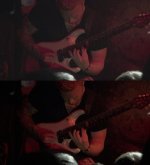
Here's a comparison. 601 top, 709 bottom.
TkuIG.jpg
 

Attachments

  • Screen Shot 2012-11-18 at 1.05.32 AM.jpg
    Screen Shot 2012-11-18 at 1.05.32 AM.jpg
    7.4 KB · Views: 0
Last edited:
Also I should add, throughout when there was only led lighting and strobes, rolling shutter on both cameras was crazy. But I'm still not sure how best to transcode from the fs700. The ex1r footage looks quite a bit better overall, but I was using the kit lens on the fs700
 
The EX1R has a f/1.9 lens at max aperture, so it makes sense that it would look better in this low light senario compared to the 3.5-5.6(6.3?) of the kit lens.
 
The EX1R has a f/1.9 lens at max aperture, so it makes sense that it would look better in this low light senario compared to the 3.5-5.6(6.3?) of the kit lens.

Yes, the lens on the EX1R is significantly better than the kit lens on the FS700. I had to make due with what I had available, which was the kit lens or switch between some primes while shooting a show. That wouldn't be horribly practical, but until I find a zoom I like on the FS700, I'm stuck with the kit lens which is not ideal.


Still to the point, does nobody here transcode FS700 footage? I'm still looking for some help on a workflow, and I was hoping for some advice from the community. 5dtoRGB or clipwrap, fcpx whatever you use to transcode, just need some help on this.
 
I did transcode my footage using 5DtoRGB, but the main problem was the files sizes just get huge with ProRes.

Then I read this article: http://www.eoshd.com/content/8612/mac-avchd-gamma-issues-the-fix

Now I just edit the footage in Premiere and then I color correct in After Effects (much better for grading), I just apply a Level filter to each original clip and changed the Output Black and Output White to 15 and 235 respectively. It basically does the same thing as 5DtoRGB in that it restores the true dynamic range of the footage.

I then add an Adjustment Layer above the original clip and do all the color corrects on the Adjustment layer.

The best part about doing it in After Effects is that you can work with the native .mts files and you can keep your files sizes way down compared to ProRes. Also, when you color correct in After Effects, it makes no difference in quality if you are working with the .mts files or Pro-Res files because After Effects is a codec neutral program. Only when you do the final output, that when the codec becomes important. At that point, I usually do Pro-Res 444. This is because I noticed there is a Gamma shift out of After Effects when choosing between ProRes 4:2:2 and ProRes 4:4:4. ProRes 4:4:4 is closer to the actual grade done in After Effects / Premiere for some reason. 4:2:2 is very noticeably off.
 
Last edited:
I did transcode my footage using 5DtoRGB, but the main problem was the files sizes just get huge with ProRes.

Then I read this article: http://www.eoshd.com/content/8612/mac-avchd-gamma-issues-the-fix

Now I just edit the footage in Premiere and then I color correct in After Effects (much better for grading), I just apply a Level filter to each original clip and changed the Output Black and Output White to 15 and 235 respectively. It basically does the same thing as 5DtoRGB in that it restores the true dynamic range of the footage.

I then add an Adjustment Layer above the original clip and do all the color corrects on the Adjustment layer.

The best part about doing it in After Effects is that you can work with the native .mts files and you can keep your files sizes way down compared to ProRes. Also, when you color correct in After Effects, it makes no difference in quality if you are working with the .mts files or Pro-Res files because After Effects is a codec neutral program. Only when you do the final output, that when the codec becomes important. At that point, I usually do Pro-Res 444. This is because I noticed there is a Gamma shift out of After Effects when choosing between ProRes 4:2:2 and ProRes 4:4:4. ProRes 4:4:4 is closer to the actual grade done in After Effects / Premiere for some reason. 4:2:2 is very noticeably off.

That's an interesting workflow, I may have to try that sometime. Unfortunately, our studio is pretty streamlined for FCP7, FCPX just doesn't do what we need it to in a timely fashion. We have the storage capability for ProRes, and I just wonder what the best way to transcode the footage would be.

My workflow programs are fairly common, I just can't seem to find specifics from anyone with the same setup.


I still don't know which settings are recommenced for 5DtoRGB. Does anyone know?
 
when i use the internal recorder it gets re-wrapped with ClipWrap into h.264, so no transcode, just header info changed. Full levels are maintained - we use Avid for editing, it captures full range 0-254 anyway so no need to muck about with changeing levels.

d
 
That's an interesting workflow, I may have to try that sometime. Unfortunately, our studio is pretty streamlined for FCP7, FCPX just doesn't do what we need it to in a timely fashion. We have the storage capability for ProRes, and I just wonder what the best way to transcode the footage would be.

My workflow programs are fairly common, I just can't seem to find specifics from anyone with the same setup.


I still don't know which settings are recommenced for 5DtoRGB. Does anyone know?

Yeah, that's why I switched from FCP7 to Premiere just because of the transcoding issue. I've heard that FCP X takes native AVCHD footage now, but FCP7 did not, and that really is a major weakness of the program. It's strange because I used FCP since the 1st version about 10 years ago, and after using Premiere for a few hours, I just liked it way better. Probably because I use After Effects a lot and they are similar and really well integrated.

Here's an article on using 5DtoRGB with Sony FS footage

http://www.eoshd.com/content/8076/how-mac-osx-still-screws-your-gh2-fs100-nex-footage-a-must-read

I believe they use ITU-R BT.601 as the decoding matrix.

I also use clip wrap just to generate previews since the Mac and avchd are not happy together, although I heard Mountain Lion address that a bit, but I'm on Lion. But I have noticed that Premiere works better and faster with the native .mts files than the re-wrapped Clip Wrap files.
 
That's the exact article that got me down this road actually :) The problem I'm having is that I did the bottom image with the 709 decode matrix, and 601 for the top. That's my original confusion over how it's handled.

To me, the top example looks noisy and not very good. The detail doesn't seem to be there either, not any more than the 709 decode.

So that's where I'm stuck. Why is that decoding matrix so much worse in my example. I'm also shooting with cinegamma 2
 
Back
Top