1080 problem, please help!

inthedark

Member
HPX-170. I noticed when recording in 1080, there were horizontal black lines across anything that showed movement on screen. I know a lower framerate such as 30 or 24 isn't ideal for sports, and that it would make sense there, but when i try recording everyday things in 1080 it shows these black lines I don't feel should be there. I have a wedding coming up, and i want to record it in 1080. What exact settings are recommended to avoid the black lines? Thank you!

-Jonathan
 
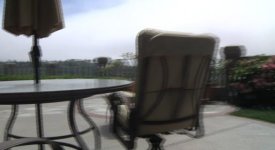
This is with 1080i 24p. I was barely moving the camera when the horizontal lines appeared next to certain objects on the screen. You can see here.

I don't know much about shutter speeds for this camera but i believe it is just on default. The footage is being viewed in FCP but it's the same result when playing back through the camera.
 

Attachments

  • horizontal.jpg
    horizontal.jpg
    16.5 KB · Views: 0
Last edited:
As David said, that's interlacing.

Shoot in 24pA mode, and use an editing program that automatically strips out the pulldown, and you'll never have a problem.
 
Yes, I think that's interlacing.
Suggest find a conversion program that can convert interlacing video to the progressive.
 
Yes, I think that's interlacing.
Suggest find a conversion program that can convert interlacing video to the progressive.

No. What he wants to do is remove pulldown, not deinterlace. That's not done with a conversion program; that's done either at import (if using FCP or Avid) or automatically on the timeline (if using Premiere Pro, Edius, or Vegas with Raylight).

Deinterlacing will cause a big mess and much lower-quality footage.
 
No. What he wants to do is remove pulldown, not deinterlace. That's not done with a conversion program; that's done either at import (if using FCP or Avid) or automatically on the timeline (if using Premiere Pro, Edius, or Vegas with Raylight).

Deinterlacing will cause a big mess and much lower-quality footage.

Really? Cuz that still sure looks like interlace to me. But then if he had shot it in 24p this should not be an issue. I'm wondering if there are timeline or export issues.
 
Really? Cuz that still sure looks like interlace to me. But then if he had shot it in 24p this should not be an issue. I'm wondering if there are timeline or export issues.

If he shot in 1080/24p, then it's recorded in a 60i stream with interlaced fields added to pad out the signal to 59.94. If you do not remove pulldown from the stream, you will see the interlace fields, which is what we see here.

The correct method is the removal of pulldown. That extracts the original 24p frames cleanly. Deinterlacing doesn't do that. It mashes up and blurs the interlace fields into new frames, resulting in ghosting and other bad artifacts.
 
The sensor records in progressive and then the codec takes the progressive image, splits it in two half frames and records it in an interlaced format. so basically the two fields of a frame are the same image. Shooting in 24pA gives a different algorithm in the recording the fields which is easier to use with the NLE's (FCP, AVID Vegas etc)
So Shoot 24pA and you will never even see those darn lines again.

Peace
 
If he shot in 1080/24p, then it's recorded in a 60i stream with interlaced fields added to pad out the signal to 59.94. If you do not remove pulldown from the stream, you will see the interlace fields, which is what we see here.

The correct method is the removal of pulldown. That extracts the original 24p frames cleanly. Deinterlacing doesn't do that. It mashes up and blurs the interlace fields into new frames, resulting in ghosting and other bad artifacts.

so 30p doesn't suffer from this huh? that's why I have never had any interlace problems shooting 1080 30p.
 
Last edited:
Correct. 30p has no "padding", it's stored as two fields per one frame.

David is absolutely right, you must never "deinterlace" progressive footage. That will just destroy your footage. De-interlace = de-stroy.

The correct process is to "remove pulldown", or "inverse telecine" or "IVTC". That will strip out the pulldown fields and return the footage to its original, full-resolution 24p nature.
 
so 30p doesn't suffer from this huh? that's why I have never had any interlace problems shooting 1080 30p.

Not in the same way. 30p frames are still split into interlaced field pairs, but any timeline will be showing matched field pairs at the same time. Both fields will be from the same frame. Thus, there are no objects in two different places at once, so there will be no visible interlacing even if it's technically being displayed as interlaced. Plus, your NLE may detect that it's 30p anyway and assemble the field pairs back into frames.
 
Of course, if for some reason you were to reverse the field order of the footage or the project/sequence properties, you may well see interlacing in 30p footage.
 
Back
Top