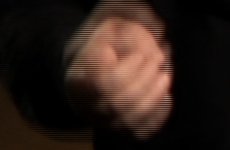
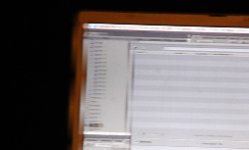
I've seen other threads with complaints on 1080 24p footage not working well with FCP but no solid solutions. I mistakenly shot a whole project in 1080 24p and the clips are quite banged up (see still frames). On locked off shots, any subject movement creates horizontal lines, if the camera pans, the vertical lines wobble severely. It's weird because it looks just fine in the log and transfer window and in playback on the camera.
I've tried messing with all variations of capture and sequence settings. The only thing that seems to work is to deinterlace. I've heard this isn't the best thing to do though, however, "remove pulldown" is not a selectable option.
I did a test and 1080 24PA looks fine in the same situations.
Here are some grabs showing the issues with 1080 24p. (one from the project and one I just did filming my computer screen).
Here are two examples:
one from the project, blow up of the subjects hands moving around while talking
one is a slow pan of my computer monitor I just captured
I've tried messing with all variations of capture and sequence settings. The only thing that seems to work is to deinterlace. I've heard this isn't the best thing to do though, however, "remove pulldown" is not a selectable option.
I did a test and 1080 24PA looks fine in the same situations.
Here are some grabs showing the issues with 1080 24p. (one from the project and one I just did filming my computer screen).
Here are two examples:
one from the project, blow up of the subjects hands moving around while talking
one is a slow pan of my computer monitor I just captured