HMC-150 Color & Noise Check

Hello,

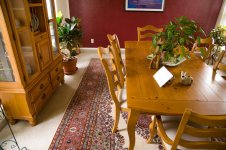
I have been looking at my HMC-150 footage and seeing a fair amount of noise as well as a lot of red.

I have initialized the menus etc...

The image is very nice from a distance, but closer inspection reveals a lot of mosquito noise all over the image.

Please look at the attached file and give me your opinion.

The furniture is a honey pine and has more of a yellowish apearance.

My settings are:

Detail -4
V Detail +1
Coring +1
Gamma Cine V
Matrix Norm 1

Please disregard the pedestal setting etc... in the image, I am working on the best settings.

Thanks for your input.
 

Attachments

  • HMC-150 Noise & Color Test.jpg
    HMC-150 Noise & Color Test.jpg
    280.1 KB · Views: 0
I like the image but how are you viewing the clips Bassman2003 ?
and was gain by any chance left on.

If your viewing through hdmi turn of the sharpess of the HDTV.
I also noticed with my own camera that with certain patterns like cloths , grey t-shirts ,brown ,sofa's etc there is a fair amount of chroma noise

Post the other settings to because they also help produce the final image recorded.
 
Thanks for your replies.

Just to give some background, I consider myself a professional. I have calibrated monitors and a JVC HD production monitor.

Please do not turn this thread into a viewing method discussion.

Please look at the image full size as it is a 720p frame grab from the camera.

The noise is there. Just wondering if there is a way to minimize it and if others see it in their footage.

Basically to see if this is the best the camera can do.

And yes, gain is at zero.

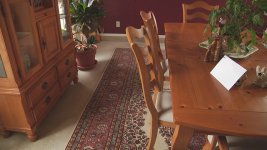
I have uploaded an image from my 5D that I just took from the same scene. I think you will be able to see the difference.

I manually WB'ed on the white card for both the images.

Thanks
 

Attachments

  • Same Scene with 5D.jpg
    Same Scene with 5D.jpg
    177.9 KB · Views: 0
I think your master ped was on the positive side which increases noise..
I had problems with mine when I viewed my footage through hdmi on an hdtv.
Edweirdo suggested to turn the sharpess off which made a lot of difference .
It helped me so I thought maybe it would help you to .
 
Are you manually white balancing or using the auto setting. I've been getting the red tint when using auto white balance, but when using MWB the colors are beautiful.
 
First off, I dont own a 150 (yet), still with a DVX100, but to me the image from the 150 looks pretty good noise levels wise. The colours and contrast however do look off compared to a 5D.

Maybe this is an expectation issue (I dont mean that flippantly Baseman). I have heard so many 'wonderful' in low-light quotes that when I finally get my unit I'm sure I will expect it to see in pitch blackness with 0 gain and 0 noise.
 
I have changed some settings and have found a color mix I can live with.

I lowered the Color Phase to -2. The reds had looked orangey which led me to raise the phase to get the reds more magenta, but I guess it really corrupts the rest of the image.

Now the overall image looks on except the reds which I can adjust the hue in my editor.

Lowered the ped to 0. I will probably go up a few points as I prefer to preserve more shadow detail.

Now onto the noise.

What I am seeing looks like codec noise. Not just in shadow areas but all over the image, little mosquito noise/blocks.

Maybe I am expecting too much, or looking too close at my monitor, but a friend noticed it as well.

Just don't know what to expect with this camera/pricepoint.

It is hard to see in a still frame as the noise is moving, sort of jumping around.

Thanks for your experiences.
 
Last edited:
The red hue on AWT seems to be a common fault with this camera. Had to return my first camera as AWT was just too way out, either red or blue and never right. The replacement is better but AWT is still very poor compared to other cameras.

If Panasonic recognise and fix the problem I'm wondering if it's something that can be fixed with a driver update???
 
Back
Top