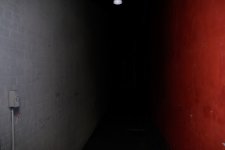
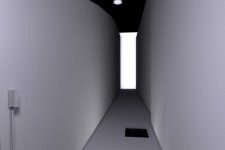
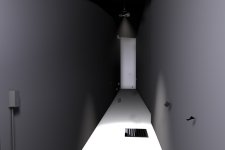
Some of my C4D work...

Hey Matt. You are right it is hard to try and squeeze everything in one app with sufficient results. I've heard some people say cinema should have a fluid module haha are you kidding me. Leave the fluids to real flow.

I've looked at Houdini it looks great for particles!

Cinema really needs to update their dynamics module and pyrocluster. I've heard good things about lightwave hard body dynamics. Their is a nice plugin for Cinema 4D called Silverbullet+ it does hard and soft body sims. Soon I will buy it if cineam doesn't update the dyanmics module.

Not sure if I fully unerstand your question about my camera map descion. Granite I am a bit tired. Basicly I figured camrea mapping that photo onto gemotry and adding some 3d clouds would be a lot easier than building the entire scene in 3d. I'm not sure if that anserwed yoru question let me know if it didn't.

Josh
 
Not sure if I fully unerstand your question about my camera map descion. Granite I am a bit tired. Basicly I figured camrea mapping that photo onto gemotry and adding some 3d clouds would be a lot easier than building the entire scene in 3d. I'm not sure if that anserwed yoru question let me know if it didn't.

Josh
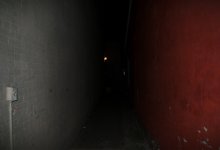
My question was this:

Why did you go with camera mapping?

I didn't see a whole lot of parralax, and it seems like a lot of extra work to add geometry to that, just for a high altitude fly over. That's why I specifically mentioned "that height", because if that was the shot, I would have though enhanced tweaking in Photoshop alone for accurate shadowing would have been enough. Then simply put the texture on a flat poly, or at most, convert the photo into a high con image isolating the lights and darks and use it for normal/displacement/paralax mapping.
 
Hey Matt you are right that probably would be the better way to go. I did attempt to make a height matte for it in Photoshop then used that in Cinema to build the geometry. I could used some shadow work for sure.
 
I'm doing this mainly to practice and learn projection man and camera mapping. I still have some work to do on it.

I plan on having a light swaying back and fourth, steam coming from the sewer, wind blowing paper aroundl? Haven't decided what the end of the alley will reveal.

original photo, camera mapped with projection man, no textures applied

Small animation soon to follow.
 

Attachments

  • alley orignalphoto copy.jpg
    alley orignalphoto copy.jpg
    133.2 KB · Views: 0
  • testdv.jpg
    testdv.jpg
    50.5 KB · Views: 0
  • testdvnotextures.jpg
    testdvnotextures.jpg
    63.3 KB · Views: 0
Very cool stuff. I never get tired of seeing camera mapping and match moving. Something about them, when you know it is fake, and yet it fits and interacts perfectly with the camera, is pleasing down in the lizard part of the brain.


Keep 'em comin!
 
Thanks Matt :). Same here I freaking love the stuff. Hope to do some more involved matchmvoing and camera mapping soon!
 
My first attempt at object matchmoving. I object tracked the truck and also got a matchmove camera for the scene. I used the technique from my C4D Null/AE tutorial I made to create the exhaust smoke. I had a tracker on the exhaust in syntheyes which came into C4D as a null then exported that to AE and used particular. The cg doesn't look particularly real or anything that wasn't my focus...yet. I'm certainly loving the possibilities.

link
http://www.vimeo.com/1968790

I hope to attempt my first serious vfx shot tomorrow depending on weather.
 
Last edited:
Though I would have a go at shattering some glass. No GI or any fancy textures/scene for the sake of rendering times but I would certainly love to blow some glass up with matchmoved footage. Their is certainly some problems with how the glass interacts after the break but I'm still learning .

HD
http://vimeo.com/2033398
 
I was working on optimizing the settings. Now the boxes have better collision detection and land on the floor. Also I was trying to learn thinking particles. Figured I better since their won't be a update for several months if not longer. I attached TP to one of the top cubes so it follows it and and made the floor a collider with TP but not so obvious with the smokey settings. Also was playing around with speed ramping.

What I would really like to know how to do is make the cube only emit particles on collision with the floor....but haven't figured that out yet.

Here is the video in HD
http://www.vimeo.com/2061044
 
Last edited:
Back
Top