c4d shadowing question.

Gord.T

Still "Senior Member"
I want a floor plane to recieve shadows but not be visible itself.
In 3dsmax I use a matt/shadow object.

********* How do I do that in c4d? ***************

____edit:

Here's an example I just did with c4d.

c4d_photoshop_shadow_pass.jpg


BUT I also had to use photoshop.
I rendered a multipass in c4d using the shadow and diffuse channels and saved as a .psd file. Opened photoshop, deleted the diffuse layer and resaved as a .bmp. Back in c4d I hid the floor plane and applied the shadow bmp to the background diffuse channel and rendered again.

There has got to be a better way. Doing this for animations could be a hinderance.

/ Update:
If I render a multipass (saved as bmp file) with only the shadow layer checked I can eliminate the photoshop step.
When done I load the saved sequence into the diffuse channel like before and render again.
That's a bit better.
 
Last edited:
All you need to do is add a Compositing Tag to your floor plane and in the Attribute Manager, check off the "Compisiting Background" option.

compTag.jpg


Compositing tags are your friends...read up on them, really helpful.
 
I played around with that tag for a while. Just tried it again. The texture material is gone but the plane is still there. ???

Can you see what I am doing wrong here?
-Thanks.

composite_tag_1.jpg
 
Raptor365 said:
/ Update:
If I render a multipass (saved as bmp file) with only the shadow layer checked
.....
When done I load the saved sequence into the diffuse channel like before and render again.
.....

mmm, that part I've got (figured it out after the initial post). Just wondered if there was another way.
Thanks for the link.
The c4d help files are more like function definitions. Thier helpfull but not very useful.

/Edit: Working through the shadow catcher tut. That is what I'm looking for.Thanks.

/For future reference:
Assign the same background material to the floor plane and use Frontal Projection.
Add a compositing tag to the plane. Uncheck cast shadows & check Compositing background.
 
Last edited:
Sorry to bump an old thread but instead of starting a new one....

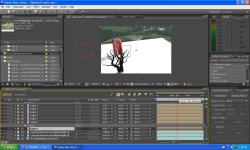
This is what I want expect with video. I can do this successfully with photoshop and C4D but for some reason can't get the ground shadows into AE?

Anybody have any tips?

I tracked a shot in syntheyes built some 3d elements placed them in it track perfect but my shadows only show in the rendered mov from c4d so I can't tweak them. with any kind of multipass settings.

I hope this makes sense.

thanks
 
....Sorry to bump an old thread but thanks...

You sound like Steve Buscemi. Anyways, thanks for bringing up probably my very first C4D post, from hell. HOW TO RENDER A FKN SHADOW.

:)

haha, give me a shout Josh if your still stuck.
 
Last edited:
Steve Buscemi does rule! I am still stuck. I'm sure its somthing easy like I said I did in photoshop no problems. Still testing out things haha

Any help or tips would be great!
 
Here is a pic Raptor to better show my problem. As you can see my shadow catcher is all white? How and why I ask lol. What I'm expecting to have is my shadow catcher be invisible minus the shadows?
 

Attachments

  • untitled.JPG
    untitled.JPG
    157.7 KB · Views: 0
Josh, I'm sure you've gone much farther than I have with C4D. I remember when you were just starting around the same time as me... I don't even know what a shadow catcher plugin is... then again, I've given up on the 3D/VFX stuff... :)
 
Josh, I'm sure you've gone much farther than I have with C4D. I remember when you were just starting around the same time as me... I don't even know what a shadow catcher plugin is... then again, I've given up on the 3D/VFX stuff... :)

:) I've be working with it a lot recently. I hope to feel as comfortable in C4D/BP as I do in AE and PS. I really want to be able to apply vfx when I want to :). I hope V11 of C4d will have a substantial upgrade for vfx. Certainly is time consuming stuff but rewarding too.

Also I hope to get some motion gfx work down the line!
 
Last edited:
Yeah, I probably should play around with it more often. 3D is a lot of fun. If I was as good at C4D as I was at PS... that would be really cool. But, of course, PS is easier...

If I have any need for some VFX stuff, I'll make sure you're one of the people I'll ask... :)
 
Yeah, I probably should play around with it more often. 3D is a lot of fun. If I was as good at C4D as I was at PS... that would be really cool. But, of course, PS is easier...

If I have any need for some VFX stuff, I'll make sure you're one of the people I'll ask... :)


Thanks :)

I'm not master or anything but improving and I'm always down for a challenge!
 
The problem with your white plane/shadow catcher is that you haven't applied the bg plate material to it. You need to apply the bg plate image or image seq to the color channel of a material then add the material to the plane and change the projection to frontal.
 
The problem with your white plane/shadow catcher is that you haven't applied the bg plate material to it. You need to apply the bg plate image or image seq to the color channel of a material then add the material to the plane and change the projection to frontal.


I did that and I made things fit in AE my c4d render with my bg in ae but I couldn't control my shadows at all not even the opacity. I'm sure I did something wrong but I certainly don't know what.

I did that excatly and it worked fine in PS. My shadow layer in ps I was able to manipulate no problem but my shadow layer in AE was all black didn't seem to do much for me?

Hope that made some sense.

thanks oneinfiniteloop
 
Back
Top