Removal of NOISE and MACRO BLOCKS from HVX and DVX footage solved!!!!!!!

I've been using Neat Pro (Vegas version) for about a year now. I am amazed on how well it works without destroying the image. I've taken frames with and without the noise reduction into photoshop and subtracted to see how much of the actual image is being robbed by the process. To my surprise, when used correctly, not much.

This really helped out on a concert shoot we did with JVC HD100 cameras.

Heck, with just a tad of selective noise removal, it can make the Sony EX1 footage extremely clean..... But this all comes at a cost of processing time. Add to that using Magic Bullet and you can pretty much write your day off for rendering.
;)
 
Sounds good. Ill do a side by side comparison for you Barry and see which one has the best noise reduction. and then use them both together.

Cheers

Michael Freudenberg

This will help you:

To get similar results between the Neat plugin and MXFX, set the
plugin's temporal filter radius to 1, and the noise reduction profile to
luminace 50% and chroma 0%.

By the way MXFX is not a plugin. It's a standalone application that (quickly) creates
a duplicate set of P2 Card images but with reduced noise, pulldown removed,
and image rotation (all optional of course). The advantage of preprocessing the
noise reduction is you don't have to wait to render each time you tweak a scene
and output a test, the noise reduction is already done for you before you start editing.

http://dvfilm.com/MXFX
 
I've played with the demo, and once you kinda learn how everything works, the results are phenomenal. I'm gonna post some frame examples of what I've come up with.
 
Thats an awesome amount of difference, It really helps with keying I've noticed as well.

It works fantastic on DVX footage too.

Cant wait to try it out on HD when my HVX arrives.
 
Ok I'm attempting to test out the MXFX program for noise reduction but have no difference to noise reduction at all!

This is for two reasons.

1. Because I run the MXF file through MXFX then RAYLIGHT it doesn't pick up the noise reduction in the MXF file.

2. I don't know what the hell I'm doing with the MXFX converter.

I believe the first one.

Can someone who has access to a program that runs MXF natively try the MXFX and see how its removes noise?

Cheer

Michael Freudenberg
 
Hey Guys,

I just did some chroma key testing with NEAT and native MXF's imported straight into AE CS3.... i shot DVCPRO50. Holy SH*T, the detail i was able to retain in the hair was amazing!!! I've always keyed with keylight which is great but have had some difficulty with hair on occasions...i just didn't realise it was noise in the image that was making the edges jitter, now it's gone. Thanks heaps Michael for letting us know about this awesome product.
 
Hey Guys,

I just did some chroma key testing with NEAT and native MXF's imported straight into AE CS3.... i shot DVCPRO50. Holy SH*T, the detail i was able to retain in the hair was amazing!!! I've always keyed with keylight which is great but have had some difficulty with hair on occasions...i just didn't realise it was noise in the image that was making the edges jitter, now it's gone. Thanks heaps Michael for letting us know about this awesome product.

no problems, always happy to share a discovery I found useful.

Cheers

Michael Freudenberg
 
Two Clips here. The first one is a really random clip that came from messin' around with scene file settings a month ago. First clip is the noise clip, second one is exact same clip with my newb settings applied.

+2, +2, +2, 0 -- Master Pedestal -2 -- Cine V -- www.kholi.net/noiseremoval.mov

Second one is three short clips of Cine D done naked HVX tonight just to see how this thing works. There's no before and after, it's also 853 x 480 not 1080p. File's named that way because I exported a few different things.

+2, +2, +2, 0 -- Master Pedestal -2 -- Cine D -- www.kholi.net/1080iNR.mov

RIGHT CLICK AND DOWNLOAD. DON'T DRINK MY BANDWIDTH!

There's an obvious oil paint effect going on. I'm sure there's a way to reduce it, but this is what I see first off. For starters, though, it could be promising.

the link isnt working for the 1st clip Kholi
 
This will help you:

To get similar results between the Neat plugin and MXFX, set the
plugin's temporal filter radius to 1, and the noise reduction profile to
luminace 50% and chroma 0%.

By the way MXFX is not a plugin. It's a standalone application that (quickly) creates
a duplicate set of P2 Card images but with reduced noise, pulldown removed,
and image rotation (all optional of course). The advantage of preprocessing the
noise reduction is you don't have to wait to render each time you tweak a scene
and output a test, the noise reduction is already done for you before you start editing.

http://dvfilm.com/MXFX


mvb,

I can still use my Windows laptop for P2 dumps...would it make sense to run the mxf files though MXFX before I xfer the files to my Mac for FCP?

...by the way I use Raylight on the Mac.

...or is a Mac version on the way?
 
Last edited:
mvb,

I can still use my Windows laptop for P2 dumps...would it make sense to run the mxf files though MXFX before I xfer the files to my Mac for FCP?

...by the way I use Raylight on the Mac.

...or is a Mac version on the way?

Yes

Alan (our senior s/w engineer) is working on the Mac version and it should be ready before the end of this month (Feb 2008).
 
Yes

Alan (our senior s/w engineer) is working on the Mac version and it should be ready before the end of this month (Feb 2008).

Excellent news! Will buy ASAP as well!

DCP

ps. I also own DE:Noise (which works nice in removing noise, but it does produce artifacts...) but I really like what I've seen from this plug.
 
I HAVE A QUESTION mvb?

I see no diffrence in noise reduction when I run the MXF files threw MXFX then have the MXFX treated file run threw RAYLIGHT.


Are the two programs MXFX and RAYLIGHT incompatable?


Are you aware of this problem?

Or when u run the MXFX treated file through RAYLIGHT it doesn't reconise that the file has been treated for noise?


If so then I beleave MXFX would not be suitable for people who use RAYLIGHT to transfer MXF files into editable programs like premiere pro ( pre CS3 ).

Cheers

Michael Freudenberg
 
I HAVE A QUESTION mvb?

I see no diffrence in noise reduction when I run the MXF files threw MXFX then have the MXFX treated file run threw RAYLIGHT.


Are the two programs MXFX and RAYLIGHT incompatable?


Are you aware of this problem?

Or when u run the MXFX treated file through RAYLIGHT it doesn't reconise that the file has been treated for noise?


If so then I beleave MXFX would not be suitable for people who use RAYLIGHT to transfer MXF files into editable programs like premiere pro ( pre CS3 ).

Cheers

Michael Freudenberg

I would say probably you forgot to enable the noise reduction option or you made the AVI from the old MXF file rather than from the new one. Or there may be some other problem. Anyway it works fine here and we have many, many people using MXFX for noise reduction. Contact DVFilm Support and tell them what settings you are using if you continue to have trouble.
 
I would say probably you forgot to enable the noise reduction option or you made the AVI from the old MXF file rather than from the new one. Or there may be some other problem. Anyway it works fine here and we have many, many people using MXFX for noise reduction. Contact DVFilm Support and tell them what settings you are using if you continue to have trouble.

MVB,
I've gone through all the options and made a noise reduction on the the MXF file with the MXFX program. I didn't miss any steps in noise removal and when importing into RAYLIGHT made unsure the MXFX treat file was converted with RAYLIGHT. MXFX is a very easy program to you however RAYLIGHT doesn't seem to pick up the MXFX cleaned file. Almost like its piggy backing the original MXF file without noticing that its been treated.


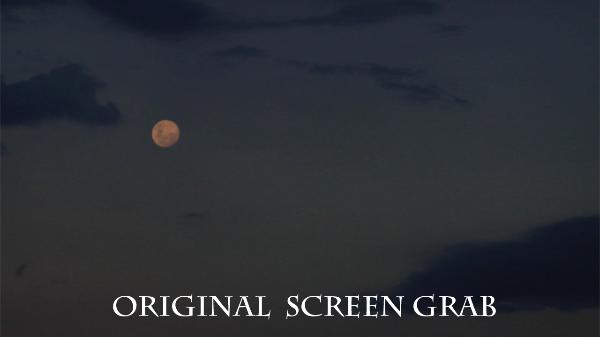
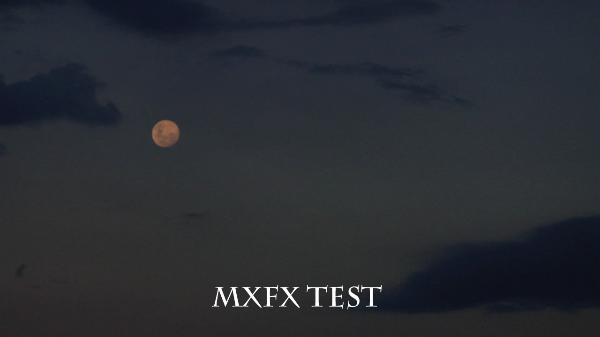
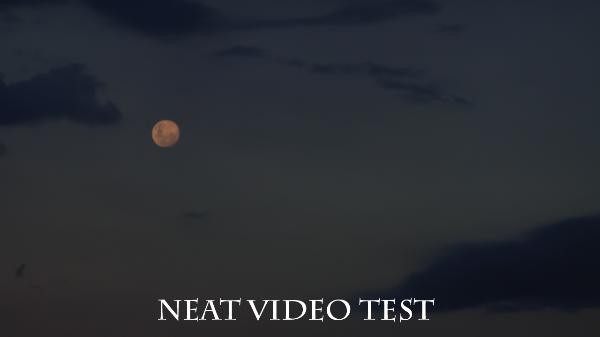
TEST grabs below speak for themselves.

NO_mxfx_applied_copy-600x337.jpg


Moon_MXFX_applied_copy-600x337.jpg


Moon_Neat_video_applied_copy-600x337.jpg


So if someone can use MXFX and treat there MXF files ( without running through RAYLIGHT ) and do a side by side comparison.

Anyone up to that challange?

Michael Freudenberg
 

You guys really need to check out this fine example from Kholi.

Before and after.

I love the plastic clippey bag. Transparent and full of noise. Then clean and see through. What noise remover out there can truly do this and have a test like this top back it up.

This is a great addition to anyones toolbox for removing noise for a noisy shot.
 
Back
Top