ProRes HQ looks terrible as a DVCPRO HD master

walnutcrunch

Well-known member
Our output is digital, so we do a digital master, then compress from there to whatever output we need. Having a digital master as Uncompressed HD is scary big when you are high-volume so we keep our masters compressed. Trying to figure out whether or not to output to DVCPRO HD or ProRes, we go our answer assuming every setting is right. ProRes looks terrible.

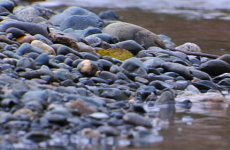
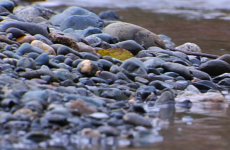
They are all 100% crops, exported with the same 100% quality jpeg compression from photoshop.

The pictures accurately represent exactly what I see when I load the two movies into After Effects.

Huge amounts of stair-stepping with PR.

The eagle shot is from very far away on a 2x extender shot 720pn24 overcranked, and the rocks are at 1080p30

DVCPRO HD is on the left, PR is on the right.
 

Attachments

  • Cluxewe-Spawning-Storydvchd1-copy.jpg
    Cluxewe-Spawning-Storydvchd1-copy.jpg
    260 KB · Views: 0
  • Cluxewe-Spawning-StoryPR1.jpg
    Cluxewe-Spawning-StoryPR1.jpg
    287.2 KB · Views: 0
  • Cluxewe-Spawning-Storydvcprohd2.jpg
    Cluxewe-Spawning-Storydvcprohd2.jpg
    51.9 KB · Views: 0
  • Cluxewe-Spawning-StoryPR2.jpg
    Cluxewe-Spawning-StoryPR2.jpg
    52.4 KB · Views: 0
There has to be something wrong with how you're transcoding to ProRes422. Our ProRes422HQ footage is flawless.

It looks like the quality setting on the ProRes encoder is set very low.
 
Quantity suggests that we need to compress. We'll have all the project files and source media archived so we can always rebuild if need be.

We haven't been able to recreate the original problem that spawned these pictures. Now PR HQ seems to be producing a mighty nice picture. Go figure.
 
Well regardless of what format you convert to, you can't ever improve on the DVCPRO then. Plus you always loose *something* during cross-conversion and/or re-compression.

So regardless of the codec you are testing, it wont' look as good as the master. You'd need to start with an even higher quality format (like true un-compressed) to do a proper side-by side test of both formats.

- Mikko
 
What we're trying to figure out is not which is the best rendered output out of the cleanest master, it's which is the best rendered output from a DVCPRO HD timeline.

At first it looked like ProRes was falling on its face, but what was a repeatable condition one day, is no longer a repeatable condition, so it looks like ProRes is just fine.
 
The best possible intermediate you could work with in FCP is the Sheer video codec. It's absolutely lossless and cross platform, unlike ProRes. (I do like ProRes though) It's also extremely good at RGB to YUV/YUV to RGB conversions which I've always found a little troublesome with other QT codecs.

It does create bigger file sizes than ProRes but offers more flexibility. www.bitjazz.com

I've often nested a DVCPRO HD sequence within a custom Sheer sequence and found the render quality to be much better than native DVCPRO HD and even better than ProRes. The overall difference it makes, of course, depends on how fx/filter intensive your sequence is.
 
Back
Top