MakeshiftKnight
Active member
Hey guys,
I got an HVX loaned out to me from my school and I'm trying to import some footage but have ran into some problems. The footage shot is 720p / 60p and the timeline and import settings are set for that. I'm importing right from the dump drive, and I can see the clip when I open the import window, but when I try and import the clips, all I get is audio, no video. Anyone ever had any trouble with this or know how to fix it?
Any help is greatly appreciated.
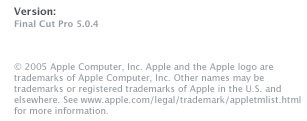
Oh, and I'm running on a Mac G5 Power PC w/ 2.0 dual GHZ processors, QT 7.0, and Final cut Pro Version 5.0.4.
I got an HVX loaned out to me from my school and I'm trying to import some footage but have ran into some problems. The footage shot is 720p / 60p and the timeline and import settings are set for that. I'm importing right from the dump drive, and I can see the clip when I open the import window, but when I try and import the clips, all I get is audio, no video. Anyone ever had any trouble with this or know how to fix it?
Any help is greatly appreciated.
Oh, and I'm running on a Mac G5 Power PC w/ 2.0 dual GHZ processors, QT 7.0, and Final cut Pro Version 5.0.4.