
Navigation
Install the app
How to install the app on iOS
Follow along with the video below to see how to install our site as a web app on your home screen.
Note: This feature may not be available in some browsers.
More options
You are using an out of date browser. It may not display this or other websites correctly.
You should upgrade or use an alternative browser.
You should upgrade or use an alternative browser.
Some of my work in LightWave
- Thread starter TowerFan
- Start date

Matt Grunau
Adobe Demigod
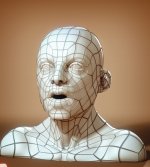
Can we get a few shots of the mesh with wireframe? It looks like there are some poly conflicts on sides of the mouth, beside the nose, and at the base of each eye. Most likely you have in excess of four polys from a single point in those areas. that will cause pinching.

TowerFan
Senior Member
@ Raptor - You're on! Afraid I can't charge you though, seein' as how I'm still a nOOb! :beer:
@ Matt - You got a sharp eye!
Yeah, there are a few 5 sided points, or "stars" as I call them. The technique I used has a lot of smooth shifting so those stars are inevitable. My problem is I'm not good enough to get rid of em' (yet). Messed around for a while and this is what I have. One part I really need to get rid of is the 4point triangle below his mouth.
I'd appreciate any tips or techniques you can throw my way!

But, on the other hand, I just ordered the new "Secrets to Organic Modeling" by Teron. Click the thumbnail below to see the cover art. There's a few stars in his as well... Maybe the trick is to get them in the right places.
Haven't received the tute yet (Friday) but I can't wait. Teron is a total kick-ass artist. I'll report back on the tute for anyone that's interested in it.
@ Matt - You got a sharp eye!
Yeah, there are a few 5 sided points, or "stars" as I call them. The technique I used has a lot of smooth shifting so those stars are inevitable. My problem is I'm not good enough to get rid of em' (yet). Messed around for a while and this is what I have. One part I really need to get rid of is the 4point triangle below his mouth.
I'd appreciate any tips or techniques you can throw my way!
But, on the other hand, I just ordered the new "Secrets to Organic Modeling" by Teron. Click the thumbnail below to see the cover art. There's a few stars in his as well... Maybe the trick is to get them in the right places.
Haven't received the tute yet (Friday) but I can't wait. Teron is a total kick-ass artist. I'll report back on the tute for anyone that's interested in it.
Attachments
Last edited:
Lightwave's not dead yet - we had a couple guys using it on 'Avatar' (including me, until we decided that the particular stuff I was doing, was best done with a trusty old pencil and Mayline).
Although anyone wanting to get professionally competitive, right now, should most certainly focus on Rhino, Solidworks and Maya.
Although anyone wanting to get professionally competitive, right now, should most certainly focus on Rhino, Solidworks and Maya.

Tom Marshall
Actor!!!!!!
Solidworks? Really? I've used that before to design car parts. What are they using that for and who's using it? Very interesting...
Matt Grunau
Adobe Demigod
TowerFan said:@ Matt - You got a sharp eye!
Yeah, there are a few 5 sided points, or "stars" as I call them. The technique I used has a lot of smooth shifting so those stars are inevitable. My problem is I'm not good enough to get rid of em' (yet). Messed around for a while and this is what I have. One part I really need to get rid of is the 4point triangle below his mouth.
I'd appreciate any tips or techniques you can throw my way!
Sometimes you can use Spin Quads to lessen the effect of the pinching, other times, you look at which polys can possibly be sliced/divided and then eliminate some of the offenders. You then rebuild the portions in question poly by poly using the extra points you have created to build from. And once you find polys to slice, you can sometimes delete polys entirely. There are a coulple of polys to the right of the mouth that could be just one.
Also, when expanding from a mouth or eye, the Extender in Point mode can be a boon.
And sometimes, when you need the detail that only Smooth Shifting will bring, you are stuck with the five poly points. No real way around it. THe only thing you can do is to increase the geometry, or move the offending section to a different part of the mesh so as to make it less noticable.
I swear, box modeling with an initial Metaform subdivide can be the best way to build a head, and will usually result in the best poly flow.
EDIT: Other wise, find a point you are happy with and subdivide the whole thing with either metaform or faceted. Your poly cound will spike, but it will even out the little flaws.
Last edited:
tommyinla said:Solidworks? Really? I've used that before to design car parts. What are they using that for and who's using it? Very interesting...
A lot of prop designers and fabricators use Solidworks (for example, all the weapons etc in 'Val Helsing' were created that way) and on 'Avatar' Solidworks and Rhino and AutoCad and FormZ were the primary tools used to create the sets, both digital and the documents for full-size and miniature construction.
TowerFan
Senior Member
Hay all, back from AdFest. Thought I'd post the 3D/AE stuff I did for ours. It's small and relatively easy but came out well. I rendered a 6 sec shot but only used 3 or so. It originally pulsed three more times and the pill started at the mouth.
Props and credit to Matt Grunau. Thanks to him for the tip for doing glow effects. He recommended rendering out with a pure white surface, then applying glow and color in After Effects. Man! That one tip saved me HOURS and HOURS of production time. Thanks Matt!!!:beer:
So I modeled the profile (Aldo's real profile BTW) using one spline. Then used a tool called Rail Extrude which extrudes a poly along a spline. Created a capsule, unwelded the points, then used a morph to make it expand in pieces away from the pivot point. Sounds like the hard way but I don't know how to draw in Adobe stuff yet. So, I went with what I know. Only took a couple hours anyway.
Rendered out pure white and animated a glow in AE. The brain is an image of a real brain with a radial glow.


Props and credit to Matt Grunau. Thanks to him for the tip for doing glow effects. He recommended rendering out with a pure white surface, then applying glow and color in After Effects. Man! That one tip saved me HOURS and HOURS of production time. Thanks Matt!!!:beer:
So I modeled the profile (Aldo's real profile BTW) using one spline. Then used a tool called Rail Extrude which extrudes a poly along a spline. Created a capsule, unwelded the points, then used a morph to make it expand in pieces away from the pivot point. Sounds like the hard way but I don't know how to draw in Adobe stuff yet. So, I went with what I know. Only took a couple hours anyway.
Rendered out pure white and animated a glow in AE. The brain is an image of a real brain with a radial glow.
TowerFan
Senior Member
Hey All,
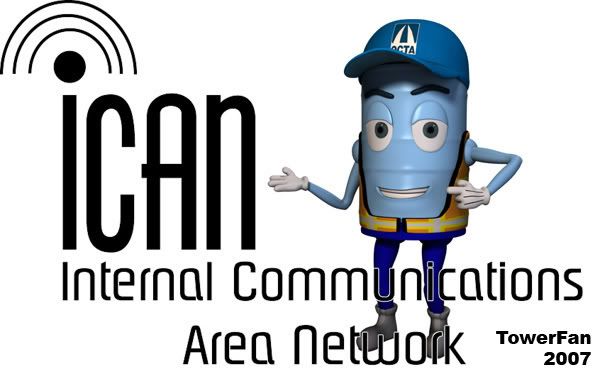
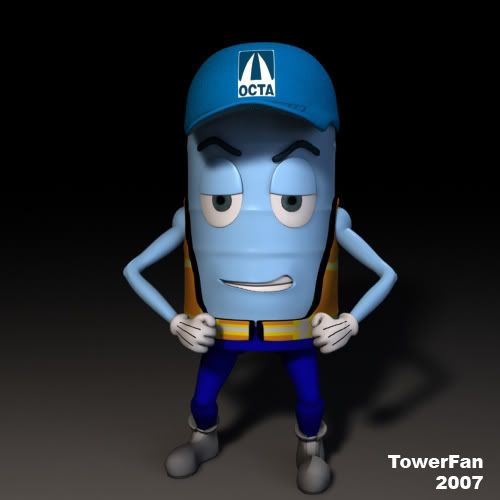
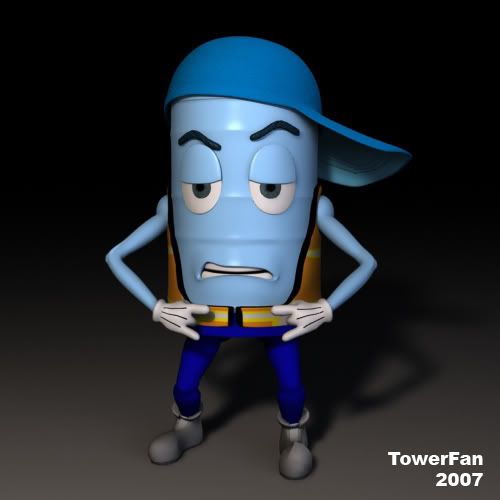
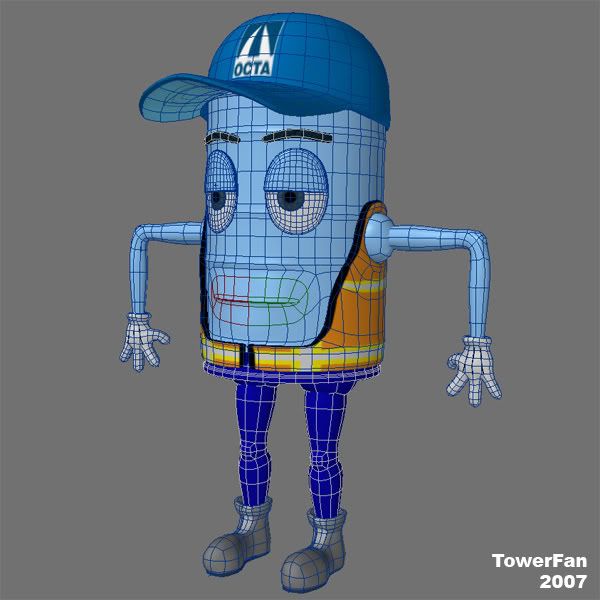
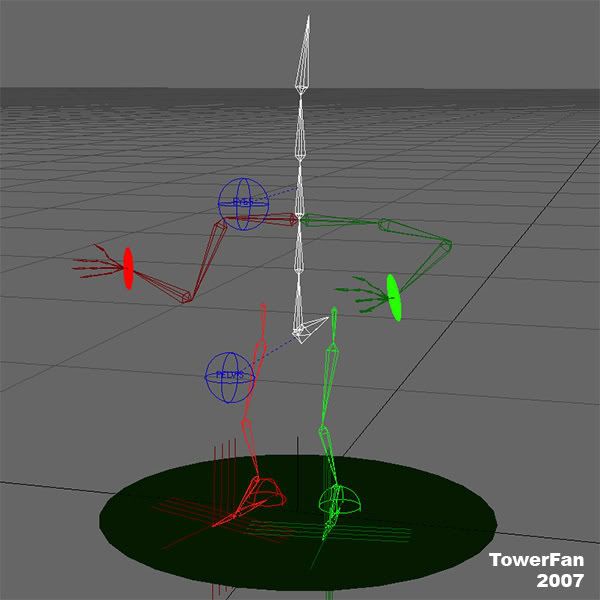
I created this character as a logo/mascot for a friend's project at work. She's setting up somethig called ICan (Internal Communications Area Network) for displaying videos and info at our bases and home office. She wanted something cartoony and fun. These pose shots are for the promo materials, office intranet, etc.
I'll be creating a 15-30sec animated bumper logo for the displays also. 40" LCD's.
OCTA = Orange County Transportation Authority (My day job is transportation planning )
)
Comments and Crits welcome!!
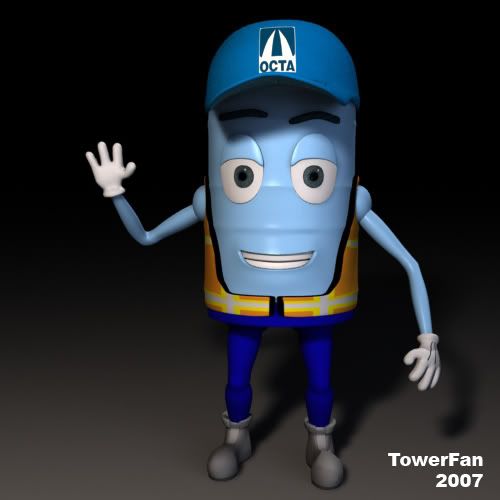
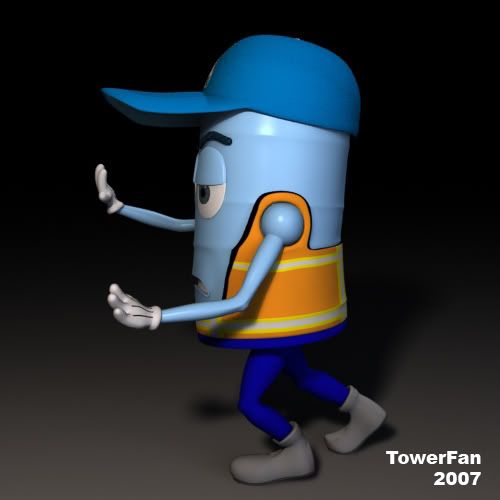
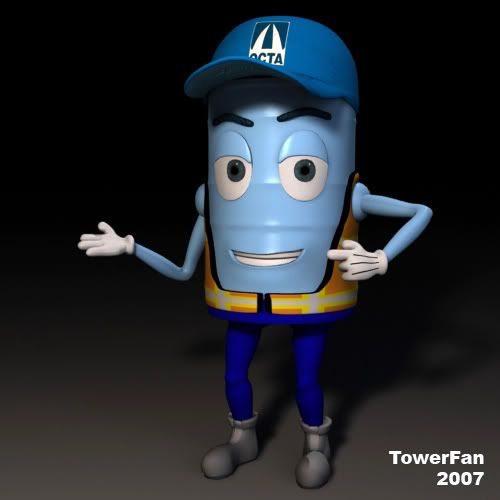
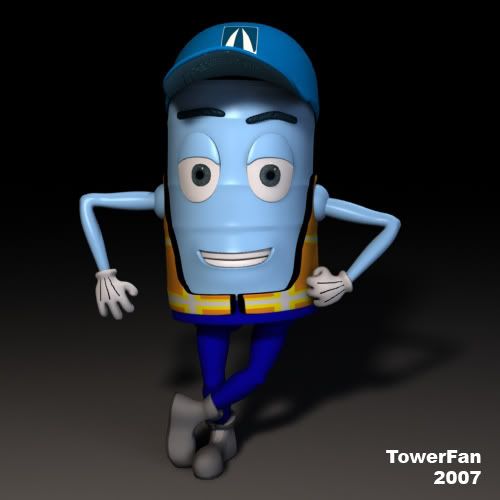
I created this character as a logo/mascot for a friend's project at work. She's setting up somethig called ICan (Internal Communications Area Network) for displaying videos and info at our bases and home office. She wanted something cartoony and fun. These pose shots are for the promo materials, office intranet, etc.
I'll be creating a 15-30sec animated bumper logo for the displays also. 40" LCD's.
OCTA = Orange County Transportation Authority (My day job is transportation planning
)Comments and Crits welcome!!


Anhar_Miah
Veteran
Can't knock it, it works very well,
The only slight crit is on the top logo where he is leaning against the word "ICAN" I think in my view hes body should be rotated slightly to the left (or hes legs offset to the right a bit), as if hes arm is actually supporting hes body weight, because at the moment hes body is straight up with no off balance in hes pose.
Don't know if that made any sense
The only slight crit is on the top logo where he is leaning against the word "ICAN" I think in my view hes body should be rotated slightly to the left (or hes legs offset to the right a bit), as if hes arm is actually supporting hes body weight, because at the moment hes body is straight up with no off balance in hes pose.
Don't know if that made any sense

Matthew R. Rodwell
Well-known member
Can't knock it, it works very well,
The only slight crit is on the top logo where he is leaning against the word "ICAN" I think in my view hes body should be rotated slightly to the left (or hes legs offset to the right a bit), as if hes arm is actually supporting hes body weight, because at the moment hes body is straight up with no off balance in hes pose.
Don't know if that made any sense
heh yeah but it would make for an entertaining animation to have him just fall over on his right side

Matt Grunau
Adobe Demigod
Props and credit to Matt Grunau. Thanks to him for the tip for doing glow effects. He recommended rendering out with a pure white surface, then applying glow and color in After Effects. Man! That one tip saved me HOURS and HOURS of production time. Thanks Matt!!!:beer:
I just saw this. I'm glad you were able to do some time saving.
That's really what it is all about. Finding the fastest, easiest route to get your result.
I've done enough work in Lightwave and enough work in Photoshop (which translates directly to After Effects) to know some time savers.
It is really amazing how much you DON'T have to render and still accomplish via a compositing/editing package. There are some things that have to be rendered from 3D, but even something as simple as a multipass render gives you a crapload of options.
There are times though, where only your 3D app of choice will give you all the results you want. That sucks, but that's the way it goes. Fortuneatly, when you know you app, you know the absolute minimum you have to render and depend on compositing programs to bring it all together.
Great work, and I am very pleased I could help.
Keep on.
M.
TowerFan
Senior Member
Thanks for the replies. I know this isn't super-cool like a pistol or a supercar or a creepy creature but I've had fun and learned a couple things along the way. Will learn some more before I'm done I'm sure.
This is my first 3D gig for a "client" so I'm glad to have an opportunity to do something relatively simple, yet fun, and get some good results. She's really happy with it so far, especially for free!
@Anhar - You're right. I shifted his weight a bit more and switched the pose for his legs. Makes more sense now. Thanks!
@Matt - You ain't kiddin'. All the time while learning AE I'm thinkin' of different ways to use it for FX instead of 3D. I shoulda' got AE years ago! Of course AE can't create a character like this but the support role of a good comp app is unreal.
This is my first 3D gig for a "client" so I'm glad to have an opportunity to do something relatively simple, yet fun, and get some good results. She's really happy with it so far, especially for free!
@Anhar - You're right. I shifted his weight a bit more and switched the pose for his legs. Makes more sense now. Thanks!
@Matt - You ain't kiddin'. All the time while learning AE I'm thinkin' of different ways to use it for FX instead of 3D. I shoulda' got AE years ago! Of course AE can't create a character like this but the support role of a good comp app is unreal.

Gord.T
Still "Senior Member"
Hey Tower. I really like the character. Looks as good as anything I'd see comercially... but...
for some reason the white space & font combo feels empty.
I'm not sure what else would be better but something seems off there.
Maybe instead of flat white try an offwhite with a slight bump like its paint rolled? Then maybe add a little shadow on the font after that?
Or maybe a semi-transparent/watermark backgound of a com network?
I don't know but it does not feel right.
Anyways like I said the character looks pretty pro though. Good job.
I sent a PM also.
I'd also like to see one of the finished renders when it gets done.
Oh, while I'm here, do you have any cartoony modelled animals youve done?
//Do those black lines on his gloves seem a little too contrasty? Should they be lighter? They seem to draw too much attention. Or am I looking at this WAY TOO MUCH? :beer:
for some reason the white space & font combo feels empty.
I'm not sure what else would be better but something seems off there.
Maybe instead of flat white try an offwhite with a slight bump like its paint rolled? Then maybe add a little shadow on the font after that?
Or maybe a semi-transparent/watermark backgound of a com network?
I don't know but it does not feel right.
Anyways like I said the character looks pretty pro though. Good job.
I sent a PM also.
I'd also like to see one of the finished renders when it gets done.
Oh, while I'm here, do you have any cartoony modelled animals youve done?
//Do those black lines on his gloves seem a little too contrasty? Should they be lighter? They seem to draw too much attention. Or am I looking at this WAY TOO MUCH? :beer:
Last edited:
TowerFan
Senior Member
Hey thanks Raptor. Like I mentioned in an earlier post it's fun to do something relatively simple and get some good results. I think the lines are a bit too much as well. I wanted some kind of contrast there but I think I'll pull them back towards the wrist some. I'll post some finals when done. Probably be a while though as the deadline got pushed back. Right now I have about 5 seconds animated.
Fortunately for me I'm only responsible for the character. She's doing all the graphic work. Even so we're still going to brainstorm some, and this graphic is a bit of a "this is kinda what I'm thinkin'" thing.
I don't have any animal models.
Thanks again!
Fortunately for me I'm only responsible for the character. She's doing all the graphic work. Even so we're still going to brainstorm some, and this graphic is a bit of a "this is kinda what I'm thinkin'" thing.
I don't have any animal models.
Thanks again!
TowerFan
Senior Member
Hey All! Haven't posted any work in a while... Decided to stop taking side jobs and get back to doing something fun.
So I'm editing another airshow and I need an F-16 for an element to make an opening, transitions, titles, DVD menus, etc. I couldn't find a decent free model so decided to built it myself. The end product will be textured like the USAF Thunderbirds. C & C welcome as always!!!


So I'm editing another airshow and I need an F-16 for an element to make an opening, transitions, titles, DVD menus, etc. I couldn't find a decent free model so decided to built it myself. The end product will be textured like the USAF Thunderbirds. C & C welcome as always!!!