P2 Copy & Convert Time

KyleProhaska

Veteran
Thinking about the whole P2 revolution I wondered to myself, just how long does it take to copy media from the P2 to a .mov format into your media bin? I got some raw P2 media recently (some of which wouldn't import because of a red stop sign in the status area :/) and noticed that even on my MacPro converting the media was almost near realtime, so wheres the advantage?

Copying the P2 card's content to a folder on your desktop, then converting to .mov from within FCP seems like it would take longer than the same amount of media on a tape no? Am I wrong in this assumption? Just seemed like it took alot longer than I thought so the advantage in the P2 seemed a bit inhibited to me.

BTW I did copy it from the DVd to my HD.

Any comments?

- Kyle
 
Last edited:
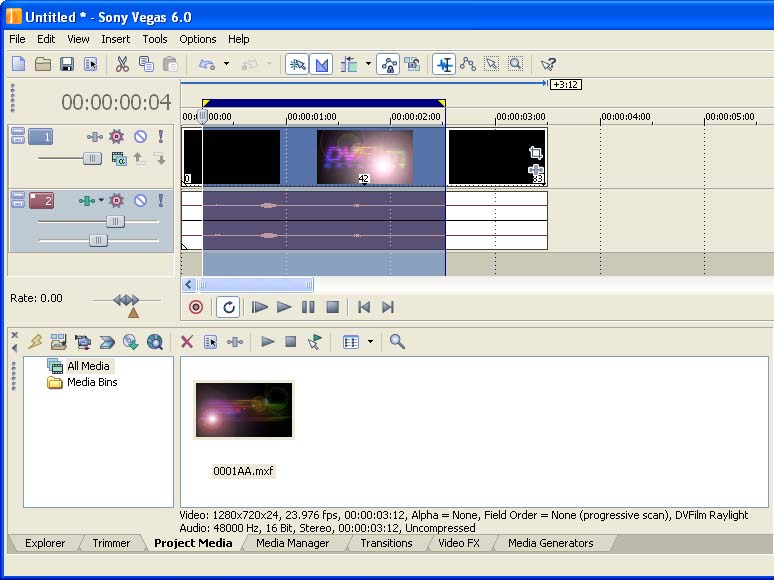
There are many advantages, but this isn't one of them. FCP needs to do away with that whole "copy & convert to a .mov" nonsense. Every other editor allows you to work in the native MXF file format, either inherently (Avid, EDIUS) or through RayLight. FCP is the only one that requires you to do that conversion step.
 
Isn't RayLight a "conversion" step?

FWIW, I get MUCH faster than real time conversions. I don't copy the MXF data, I just import into FCP. The QT files have all the original metadata, so I don't really need the MXF files once that's done.

Apple recently bought a ton of licensing for MXF, so I'm sure we'll see something in FCP 6 at NAB. It's all a matter of vendors having to create new software to support Panasonic's version of MXF. It's a brand new format to NLEs, it'll work out eventually.

BTW, FCP 5.1.4 fixes the P2 but. The FS-100 3.0 fixes the QT conversion step. :beer:
 
BenB said:
Isn't RayLight a "conversion" step?


Not anymore-- look closely:) :

MXFimport2.jpg
 
As Marcus points out, there's something new with RayLight. It *used* to be strictly a file converter, but now it's a plug-in that allows direct MXF import. Night and day workflow difference.

(of course, it can still do file conversion for those who need that).
 
Typically a min a GB. So 4 min to copy over a 4GB file, and 4 min to import that file into FCP...although I have been getting 2 min import times. At 720p24 which is 11 min on a 4GB card, it takes me 6 min to copy and import.

But man, after working with footage from the varicam and P2...I really like tape...
 
Back
Top