SPARROW DVD Cover & Label Design

PERFECT! Thanks, I've needed someone to catch the spelling errors ... as far as I know, Photoshop doesn't have spell check. :)
 
I still say you should try the vertical text tool just as a test. It may not fit your artistic taste, and you may hate it - in which case obviously stick with what you've got, but I'd try it. Here's my example:

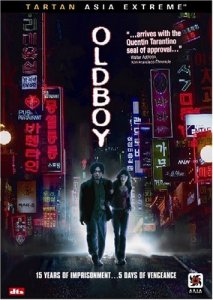
Oldboy_US_Cover.jpg


It can still be positioned on the side like you want, but it's easier to read(especially from a distance) (just my .02)

Checked out the trailers for Sparrow at the official site - looks pretty cool!! Loved the rain!!
(weird thing though, it played double, 2 quicktimes one on top of each other of the same mov?? Maybe it's just my computer, but you might want to check it just in case)
 
Its number three... that's the one that would make me pick up up off the self... it makes me want to find out more about the film... and it does give me a hint what the style of the film will be... or is...
 
GaryinCalifornia said:
Its number three... that's the one that would make me pick up up off the self... it makes me want to find out more about the film... and it does give me a hint what the style of the film will be... or is...
And that, gentlemen, is what a cover is all about. :beer:
 
You guys sure? Really? #3? Think I'll just start all over from scratch, lol. Actually, I'm about 80% with the menu, and I hate to boast, but it is coming together EXTREMELY nicely ... transition videos are working perfectly, full motion menu page with score & clips from the film, etc.

I'll try to update the images tonight. Thanks guys. :)
 
#2 makes me want to pick it off the shelf. I always look at the back to see what to expect as far as style or content.
 
Envision said:
as far as I know, Photoshop doesn't have spell check.
I don't know about older versions, but CS2 has a spell check. When in the Text Tool, click on Edit in the main menu and then on "Check Spelling...".

Envision said:
...I hate to boast
No you don't :evil:

Envision said:
...but it is coming together EXTREMELY nicely ... transition videos are working perfectly, full motion menu page with score & clips from the film, etc.
Cool ... I'm looking forward to it
 
Okay, I didn't have a chance to update the Photoshop/cover work yet, but spent all night until nearly 5am this morning authoring & designing the DVD further. Just tested it out .... totally from scratch, nothing template about this, and it is SICK (that means, really really cool). :thumbsup:

Hopefully can open up the OFFICIAL SPARROW thread in the next day or so, once it's avaialbe.
 
I know, I know. Sorry folks. I could only hack being up 'till 3am this morning before I just crashed. Have to get 'some' sleep for the day job too.

Had our lead actress & her husband over last night to preview the DVD & movie with me. The session ended with me having about a page worth of single spaced notes for fixes, minor adjustments, additional 'WOW' improvements to the DVD here & there, etc.

I got about 2/3 of the notes taken care of last night. Also realized that we hadn't done the commentary track yet, so the lead, myself, and Ryan Walters (235 Studios) will be doing that tonight, which I can slip right in with no problems.
 
Photoshop'd the adjustments in

Photoshop'd the adjustments in

Added the title to the DVD label, which I think I prefer the first version, which has the title fade in/out a little with the ambient smoke.

Version 1 of the DVD cover has the abs improved, as the original photo (as seen in Version 2) is blown out. So I took parts of a CU that some of you saw on a previous DVD Label 1, and pasted & blended in to this photo. I think it blends well & is pretty convincing ... also worked with the colors of Version 1 a little more so that it would overall blend better with the back & DVD label.

Oh, and for you folks that were wondering about having the words read down the side, I give you Version 3 ... though it for some reason reminds me of a "EAT AT JOES" neon sign. :)
 
Last edited:
I agree, the faded title on the cover looks nice!

And I like DVD cover 3! THe one with the title down straight. Nice.
 
Cover Version #1 :thumbsup:
DVD Label #1 :thumbsup:

Those are my votes!! Now that we've seen the stills and labels, let's see some content. Get that disc done! :grin:
 
I know, I'm such a loser .... I took last night to spend with my family instead. WHERE ARE MY PRIORITIES?!?! :)

Just heard from Steve. After screening the film/DVD, there were two FX that needed adjustments (just didn't look right on the 61 inch widescreen), so Steve should be getting those to me tonight. Then I'll re-render the entire film when I go to bed (takes 6+ hours on MPEG2 best setting with 2-pass render) ... DVD should be available to master tomorrow, in which case we'll get that thread opened.
 
Back
Top