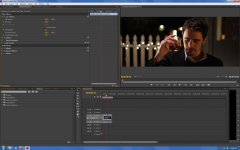
Widescreen - Adobe Premiere Pro CS6

lxjordanxl

Active member
I recently made the transition from FCP 7 to Adobe Premiere, but one thing I hate is that it doesn't have a widescreen aspect ratio effect. Before when I edited in FCP 7, I would always add the Widescreen effect onto all of my clips and offset it accordingly. I shoot all my footage on a Canon 7D with two pieces of gaffer tape on the top and bottom of the LCD screen to give me the 2:35 to 1 ratio that I like. Anyone have any idea how to get the 2:35 to 1 widescreen look on Premiere CS6?

Thanks guys!
 
You can either crop (top and bottom) or load a PNG (or other) file with your top and bottom masked and just copy that over the entire sequence.

You could also play with adjustment layers ;)
 
I've never been a fan of the widescreen filter in FCP because it had to be applied to each clip. I always masked off the top and bottom using a slug (basically the same approach as the tutorial and what Exact mentioned). This insures a uniform look overall, it's easy to adjust as well as easy to reframe the image underneath it.


-Andrew
 
Easiest way if you know where the masksshould be is create it in Premiere Titler using two black rectangles.

Use a Reference Frame of the mask and align 2 rectangles in the Titler. to the reference.
 
Create a sequence that's 1920x800 and import your edit sequence into that one. Render it as 1920x800, not 1920x1080. If you go to DVD, it'll automatically add letterboxing when needed. If you upload online, same deal. If you don't care about previewing with the 2.40, just render your cut at 1920x800 and you're set. If you go with the overlay route, make sure the RGB numbers for the black are all 16, not 0.
 
Create a sequence that's 1920x800 and import your edit sequence into that one. Render it as 1920x800, not 1920x1080. If you go to DVD, it'll automatically add letterboxing when needed. If you upload online, same deal. If you don't care about previewing with the 2.40, just render your cut at 1920x800 and you're set. If you go with the overlay route, make sure the RGB numbers for the black are all 16, not 0.

This exactly. Why would you do anything different? It just adds extra render time for your black bars.
 
This exactly. Why would you do anything different? It just adds extra render time for your black bars.


What do you mean this exactly? He said "If you don't care about previewing with the 2.40". Some frames are different than others and need to be offset accordingly---sounds like using this method, you won't have the luxury to properly frame each cut. Am I wrong?
 
I guess I'm just confused. I remember having to offset each scene to fit in the 2:35 to 1 ratio. How would I be able to do that using El Directors method? Sorry if this sounds amateur.
 
I guess I'm just confused. I remember having to offset each scene to fit in the 2:35 to 1 ratio. How would I be able to do that using El Directors method? Sorry if this sounds amateur.

I just am perplexed why you don't go and try it yourself. You have Premiere...I would assume you have footage. It's easy enough to setup.

cinema_test.jpg
 
I just am perplexed why you don't go and try it yourself. You have Premiere...I would assume you have footage. It's easy enough to setup.


Becuase, like I said before, I'm pretty amateur at this. How do I create a second sequence that is 1920x800, and when El Director says to import my original sequence into it, does that mean to just control paste it?
 
Becuase, like I said before, I'm pretty amateur at this. How do I create a second sequence that is 1920x800, and when El Director says to import my original sequence into it, does that mean to just control paste it?

Yes, select your clips and paste them in the sequence. Create a new Sequence, pick your base sequence to start with, then click on settings and change the "Frame Size" to 1920x800.
 
All of my personal work (not for client delivery) I do in 2.39 using custom PP6 sequences and then rendered out to to either 1080p or 720p. This is really easy to set-up, it is actually harder getting the correct framelines on my cameras and camera monitors than the post part.

One caveat: I have found a curious bug in PP6 with custom sequences that some other people in the Adobe forum have reported as well, basically for a 2.39 custom sequence based on 1280x720 go 1280x536 instead of 1280x535
 
One caveat: I have found a curious bug in PP6 with custom sequences that some other people in the Adobe forum have reported as well, basically for a 2.39 custom sequence based on 1280x720 go 1280x536 instead of 1280x535

That's good to know. Haven't tried to do that yet with 720p clips. I try to avoid matting as much as humanly possible. 99.9999% of the time, the reasons for doing it are superficial.

But I had true anamorphics, I'd shoot that way a lot.
 
That's good to know. Haven't tried to do that yet with 720p clips. I try to avoid matting as much as humanly possible. 99.9999% of the time, the reasons for doing it are superficial.

But I had true anamorphics, I'd shoot that way a lot.

Shooting anamorphic optical vs. spherical with an aspect adjustment rapidly becomes a philosophical argument. Everyone should remember why they went to optical anamorphic in the first place and how unrelated to anything practical this is today. I admit I watch too many David Lean films over and over again, but often it just looks "right" to me.

Lost about 1 day trying to figure out the PP6 thing, sequence render would hang with no explanation, someone in the Adobe forum suggested the vertical dimension needed to be a multiple of 8, go figure...
 
Last edited:
All of my personal work (not for client delivery) I do in 2.39 using custom PP6 sequences and then rendered out to to either 1080p or 720p. This is really easy to set-up, it is actually harder getting the correct framelines on my cameras and camera monitors than the post part.

One caveat: I have found a curious bug in PP6 with custom sequences that some other people in the Adobe forum have reported as well, basically for a 2.39 custom sequence based on 1280x720 go 1280x536 instead of 1280x535

Lyle, could you go more into depth about what these "custom PP6 sequences" are and if you could tell me how I could create my own. Thank you!
 
Lyle, could you go more into depth about what these "custom PP6 sequences" are and if you could tell me how I could create my own. Thank you!

Very simple, really. Let's take Canon 7D footage as an example.

New Sequence. Pick Digital SLR, 1080p, DSLR 1080p24 as your base. With that selected click on "Settings" and change the Frame Size to 1920x800. Then, click "Save Preset" at the bottom of the window and name it whatever you like, say, "Canon 7D Cinemascope Sequence" and click OK.

Done.
 
Back
Top