Which is best for white background - green key or white ...

matt9b

Well-known member
Hi guys,

Without a lot of time to test, does anyone know what yields the best results to get a completely white background (think like the apple mac adverts)... green screen or white screen?

I've seen a few music vids on TV that look like they were shot against a white background that is blurred and over-exposed to create a clean look - it actually looks nice.

The alternative is to shoot green screen and key it out as white, then do the usual shrink/feather around the subject's edges to get rid of any greenish outline. I'm thinking the result won't be as nice.

Has anyone tried both?

Thanks :)
 
Hi guys,

Without a lot of time to test, does anyone know what yields the best results to get a completely white background (think like the apple mac adverts)... green screen or white screen?

I've seen a few music vids on TV that look like they were shot against a white background that is blurred and over-exposed to create a clean look - it actually looks nice.

The alternative is to shoot green screen and key it out as white, then do the usual shrink/feather around the subject's edges to get rid of any greenish outline. I'm thinking the result won't be as nice.

Has anyone tried both?

Thanks :)
I think the white, blown out, out of focus technique would be the best and easiest, way to achieve the look.
 
I always use green screen. It is a preference. You can see results on my website: Lizardlandvideo.com/
 
depends on what your talent are going to be wearing, apple commercials are shot on a white background, if you have the budget go with a white background, I've had excellent results
 
If you're going for the white-room "limbo" look, definitely shoot it in a white room with a cyclorama. Greenscreening won't be a good alternative (unless, of course, you simply can't come up with a white room with a cyc).
 
While it may seem like a white cyclorama would be the logical solution I would like to point out, it is very difficult to obtain an even white across the whole background. I also agree, If you use green, as I do, it is very difficult in lighting and post, but the white will be even and luminance can be varied in post.
 
Based on my experience? Good gravy, go white. Greenscreen is more hassle than it's worth for this application. You'd need just as much light to get the greenscreen evenly lit as you would to blow out the white, and then you've got the masking, spill suppression, and motion blur issues. GS is a rockin' tool, but IMO not for this use.

Like greenscreen, though, do get that person far away from the background, or you'll either get flare, unwanted light wrapping, or other artifacts of super-bright backgrounds
 
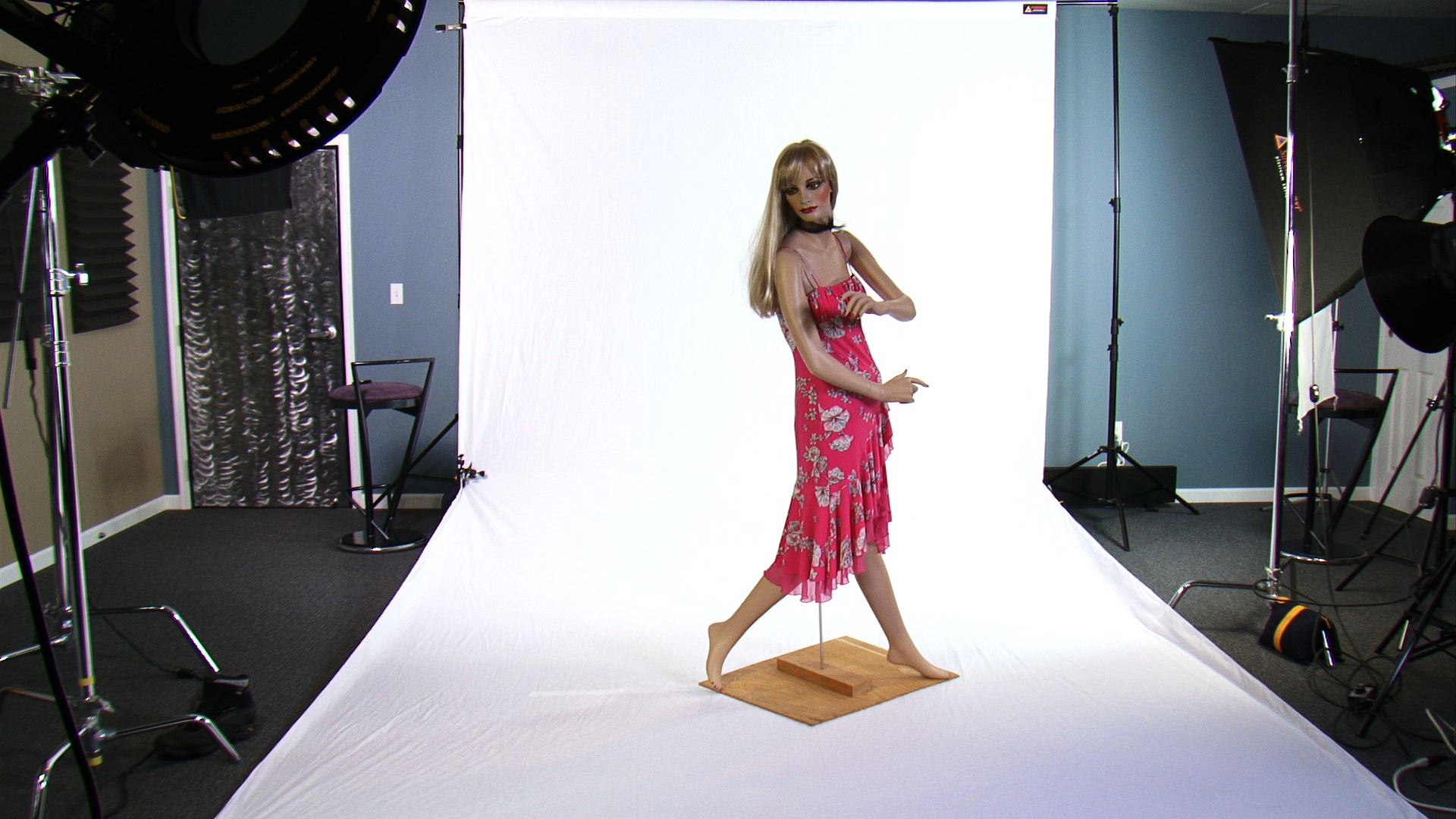
We use a White backdrop from Photoflex. You'll need a lot of light evenly positioned to pull if off without having to work in post. The trick is to under expose your subject in the foreground, then in post you can adjust the highlights and blow out the background. Here is a sample from our Sony S270U.
13643d1250636192-mannequin-practice-lighting-techniques-mannequin.jpg


There's a few more tips on the DV Enlightenment DVD
 
use a white room. the trick is the reflected light. white rooms have almost no shadows on the subject. when you use green youre trying to cut the spill off the subject and it never looks right.

this was actual white cyc:
http://www.timnaylor.com/megan.html

Notice the shadows or lack thereof. that is practically impossible to replicate on Green stage.
 
Hi guys,

Without a lot of time to test, does anyone know what yields the best results to get a completely white background (think like the apple mac adverts)... green screen or white screen?

I've seen a few music vids on TV that look like they were shot against a white background that is blurred and over-exposed to create a clean look - it actually looks nice.

The alternative is to shoot green screen and key it out as white, then do the usual shrink/feather around the subject's edges to get rid of any greenish outline. I'm thinking the result won't be as nice.

Has anyone tried both?

Thanks :)

If you've already got a good, workable and working greenscreen setup, then you can probably answer that for yourself. But if you don't (which sounds like your case here), and if you have the option of green or white (which you are implying that you have the option), then white would certainly be easier to shoot and edit than fooling around with green, particularly handling the backlight caste.

Also easier to source a white background than a good chroma-key green. Of course, if you are framing down to the actors' feet, then you have the issue that keeping a white background clean is a bit more difficult than green.
 
Back
Top