mainstreetprod
Veteran
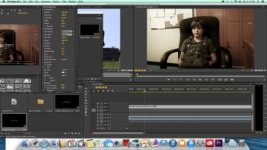
Just downloaded a trial of CSS Premiere and am unable to turn on the "rubber band" controls for audio levels and video fading. In FCP 7 they were easily toggled on and off. Askd my daughter, who has CS6 and she sent me a screenshot. The bands are already there, she was unaware of a way to turn them on and off. Has Premiere CSS done away with these controls? Other than this issue, I am absolutely loving Premiere vs FCP X and want to "rent" it.