
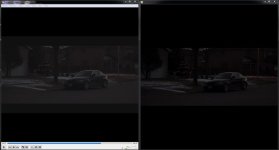
On a PC, when exporting a Premiere Pro CS6 project in H.264 1080p as an mp4, there seems to be a significant difference in the image when playing back the video in VLC vs Windows Media Player (Quicktime produces a similar result as VLC).
VLC and Quicktime give a brighter, more washed-out image, whereas Windows Media Player maintains the original project look from Premiere Pro CS6.
I have learned to compensate by changing gamma levels in Premiere Pro for VLC/Quicktime playback, though I'm wondering, when uploading to YouTube, will the VLC (washed out) or the Windows Media Player (normal) look be carried over?
Does anyone know how I can fix the issue in VLC and Quicktime? Thanks
(Left is VLC, right is WMP)
Full Res: http://imageshack.us/photo/my-images/716/differencewe.jpg/
Last edited: