

legrevedotcom
Veteran
I want to throw money at a raid setup.
It doesn't have to be too large, because I'm not producing motion pictures.
Basically I need a thunderbolt setup so I can use it on both my laptop but also an iMac or Mac Pro.
Are the any of you who have invested in something similar lately and have some insights to share?
Additional question… would a MBP 2011 2.2 with it's 4 cores and 16gb ram really be able to utilize an external raid setup or will the processors bottleneck the idea? I have an SSD as main drive...
Oh… and this is solely for ongoing editing. I wont be using it as a storage device.
It doesn't have to be too large, because I'm not producing motion pictures.
Basically I need a thunderbolt setup so I can use it on both my laptop but also an iMac or Mac Pro.
Are the any of you who have invested in something similar lately and have some insights to share?
Additional question… would a MBP 2011 2.2 with it's 4 cores and 16gb ram really be able to utilize an external raid setup or will the processors bottleneck the idea? I have an SSD as main drive...
Oh… and this is solely for ongoing editing. I wont be using it as a storage device.

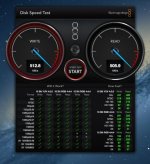
 .
.

