
Navigation
Install the app
How to install the app on iOS
Follow along with the video below to see how to install our site as a web app on your home screen.
Note: This feature may not be available in some browsers.
More options
You are using an out of date browser. It may not display this or other websites correctly.
You should upgrade or use an alternative browser.
You should upgrade or use an alternative browser.
Video Inside Text Help
- Thread starter Bawes
- Start date


Mr Blue
Active member
There are a couple ways to do it. The simplest way in premier, if the text doesn't move, is to create a still png in photoshop of the text with the center of the text alpha'd out. Then put that still on the layer above your video. If the text is animated in any way please post more details about your intentions because other write-ups will take a lot more explanation. Also if you are familiar with after effects let us know as this will be 100 times easier in after effects.


Darren Levine
Veteran
meh, if you're looking to do it quick: in premiere make a new title, make a background box of white or whatever you want, then make some text, give it an outer stroke of black, and a fill of say.... bright green (you should get the drift by now) but yea, put the title in, add a color/chroma key effect, eye dropper the green, tweak the key settings till you got it nice, and you're set. once you've done it once, it'll take you a matter of seconds to do the next time.
cheers
cheers
Mr Blue
Active member
meh, if you're looking to do it quick: in premiere make a new title, make a background box of white or whatever you want, then make some text, give it an outer stroke of black, and a fill of say.... bright green (you should get the drift by now) but yea, put the title in, add a color/chroma key effect, eye dropper the green, tweak the key settings till you got it nice, and you're set. once you've done it once, it'll take you a matter of seconds to do the next time.
cheers
I would disagree, if you put the text on track 2 and the video on track 1 keying out the text all you will see is the black outline, you still need to get the white matte that surrounds the letters. To make this happen what you need to do is put the text and the white matte on the same layer, then key the green to reveal the video background, and the way to do that would be to nest them in a sequence together put the green text and white matte sequence over the video layer and then key through it. And the keying capabilities you get in premiere aren't that good, so you might get some jagged edges.
The track matte idea would work, but you will have several layers you need to create it. The track matte text layer, video layer, text outline layer and the white matte layer. I was asking if you know after effects because this is the way that I would tell you to do it in After Effects. If you are going to open that many layers for an effect you should do it in AE where you have much more control over it.
Since you are not animating the text, the simplest way in my opinion is to create the text and white matte in photoshop, make the text transparent, and make it a png. Bring the png into premiere and place it on the layer above your video. The effect will only take up 2 layers on your timeline, the text and white matte will look much better since photoshop will give you more tools to stylize it, the edges of the text will blend nice with the video since they are feathered with the alpha channel, and it will be much quicker to output when it comes time to render since you aren't kicking it out with a lot of effects on it.
Darren Levine
Veteran
you missed the part where i said to put a white background in the title:

Darren Levine
Veteran
or put any color your heart desires, or any amount or type of text....

meh, if you're looking to do it quick: in premiere make a new title, make a background box of white or whatever you want, then make some text, give it an outer stroke of black, and a fill of say.... bright green (you should get the drift by now) but yea, put the title in, add a color/chroma key effect, eye dropper the green, tweak the key settings till you got it nice, and you're set. once you've done it once, it'll take you a matter of seconds to do the next time.
cheers
Just to clarify. I make two titles or one?

mmka1985
Well-known member
Kevin P. McAuliffe also covered this effect on the Creative Cow video tutorials page. The ways explained here work as well but this is like the 10th time this month I've heard someone ask about this relatively basic effect so just know there are at least 5 ways to achieve this.
Kevin P. McAuliffe also covered this effect on the Creative Cow video tutorials page. The ways explained here work as well but this is like the 10th time this month I've heard someone ask about this relatively basic effect so just know there are at least 5 ways to achieve this.
I am sorry for repeating the thread.
Mr Blue
Active member
you missed the part where i said to put a white background in the title:
Point taken, I did overlook the part where you mentioned the background. The reason I probably missed it is because the background he used as an example had a vignette around it, so I assumed the background in the text editor wouldn't suffice. You showing me a couple screen grabs proving me wrong, I concede to that, you are right it can be done that way.
About etiquette and tact, you pointing out that you won (twice) on your graphics was not called for. You should have posted the graphic with the statement "This is what I was trying to say", instead of getting defensive and trying to go in for the kill.
A good example of etiquette would be my post about disputing your idea, I said "I would disagree, ..." and then stated my claim as to why, without being condescending. I never said "keying out green on text is about the most amateur thing you can do. Someone who does not understand how alpha channels work, and how to use other tools available to them would give such foolish advice. To think you can pull a good key from the crappy tools available in premiere is the advice from an inexperienced person who needs to learn their tools better and find a better approach to things. And to create a background with style you need to spend time creating it with a program that is more capable of building such things, and not the basic matte background color picker of the title creator".
Both statements are true, but do you see how having etiquette and tact is less offensive. It gets the point across without the pissing contest. People are more responsive to it, and are more apt to learn.
So not to be outdone:

Where did I get the vignette and texture for the background matte??? Is that a penciled watermark of some sort??? How did I do that in premiere's text editor???

(you should get the drift by now)
And the keying capabilities you get in premiere aren't that good, so you might get some jagged edges.
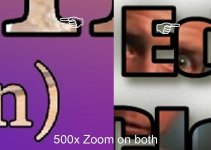
Put that in your pipe and smoke it.
Next time don't be so arrogant and quick to claim victory. There are thousands of ways to pull off this effect, I guarantee there is even a better method than that of what I posted, so NOBODY WINS. Its a matter of what METHOD you would use to pull off the effect, I saw flaws in yours and pointed them out. If you have a problem with that post you graphics and ask me to point out what I mean, instead of getting cocky and claiming victory.
Darren Levine
Veteran
Just to clarify. I make two titles or one?
you create just one title, make a colored box to fill the background, then put the text on top of it. you can play around with different fill options and then add other effects to the title from your effects pallet if you care to. then just drop on the chroma key, eyedropper the green, set the similarity to 100% and try out some of the other settings like smoothing to get your desired quality. this will likely be the fastest way to get the effect, but as you can see from the thread there are plenty of ways and opinions of how to do it fast or good or otherwise.
cheers.
and.....
Mr Blue;
nice double standard in etiquette, your entire post pinned you as exactly what you were accusing me of being, the average mature person would not have taken offense to such a simple 'i win'. it was at best a light hearted challenge for someone to show another way to do the effect, because that's whats helpful to the OP, if i just said 'you suck' then your responses might have some merit, but as it is, you're trying to start a c**K waiving contest and that isn't in the interest of the OP and will get moderated if continued. My post clearly stated it was a quick option and didn't pretense anything more.
if you want to waive around i'll be more than happy to do so in another thread or privately, i'll explain low res grabs and aliasing and smoothing and the good/fast/cheap theory and many other inconsistencies in your argument. But in the case of this thread your last post lacked any instructional knowledge for the OP and was simply to start an argument. keep your posts helpful to the OP or don't post at all
mmka1985
Well-known member
I am sorry for repeating the thread.
It's cool. As long as you got the info that helps you out, then it's good.
Mr Blue
Active member
Really??? Do I really have to spell it out for you? You know what I was doing there, lets not pretend otherwise.nice double standard in etiquette, your entire post pinned you as exactly what you were accusing me of being,
the average mature person would not have taken offense to such a simple 'i win'.
If you really want to go there, then the average mature person would not have posted it to begin with.
it was at best a light hearted challenge for someone to show another way to do the effect... if i just said 'you suck' then your responses might have some merit,
Don't try to diminish what it is you did. Telling me I missed a crucial element in your post is no big deal (its expected that you correct me), you posting a graphic to show what you meant is no big deal. You adding a message to it was a pop shot at me. Then in an attempt to add insult to injury you started another post with another screen grab, adding to the message to "assert your position" by trying to make me look foolish. (that's called gloating).
And you did say that everyone in the room sucked (not in those words in case you are taking me literal) with your first post. The first word you used was "Meh". Meh is another way "blowing people off" and virtually saying "whatever" (look it up http://dictionary.reference.com/browse/meh). You essentially marginalized everyone else's opinion with the first word of your first post, then proceeded to give what I believe to be bad advice.
You came in this thread with a bad attitude, and when someone dared to question your expertise you took shots at them. Your trying to backpedal now by calling it a lighthearted challenge. I won't give that to you, I know your intention, you were being spite, and trying to "put me in my place". That didn't work and now you are pretending to take the highroad, and act surprised at what has occurred.
but as it is, you're trying to start a c**K waiving contest
Read the above statement. I didn't start it, I just joined in.
if you want to waive around i'll be more than happy to do so in another thread or privately, i'll explain low res grabs and aliasing and smoothing and the good/fast/cheap theory and many other inconsistencies in your argument.
No thanks, I got all I needed from your screen grabs.
But in the case of this thread your last post lacked any instructional knowledge for the OP
It proved what I said in my earlier posts (like what you were trying to prove with your examples). It showed that greenscreening text was a bad idea and that using the default background in the text editor limits your options. Your post displayed your method while cutting me down, my post did the same. I guess it also served to illustrate another point I made, when I said "... do you see how having etiquette and tact is less offensive. It gets the point across without the pissing contest. People are more responsive to it, and are more apt to learn." You failed to learn from the examples I posted and gained no "instructional knowledge" because you were on the receiving end of offensive statements, and weren't responsive to what was posted. You just experienced Empathy, not a good feeling is it?
A little bit you should know about me. I welcome debate, it's the way that we learn from one another. But I hate when people try to make others look stupid, especially in a public forum and you crossed that line. If you pull that on me, then you better bring a lunch, because I'm not going to put up with that, and I will hit below the belt. I do not agree with your method at all, I think it is a very poor decision, but I didn't call it stupid, I debated it, and told you what the drawbacks from it were. I didn't fire my guns until you took multiple shots at me. You came off brazen from the first post, and only got more so, and that's what did it for me. I'm done talking about this.
As for everyone else in here, I apologize for killing the vibe of the thread. A nerve was struck, and it got the best of me. As to the original meaning of this room about adding video in text, Bawes contacted me because he was still having a little trouble getting it to work.
So I hooked up for him an After Effects file, that I tried to make as dynamic as possible. Its being hosted HERE if you would like to download it and use it, deconstruct it or build on it. Let me know what you think and if you have any issues using it let me know. I built it in CS4 so hopefully most people can use it, if you are using CS3 and earlier sorry.