Using Vegas Dvd

New_Zealand

Veteran
I have used the idvd from Mac but now wanting to try and use the Vegas DVD 5.0 and wanting to know the easiest way to make a dvd. I have a short three minute film clip and just want to play it off a Dvd to see how it looks on the TV. My plan was to render using WMV format. THanks
 
You mean DVD Architect?

Definitely do not want to use WMV. That would require re-rendering, and transcoding from a highly-compressed format to another highly-compressed format. Could be a big quality hit.

What you want to do is use one of the DVD Architect templates under MPEG-2 (whatever's appropriate to your project). Render out with that. Then, render the audio as AC-3 using the same file name.

Then, just drop the MPEG-2 file into a basic DVD Architect project. With the same file name on the audio file, it should mate up the audio automatically. Then just "Make DVD" and follow the steps.
 
Another option if you just want to do a quick burn for testing purposes is burning right from the Vegas timeline. Go in the Tools Menu, Burn Disc, DVD. Saves you a few steps compared to using DVD Architect.
 
Thanks - I just did a test dvd buring from vegas timeline. I'm wondering how much better will the visual be when I do a true burn FROM what I saw burning from the timeline? On the computer the footage looks outstanding but on TV it looks so so.
 
Unless I'm mistaken, a burn from the timeline will be essentially the same as rendering out an MPEG II file and burning it in DVD Architect. You can tweak the settings some to squeeze a bit more quality out by going the latter route, but if you're seeing a major difference between what's on your computer and what shows up on the TV/DVD, I would guess you are running into the Vegas colour space issues.

I ran into this problem on my first short. Everything looked great on the computer, but on the TV it had much higher contrast and some other issues. Glenn Chan's website has the best writeup on this. See if his information helps you out.
 
Minor variation - I have huge problems with Vegas 12 to do long recordings.

Somettimes I can render, at other times the rendering goes on and on for 5 hours (trying to do a 2.5 hour concert).

At some point, the frame counter just stops and Task Manager shows that Vegas is still running.

At other times Vegas crashes, no error message - they invite you to upload the "problem" and I have done this several times but everything just goes into a black hole - I never hear back anything.

All of this MAY be my Windoes 7 environment that only has 10GB of RAM, I will be upgrading it to 16 (the limit for this particular desktop computer).

So, my big question is, is it possible to render a recording in several, say 1/2 hour segments and then somehow copy all of these into some environment that consolidates all of the segments for burning to one blu-ray?
 
No, that's plenty of RAM.

I have not yet tried to render a longform project from Vegas 12, but I've routinely done so from earlier versions of Vegas (including 11), and it all rendered fine, no crashes (well, occasionally). That was with as little as 3 GB of RAM in the past.

The length of time of your render depends on many things, including the format you're rendering to, the kinds of FX you have involved, etc., let alone hardware capability. Five hours for a 2.5-hour program is certainly quite common.

So, more information is needed -- what kind of footage is in your project, and what are your exact render settings? The more detail you can provide, the better.
 
Thanks, David
Here is the info

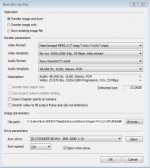
format MPEG-2
1920x1080, 24p, 25 Mps video stream
Audio: Sonywave64
Audio template: 48K Hz, Stereo PCM
Est size 31.06 GB

the source files are mts files from AG-AC160A, 1920x1080x32, 23.976p
 

Attachments

  • oklafull.jpg
    oklafull.jpg
    13.5 KB · Views: 0
Back
Top