Uploading to youtube/vimeo

Brett

Well-known member
okay so ive done the research on the correct file types to render and to upload onto youtube and vimeo. I finished a trailer for my film and I tried uploading several times to vimeo and to youtube. my problem is grainy and squared pixelations.. and im just not happy with it at all. with about 10 attemps i still have had no success.. i know it shouldntbe this hard. im shooting on a dvx100b and editing on NewTek SpeedEdit. its a good program with tons of different filetypes to render and audio choices.. but i must be doing something wrong.. what can anyone tell me about it? and trust me ive looked at every single forum and topic regarding this issue.. ive rendered wmv and mp4 versions.. thanks.
 
you won't be able to get hd quality on youtube, because you are using an sd source, but you should be able to see the hq button, with no pixellation at all.

tell us what bitrates and codecs you are using.
 
give me a minute. so you guys can fully understand ill make a few screen grab videos so u can see all the settings and how my program is laid out, since noone really seems to know about speededit or use it.
 
not enough information... for instance, there is an mpeg4 choice, but is it h.263? or h.264?? vbr or two-pass? etc.

without knowing the bitrates and codecs you were using, we can't tell you where you went wrong.

you might try encoding it as a windows media file, just watch out for deinterlacing problems.
 
see when you are talking about h.263 or h.264 vbr or two-pass i have no idea what that is or where to find that out in my editor. im sorry im pretty clueless when it comes to rendering for the web.. ill try to find out some more info. and let you know. thanks
 
it looks like the screenshots that you have posted show your video project settings instead of your export settings, but I don't know because I have never used that program my self.

Do you have an "Export" screen, or a "Publish to" screen? or something that says export to H.264?
 
well those are actually the only options i have to render videos as. like i dont see anything refering to H.264 or anything like that.
 
actually, what do you do before you get to this screen?
.
.
↓

3414012066_6432e4a7e9_o-1.jpg
 
because at the top of this screen it says .avi and that is your first problem. it should say .mov
 
Now your getting somewhere! yes .mov
and H.264 try and if you are exporting square pixels you want your size to be 640x480

you may want to export both and upload both to YouTube and see which one looks better.

640x480
and
720x480
and
after you upload to YouTube give it a good 15 minutes to be sure the "HQ" Button appears.

Sometimes it doesn't appear right away.

good luck buuuuuuuuudy!
 
you are awesome my friend! thank you so much for taking the time and helping me.
 
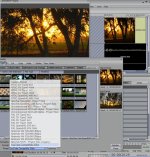
Brett, sorry I'm so late with this. SpeedEDIT has a YouTube preset.
It's at the bottom of the render panel under "Presets".
I'll add a Screen shot.
I don't come here as much anymore since everyone here seems to be MAC heads! :) Just kidding guys! :thumbup:
Feel free to e-mail me with any questions you have with SpeedEDIT. It's the fastest editor on the planet and it runs on a PC! :)
 

Attachments

  • SpeedEDITGrab.jpg
    SpeedEDITGrab.jpg
    173 KB · Views: 0
Back
Top