Uploading advice

Lake Films

Veteran
Hey. Can someone list the best settings out of Photoshop, for a JPEG (Or whatever you suggest) file, to upload to this site so it looks it's best, but the file isn't too big? I either make it too big or too small, or the quality isn't good enough. I see some great high quality, nice size shots on the site. Thanks for your help!
 
Contact Matt Grunau

He is the photoshop master.

What I do is just edit as normal and then change the size by dropping the DPI to 72... there are much better ways though.
 
instead of saving an 8 or 12 quality JPEG go to file---->save for web----> and choose jpeg in the options on teh right. lower the quality until you notice a visual difference. This will make your files very small.
 
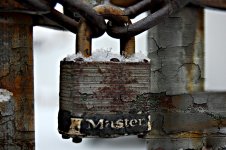
Thanks EG, I hadn't realized I could save a file that way, once again this forum to the rescue. Below is my first attempt at saving a file this way...
 

Attachments

  • lockweb.jpg
    lockweb.jpg
    188.1 KB · Views: 0
I've found going to Edit>convert to profile>sRGB. Then use save for web, or anything really, and your photos come out exactly how they looked in photoshop.
 
Back
Top