David W. Richardson
Chapelgrove Films
I'm working on the edit of a scene for the period short "The Silver Key", and I'm having trouble.
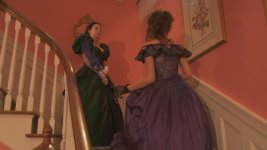
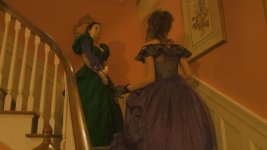
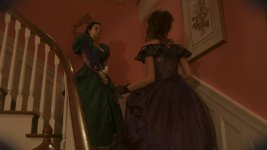
The scene takes place at a party -- nighttime in a large mansion. It's during the Civil War era, so lighting is supposedly by candles and oil lamps.
The raw footage is too bright -- it almost looks like daylight. So I want it darker and warmer in color.
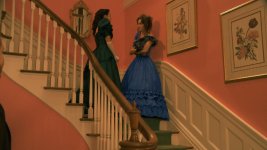
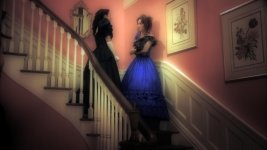
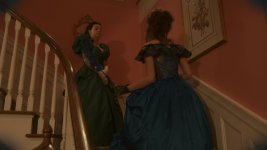
If I use various combinations of brightness, contrast, contrast center, hue, luminance, saturation, and the various color effects (color balance, color curves, color corrector, color corrector (secondary)), I can achieve a decent overall look -- but the party dresses worn by the two leads (on dress green, the other blue) go to almost black.
I've tried using the color corrector (secondary) to single out each dress, isolate its color, and brighten it, with some success -- but not enough. There are several problems.
First, green and blue are too closely related as colors. It's hard to change one without changing the other, at least slightly.
Second, the carpet on the grand staircase in the room is green, as is the upholstery on a chair in the shot. These too wind up being affected by adjustments to the dress colors.
So it looks like if I want nice colors for the dresses, then I have to settle for an overly bright, underly warm overall room color. Unless anyone has some advice.
Anyone???
The scene takes place at a party -- nighttime in a large mansion. It's during the Civil War era, so lighting is supposedly by candles and oil lamps.
The raw footage is too bright -- it almost looks like daylight. So I want it darker and warmer in color.
If I use various combinations of brightness, contrast, contrast center, hue, luminance, saturation, and the various color effects (color balance, color curves, color corrector, color corrector (secondary)), I can achieve a decent overall look -- but the party dresses worn by the two leads (on dress green, the other blue) go to almost black.
I've tried using the color corrector (secondary) to single out each dress, isolate its color, and brighten it, with some success -- but not enough. There are several problems.
First, green and blue are too closely related as colors. It's hard to change one without changing the other, at least slightly.
Second, the carpet on the grand staircase in the room is green, as is the upholstery on a chair in the shot. These too wind up being affected by adjustments to the dress colors.
So it looks like if I want nice colors for the dresses, then I have to settle for an overly bright, underly warm overall room color. Unless anyone has some advice.
Anyone???