Transition issue

miamivideo

Well-known member
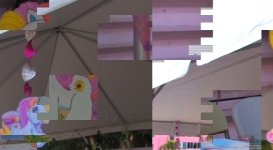
What is causing this type of distortion? I know that there is a way to click something and make this go away but I forgot. :cry:
Let me specify. This happens at the begining of the transition , I tried removing the transition and when you place the cursor at the beginning of that clip you can still see part of the previous clip. I tried romoving that clip and it happened again but at different point of the timeline. Help please!!!!
 

Attachments
  • Transition issue.jpg
    Transition issue.jpg
    94.5 KB · Views: 0
Last edited:
I ran into this same problem on a project I just finished up.
it had something to do with using a DV avi that I rendered out of Vegas.

I was able to re-render the footage, that was causing problems, out to another codec and re-import it, that fixed most of the transitions that were having that problem.

One of the transitions, that was giving me problems, I just finally got rid of and left it as a hard cut.

good luck.
 
at your project settings make sure you're matched with the media you're editing, and as far as deinterlacing goes, make sure you got "interpolate fields" selected - that should fix the problem.
 
at your project settings make sure you're matched with the media you're editing, and as far as deinterlacing goes, make sure you got "interpolate fields" selected - that should fix the problem.

Thanks for your help but I'm having a different problem. All my project settings are correct. This is something else. It happened to me in the past and somebody told me what to do and I fixed it, but now I can't remember how. I know that I have to click some tool to make this go away. I'll keep waiting for the right answer.
 
Back
Top