Navigation
Install the app
How to install the app on iOS
Follow along with the video below to see how to install our site as a web app on your home screen.
Note: This feature may not be available in some browsers.
More options
You are using an out of date browser. It may not display this or other websites correctly.
You should upgrade or use an alternative browser.
You should upgrade or use an alternative browser.
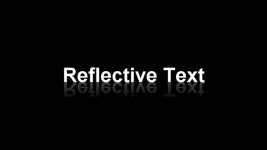
Titles in Vegas PRO- Reflection
- Thread starter TR16MM
- Start date

clang
Veteran
making something appear inside text on a plain background is easy: create your title text in one colour, then put a chromakey effect on it, making the text colour as the key - the text will now be transparent. Now add another track below the title, containing whatever you want to show inside the text - in your case, this would be an upside down version picture you want to reflect.
But that surrounding picture complicates things - I'm not sure how to also make the title background transparent so that it will show a third track (your picture the right side up). Someone who knows masks better may be able to suggest something.
It could be done easily enough if you only need a still - in a paint program, add plain colour text to your picture, then save the resulting picture and do the chromakey as above. But I don't know how to do it with moving video - I suspect someone else on these forums may...
But that surrounding picture complicates things - I'm not sure how to also make the title background transparent so that it will show a third track (your picture the right side up). Someone who knows masks better may be able to suggest something.
It could be done easily enough if you only need a still - in a paint program, add plain colour text to your picture, then save the resulting picture and do the chromakey as above. But I don't know how to do it with moving video - I suspect someone else on these forums may...
clang
Veteran
Yes, it can be done - if you have Douglas Spotted Eagle's excellent book 'Vegas Pro 8 Editing Workshop (and if you don't, you should), page 388 covers using a Title as a mask to show one video stream under another through the mask 'hole'. He doesn't use the technique for a mirror effect, but that could easilty be done by making one video stream an upside down version of the other as suggested earlier.
The trick is:
Track 1: your title text, which will be used purely as a mask
Track 2: the video you want to appear through the mask (in your case, the upside down version of Track 3 so that it will look 'reflected') - on the far left of the track control pane, click Make Compositing Child
Track 3: your background video
The trick is:
Track 1: your title text, which will be used purely as a mask
Track 2: the video you want to appear through the mask (in your case, the upside down version of Track 3 so that it will look 'reflected') - on the far left of the track control pane, click Make Compositing Child
Track 3: your background video

You don't have to do a chromakey on a title to make the text transparent. Go into the Text box and go to the Properties tab, then change the A value in the Text color properties to 0.
In any case, think TR16MM wants to make the text reflect itself, right? Which direction?
In any case, think TR16MM wants to make the text reflect itself, right? Which direction?
clang
Veteran
Quite right, David, if you just want video inside title text, making the text transparent as you suggest is easier than chromakeying.
But I thought TR16MM wanted the text to reflect what was around it, rather than have the text reflected on what was around it, if you see the difference.
But I thought TR16MM wanted the text to reflect what was around it, rather than have the text reflected on what was around it, if you see the difference.