Text "barn door" effect

Lynos

Well-known member
Okay, this is kind of a specific question... I'm trying to achieve a text effect whereby two words enter the frame from both sides, left and right, of the screen, and meet in the middle - kind of like a barn door effect, but for text. Seems to me this should be fairly simple, but I am not able to do this. I'm a newbie when it comes to animation in NLE's and could only achieve very basic stuff. Should I have to animate every single frame separately? Seems crazy.

I watched tutorials but didn't see anyone mention how to achieve this. Can anyone perhaps explain how this can be done?
I'm already using the text generator extensively. It's just the animation part that confounds me.

Thank you.
 
Do it in After Effects was my initial response. If you want to stay in Vegas, Create each word as a new text event with transparent backgrounds. Keyframe them using the motion controls to create your look
 
Okay, this is kind of a specific question... I'm trying to achieve a text effect whereby two words enter the frame from both sides, left and right, of the screen, and meet in the middle - kind of like a barn door effect, but for text. Seems to me this should be fairly simple, but I am not able to do this. I'm a newbie when it comes to animation in NLE's and could only achieve very basic stuff. Should I have to animate every single frame separately? Seems crazy.

I watched tutorials but didn't see anyone mention how to achieve this. Can anyone perhaps explain how this can be done?
I'm already using the text generator extensively. It's just the animation part that confounds me.

Thank you.

Have you tried just creating the text and using a barn door transition to bring it in?

Otherwise, it would be pretty easy to do in pan/crop.
 
Have you tried just creating the text and using a barn door transition to bring it in?

I thought about this. Can you maybe explain how this can be done? I tried to attach the video to the text media and then dropping the transition in, but nothing happened.

And yes, I prefer to keep all the workflow in Vegas if I can. I Don't want to export to AE just for a title effect.
It's just frustrating because I know it's probably very easy to do...

I attached an image from the footage. This is how it's supposed to look by the end, but the titles should enter from both sides and then meet at the center.

Thanks.

Image3.jpg
 
Two video tracks, each holding a generated media event of one word. Position both in their end positions. Then go into Pan/Crop on one event, create a start and end key frame, go to the start key frame and move the word just offscreen - when played back, the word will scroll onto the screen. Repeat for the other event.
 
Put each text event on its own track and keyframe using the Placement tab to have them slide in as desired.

Mike
 
I like using the Placement tab to move it as I can add other FX to it.
For example, making the text start off big and get smaller (or vice-versa) or stretching it out at the beginning and then bringing it back to normal.

Mike
 
Everyone has their preferences, and there's no wrong way of doing it. But the Placement tab doesn't have anything to do with making the text bigger or smaller or stretching it; it just places the text. You'd get the same effects placing the text with a transition, pan/crop, or track motion.
 
Thank you all for your suggestions. It's very appreciated.

I tried Clang's method, but it didn't work. I'm sure I'm doing something wrong, or rather, not doing something right. I have no problem admitting here that I just don't get the pan/crop feature and how to work with the keyframes. I did some experiments with it where I was able to animate random stuff, but here, for example, I did not figure out how to slide the words out of the screen and keyframe it. Maybe I'm stupid, but this is the only feature in Vegas that I find counter-intuitive and frustrating, and the help files don't help much.

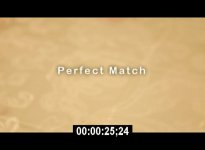
In any case, the barn door clip David sent is exactly what I'm looking for. Only problem is when I change the words to "perfect match" (as in the example above) the T gets cut off, and the only way to avoid it is to create an extra space between the words, but then it looks unnatural. Any idea how to fix this? I tried all kinds of fonts and sizes but it doesn't help.

The slide option doesn't work for me because I'm specifically looking for that barn door effect.
 
Nice job altarvic. I see that you used a keyframe but, after going through every parameter that I could find, I can't see where or how it was applied. How about a hint :)

Mike
 
As you might already know, Vegas allows to apply transitions to a single event. Just create a fade-in and select the desired transition. That's it! :)
 
In looking closer at your veg file, I can see a change in your Pan/Crop numbers.
However, I see a keyframe in the Generated Media and don't see any values changing there.

Mike
 
Back
Top