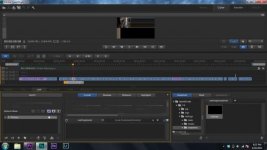
So I am completley new to speedgrade-like first time using it-and I'm having trouble when trying directly link a premiere pro project. The playback seems fine, however my window looks like this: I've tried re-sozing the window that show's the preview but I can't. If anyone has run into this before please let me know how to fix it. Also if this thread is in the wrong place, please move it to the correct place (I didn't know where this should go)

Navigation
Install the app
How to install the app on iOS
Follow along with the video below to see how to install our site as a web app on your home screen.
Note: This feature may not be available in some browsers.
More options
You are using an out of date browser. It may not display this or other websites correctly.
You should upgrade or use an alternative browser.
You should upgrade or use an alternative browser.
SpeedGrade help
- Thread starter Seven11
- Start date
Christopher Barry
Veteran
I also have limited experience with SG. If you run dual monitors, you can make the second screen display the monitor exclusively. I use this method. Calibration, hmm, probably not great, depending on your delivery. Alternatively, if you only have one screen, press the button in the top right of the monitor window, this resizes the footage to 100% and all GUI controls disappear. Press space bar to start/stop playback. Not a practical method to colour and grade. It is similar to pressing the "`" (tilde) key when the monitor window is active in Premiere, it becomes full screen. Dual monitors may be your best bet, if you don't have a dedicated playback card and external monitor configuration.
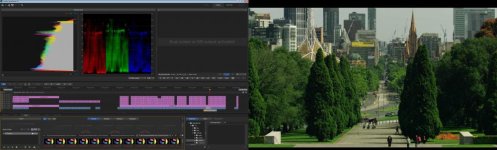
Dual monitor is activated via the preferences menu, the spanner/wrench icon.
Dual monitor is activated via the preferences menu, the spanner/wrench icon.
Christopher Barry
Veteran
Sorry, I don't know what that means. I have had a quick look at the SG documentation I could find, nothing refer to those specifically that I could find. When I press play, the monitor icon turns red, however, no flashing. The disk icon remains grey. I moved the data in the test I posted to offline a few months ago. It is not playing from SSD, and is not real time and is slow. Some components in my PC are out of date. Perhaps it is similar to Premiere, when it flashes, it is dropping frames? Sorry not much help to you.
https://helpx.adobe.com/speedgrade.html
Edit: ok, I see your edit. Thanks for confirming performance related icon flashing.
https://helpx.adobe.com/speedgrade.html
Edit: ok, I see your edit. Thanks for confirming performance related icon flashing.