Here's some hdv footage that was keyed. I used pan and crop to make a mask to remove a light stand and when I key it I can see the outline of the mask. If I adjust the vegas ck levels I can make the mask track vanish but it degrades the subject. Is there a solution? The tracks/hashmarks are to the left and run vertically.

Navigation
Install the app
How to install the app on iOS
Follow along with the video below to see how to install our site as a web app on your home screen.
Note: This feature may not be available in some browsers.
More options
You are using an out of date browser. It may not display this or other websites correctly.
You should upgrade or use an alternative browser.
You should upgrade or use an alternative browser.
Solution for this?
- Thread starter Lucian
- Start date


In the FX dialogue box, try clicking the little traingle next to the Chroma Key effect (down at the timeline).
In the FX dialogue box, try clicking the little traingle next to the Chroma Key effect (down at the timeline).
The only triangles visible in the FX box are the levers for adjusting the color of bg you key out. I'm using Vegas 9 btw.
No, I mean triangle to the left of the "Chroma Key" line, down at the timeline in the bottom of the FX box.
If you don't see the timeline, you might have to go to the double-line at the bottom of the box, grab it, and drag the timeline up.
If you don't see the timeline, you might have to go to the double-line at the bottom of the box, grab it, and drag the timeline up.
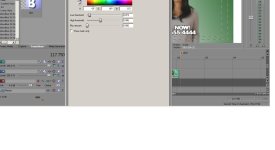
You need to move it up away from the bottom of the screen, it looks like.
The box should have a timeline:

See the triangle down where it says "Chroma Keyer"?
See the triangle down where it says "Chroma Keyer"?

El Director
Veteran
I'd try to feather the mask.
You'll usually just end up with a fuzzy line.
medeamajic
Carbonite Member
Can you crop out the microphone with a PIP or even a garbage matte? Perhaps I am missing something.
El Director
Veteran
It almost looks like you carefully traced the boom. That could've caused the issue. Try a garbage matte instead. Just loosely trace the object or actor, keeping all your lines in the green.
medeamajic
Carbonite Member
It almost looks like you carefully traced the boom. That could've caused the issue. Try a garbage matte instead. Just loosely trace the object or actor, keeping all your lines in the green.
I don't think he/she traced anything but I could be wrong. I dont seee a big problem wiht the microphone stand though. I would just use a garbage matte to get rid of it.
Guys, it's just a little quirk in the way Vegas stacks its FX (not a bug, a quirk). What I said to do will take care of it.