depasan
Active member
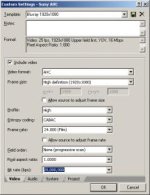
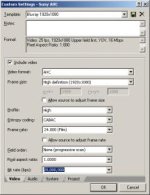
My footage is .m2ts format. When I use Sony Vegas 9 to convert the .m2ts to Sony AVC with the template Blu-Ray 1920x1080-60i 16MBs video stream I loose the audio (it only converts video). If I attempt to go to Custom and try to check audio the box is grayed out and I can't click it. If I go in the tab System and change the format from AVC to Format MPEG-2 transport stream (.m2ts) then the audio box is clickable (I mean it works).
If I render everything under template AVCHD 1920x1080-60i I get one file with both video and audio. The problem is that when I try to burn a blue-ray in DVD Architect 5, DVD Architect finishes rendering and then at the end I get an error:
I would really appreciate if someone will take the time and explain step by step the best Render settings in Sony Vegas 9 to have a perfect quality Blu-Ray?
Thank you very much
If I render everything under template AVCHD 1920x1080-60i I get one file with both video and audio. The problem is that when I try to burn a blue-ray in DVD Architect 5, DVD Architect finishes rendering and then at the end I get an error:
I have a Blu-Ray writer and I don't know what I am doing wrong. This is really frustrating and I really need help my friends.Status: TSWrapper.dll::CTSWrapper:rocThreadMain::Video buffer underflows. -
I would really appreciate if someone will take the time and explain step by step the best Render settings in Sony Vegas 9 to have a perfect quality Blu-Ray?
Thank you very much