'Replace With After After Effects Composition' in Premiere pro

Soundfx4

Active member
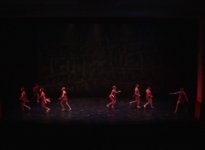
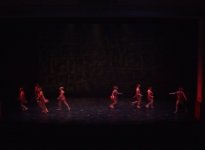
I recently, and for the first time ever, used the Replace With After Effects Composition option in Premiere pro to do some simple masking on a dance. I created the mask, animated it, and fixed the problem that I originally set out to fix. However, it seams that after effects is doing something weird to the bit of video that I used and sending this oddity back to premiere pro when I both preview play it and export it. The video is all DV and after effects correctly interrupted the footage from what I can tell (lower field first, correct pixel aspect ratio, correct resolution) but the interlacing lines are gone and it looks kind of blurry. It looks to me like it's performing some type of field blending or de-interlacing, but I'm still very amateur at all this and am not 100% confident in my analysis of what's happening. I've included a screen shot from the last frame of the after effects composition, and the first frame from the premiere pro sequence. The frames are right beside each other chronologically.

Screenies:

After effects composition screenshot

attachment.php


Adobe premiere sequence screenshot

attachment.php


I'd like to apologize if this should have been in the premiere pro section; I had to think this one over a few times and I ended up choosing the after effects section because I think that after effects is the problem. I just want it to be known that if this happens to have been the incorrect section, it was due simply to a mistake and that I really did consider which one I should post in :)

Thanks much :Drogar-BigGrin(DBG)
 

Attachments

  • AEComppp.jpg
    AEComppp.jpg
    154.5 KB · Views: 0
  • PPSequence.jpg
    PPSequence.jpg
    167.7 KB · Views: 0
Take a look at this...
Code:
[URL]http://help.adobe.com/en_US/premierepro/cs/using/WSD69D6B9C-1F89-4c85-BCB3-2C946E26246D.html[/URL]
I'm not confident myself but you should check you are interpreting the footage correctly in both after effects and premiere... the one thing you didn't mention was frame rate.
 
I'm not confident myself but you should check you are interpreting the footage correctly in both after effects and premiere... the one thing you didn't mention was frame rate.
Exactly. Looks like you shot interlaced and you've set your project to progressive in premiere pro.
You can always deinterlace it in premiere in the clip's option, but it's not the "best" option if it has been recorded interlaced.
 
Exactly. Looks like you shot interlaced and you've set your project to progressive in premiere pro.
You can always deinterlace it in premiere in the clip's option, but it's not the "best" option if it has been recorded interlaced.

oh right the framerate; I did forget to mention that, but in both after effects and premiere pro the frame rate is 29.97.

In premiere pro the footage is correctly interpreted (as far as I can tell) as 29.97 fps, .9091 pixel aspect ratio, and Lower field first.

In after effects the footage is correctly interpreted (as far as I can tell) as 29.97 fps,
.91 Pixel aspect ratio, and lower field first.

something very interesting happened just now while I was playing with the interpret footage option in after effects. I changed the field order separation to off instead of lower first and it seams to be interpreted correctly now...any thoughts on this? I'd have thought they both need to be lower field first, but when that option is selected in after effects, it seams to mess things up.

Seams to be fixed now though, so thank you :D
 
something very interesting happened just now while I was playing with the interpret footage option in after effects. I changed the field order separation to off instead of lower first and it seams to be interpreted correctly now...any thoughts on this? I'd have thought they both need to be lower field first, but when that option is selected in after effects, it seams to mess things up.

Seams to be fixed now though, so thank you :D

Yes, that is the solution, you found it yourself! You see, in After Effects, the field setting you're changing isn't the field order, it's the field which After Effects uses. So instead of telling After Effects 'the footage is lower field first' the setting tells it 'just give me the lower field.' Turning it to off means that After Effects stops separating the fields and lets you work with the original, interlaced footage.

-Andrew
 
Yes, that is the solution, you found it yourself! You see, in After Effects, the field setting you're changing isn't the field order, it's the field which After Effects uses. So instead of telling After Effects 'the footage is lower field first' the setting tells it 'just give me the lower field.' Turning it to off means that After Effects stops separating the fields and lets you work with the original, interlaced footage.

-Andrew

A bit of an old post but I just now read your explanation and I wanted to thank you for clearing up the reasoning. It makes sense now! Thank you ^_^
 
Back
Top