
Need some help as a newb..sort of!
Moved from Vegas to Premiere a few years ago, but having trouble despite recent workstation build with render times/preview times. At the moment gopro studio just crashes (the importer crashes) so resorted to premiere to convert gopro protune .mov files. After mucho to and fro with Gopro tech support, have the firstlight LUT's (.look, .cube files), however, although a quick batch encode to say DNxHD or Cineform with media encoder works a treat (really fast!), as soon as I apply a LUT, or an unsharpen mask (all to approximate the gopro studio look), I get around 1-2 frames a second in Premiere. What's worse, currently rendering a bunch of gopro protune clips converted to cineform, and in premiere with the lumetri protune lut applied and one unsharpen mask, the 23 minute total of four clips is going to take over 3 hours to render!
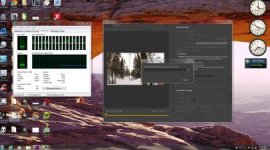
I'm using 2 scratch disks both with ssd caching, and have a dual xeon workstation (albeit slower e5-2665 ES sandy chips running around 2.4 ghz), still...wow that is really friggin! slow. Looking at my 32 threads, not surprisingly, very low utilization....32gb ram and whatever it is lots and lots and lots of hdd's as well as a raid 5 array for backup...
Other: I have an older 770 gtx 4 gb for graphics (just the one), and OS and main software are on 2 SSD's, completely separate from scratch disks. All on Asus z9pe-d8 WS. Yes have latest drivers pretty much, ditto BIOS (to the extent I can with ES chips), and Maya, Max, Nuke etc run fine no problem (3D animation student).
Frankly, wondering if I have to finally learn Resolve (the gopro software just crashes on opening, and no batch export), or maybe get stuck into nuke although that seems a bit overkill for correcting home gopro vids!
Any help from you pros out there much appreciated! I don't actually use premiere or AE all that often, but can't see that I've completely messed up optimization! Iff I had the dough, a separate ssd just for AE/Premiere scratch would be nice.
Moved from Vegas to Premiere a few years ago, but having trouble despite recent workstation build with render times/preview times. At the moment gopro studio just crashes (the importer crashes) so resorted to premiere to convert gopro protune .mov files. After mucho to and fro with Gopro tech support, have the firstlight LUT's (.look, .cube files), however, although a quick batch encode to say DNxHD or Cineform with media encoder works a treat (really fast!), as soon as I apply a LUT, or an unsharpen mask (all to approximate the gopro studio look), I get around 1-2 frames a second in Premiere. What's worse, currently rendering a bunch of gopro protune clips converted to cineform, and in premiere with the lumetri protune lut applied and one unsharpen mask, the 23 minute total of four clips is going to take over 3 hours to render!
I'm using 2 scratch disks both with ssd caching, and have a dual xeon workstation (albeit slower e5-2665 ES sandy chips running around 2.4 ghz), still...wow that is really friggin! slow. Looking at my 32 threads, not surprisingly, very low utilization....32gb ram and whatever it is lots and lots and lots of hdd's as well as a raid 5 array for backup...
Other: I have an older 770 gtx 4 gb for graphics (just the one), and OS and main software are on 2 SSD's, completely separate from scratch disks. All on Asus z9pe-d8 WS. Yes have latest drivers pretty much, ditto BIOS (to the extent I can with ES chips), and Maya, Max, Nuke etc run fine no problem (3D animation student).
Frankly, wondering if I have to finally learn Resolve (the gopro software just crashes on opening, and no batch export), or maybe get stuck into nuke although that seems a bit overkill for correcting home gopro vids!
Any help from you pros out there much appreciated! I don't actually use premiere or AE all that often, but can't see that I've completely messed up optimization! Iff I had the dough, a separate ssd just for AE/Premiere scratch would be nice.
Attachments
Last edited:
